✨ New: Sell Gifts & Personalized WooCommerce Products with Engraver. Learn more



How Direct Payments for WooCommerce Helped a Store Operate Without PayPal
Every retailer who sells seasonally knows the drill: months of quiet followed by a furious sprint of sales. For the team behind Harvest & Holly, a beloved online home-décor store that lives and breathes fall tablescapes and Christmas centrepieces, the sprint runs from late September through to Christmas Eve. For eight months of the year, the store is essentially dormant. For the remaining four, it generates almost all of its annual revenue.
It is a perfectly sensible business model — until the night before peak season, when the business discovered, to its horror, that PayPal had quietly restricted its account.
What followed was a frantic few hours that ended, surprisingly, with the store coming out stronger than it had ever been.
Harvest and Holly: The Setup
Harvest & Holly was founded by Clara Osei, a home-décor enthusiast who turned her passion for seasonal styling into a WooCommerce store five years ago. Her product range — hand-poured soy candles, bespoke wreath kits, rustic table runners, and Christmas ornament sets — attracted a devoted following that grew largely through word of mouth and Pinterest.
Because the store only shipped during autumn and the Christmas season, Clara had set it to a low-traffic maintenance mode from January through August each year. Listings were paused, inventory pages were hidden, and the checkout was effectively inactive. When October came around, she would flip everything back on, run a few promotional emails, and watch the orders roll in.
Payment processing had never been something Clara spent much time thinking about. WooCommerce defaulted to PayPal; she had set it up in the early days of the store, and it had worked well enough. She had no reason to question it.
She had no reason to, that is, until the evening of September 28th.

The Problem: A PayPal Restriction
Clara had spent the last week of September in preparation mode — photographing new products, scheduling email blasts, updating shipping rates, and triple-checking her inventory. Launch day was September 29th, a date she had circled on the calendar and promoted to her mailing list of over four thousand subscribers.
At around 9 PM the night before, she logged into her PayPal account to confirm everything was in order. The dashboard greeted her with a message she had never seen before:
“Your account has been temporarily limited. Due to a period of inactivity, we’ve restricted your account. You won’t be able to send or receive payments until this is resolved.”
Her stomach dropped.
PayPal, it turned out, had flagged her account because it had been nearly eight months since the last transaction. Their systems had interpreted the silence as a potential security concern and automatically applied a limitation. To lift it, she needed to submit identity verification documents, which PayPal warned could take three to five business days to review.
Three to five business days. Her biggest sales season began in less than twelve hours.
Clara spent the next hour trying every avenue she could think of — PayPal’s live chat, their support email, and even hunting for a phone number. She got automated responses and a support ticket number. No resolution.
“I felt completely paralysed,” she later recalled. “All of my marketing was out, my subscribers were expecting to shop the next morning, and my only payment option was locked. I had no backup plan.”

The Discovery: A Friend, a Plugin, and a Quick Setup
In near desperation, Clara called her friend and fellow WooCommerce store owner, Daniel Mensah, who ran an online spice and condiment shop. Daniel had dealt with his own payment headaches the previous year — a processor had inexplicably held his funds during a busy promotional period — and had gone looking for alternatives.
“Have you heard of Direct Payments for WooCommerce?” Daniel asked. “I installed it last year after my processor froze my account. It lets you accept payments directly through Bank Transfers, P2P apps, crypto, mobile money — basically anything. There are no middlemen and no processing fees taken from you. Just set up your details, and customers pay you directly.”
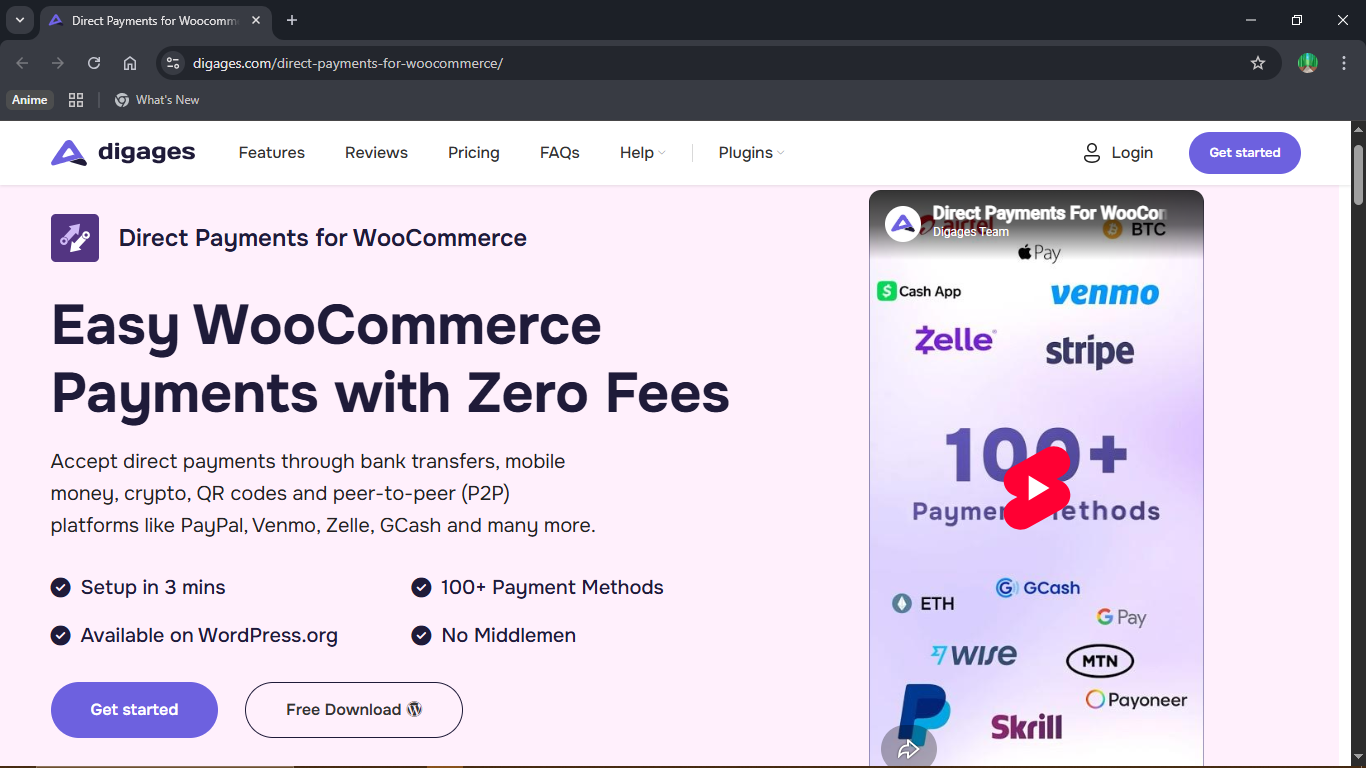
Clara pulled up the plugin page immediately. The product was developed by Digages, and its premise was exactly as Daniel had described: a WooCommerce plugin that lets store owners accept direct payments through virtually any method imaginable, without routing money through a payment processor. Customers see the payment instructions at checkout, complete the transfer on their own, and the order is logged for the merchant to confirm.
It was 10:30 PM. Launch was in less than twelve hours. She downloaded the plugin.
Installation: Done in Minutes
Clara was not a developer. She had built her WooCommerce store herself with the help of tutorials, but she was understandably anxious about setting up a new payment system under pressure. That anxiety dissolved quickly.
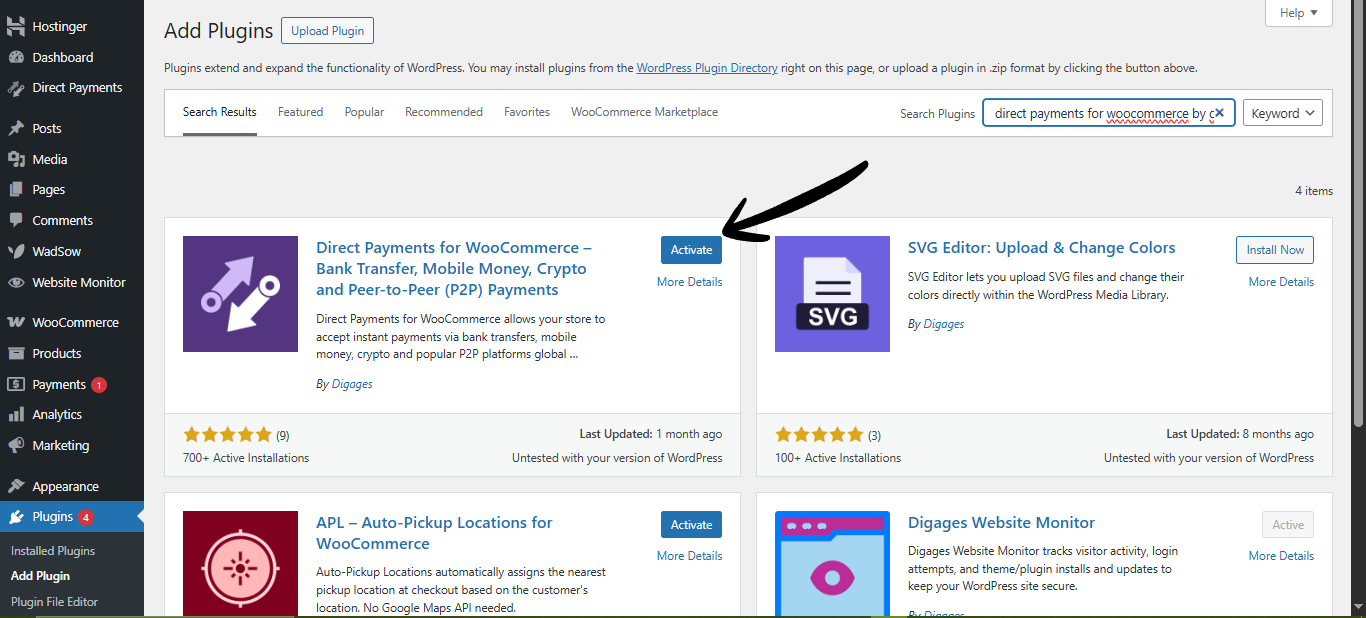
Installing Direct Payments for WooCommerce followed the standard WordPress plugin process: navigate to Plugins → Add New, upload the plugin file, and click Activate. From there, the plugin added itself to the WooCommerce payment settings, where she could enable it as a checkout payment method with a single toggle. The whole process took under five minutes.
“I kept waiting for the hard part,” she said. “It never came.”
The Configuration: Four Payment Methods in One Night
Once the plugin was active, Clara began setting up the payment methods she wanted to offer. She worked through them one by one, guided by Digages’s clear documentation. By midnight, she had configured four distinct payment options.
1. Peer-to-Peer (P2P) Payments — Starting with What Customers Already Knew
This was the natural first step. Many of Clara’s existing customers had PayPal accounts themselves and were familiar with P2P payment apps. With Direct Payments for WooCommerce, she could display her own PayPal details at checkout — not as a PayPal gateway integration, but as a simple set of payment instructions. The customer would send money directly to her PayPal using the P2P (Friends and Family) transfer option, bypassing payment processor fees entirely.
She also added her Venmo and Cash App handles as additional P2P options. The setup involved entering her payment details and a brief instruction message. Within ten minutes, all three P2P options were live.
2. Bank Transfer — Reliable and Universal
Clara’s business account was with a regional bank, and she had always assumed Bank Transfers were too cumbersome for online retail. Direct Payments for WooCommerce changed that perception. The plugin allowed her to display her bank account details cleanly at checkout — account name, account number, bank name, and a reference instruction — so that customers could complete an online bank transfer from their own banking app.
She added a short message encouraging customers to use their order number as a payment reference, making it easy to match incoming payments to orders. Setup took roughly fifteen minutes, and the result looked polished and professional at checkout.
3. Cryptocurrency — Opening the Door to a New Segment
Clara had not seriously considered accepting crypto before, but Daniel’s nudge — “you’d be surprised how many people prefer it, especially for gift purchases” — made her curious. The plugin supported multiple cryptocurrencies, including Bitcoin (BTC) and stablecoins like USDT.
Setting up the crypto payment method was as straightforward as the others: she entered her wallet address, selected the accepted cryptocurrency, and added an instruction note. The plugin handled the display at checkout, showing customers exactly where and how to send payment. Clara set up both BTC and USDT options, figuring she had nothing to lose and potentially a new customer segment to gain.
4. Mobile Money — Catering to Her International Customers
A good portion of Harvest & Holly’s customer base was in East Africa and Southeast Asia, where mobile money platforms such as MTN Mobile Money and M-Pesa were the primary means of sending money. Clara had always told those customers to try PayPal, which many found inconvenient or inaccessible.
With Direct Payments for WooCommerce, she set up a mobile money payment option in minutes, entering her mobile money number and network. For the first time, her international customers would have a native, friction-free way to pay.
By 12:45 AM, all four payment methods were configured, tested in the plugin’s sandbox, and ready for the morning.
Launch Day: Better Than Expected
September 29th arrived. Clara sent her promotional emails at 7 AM as planned and opened the store.
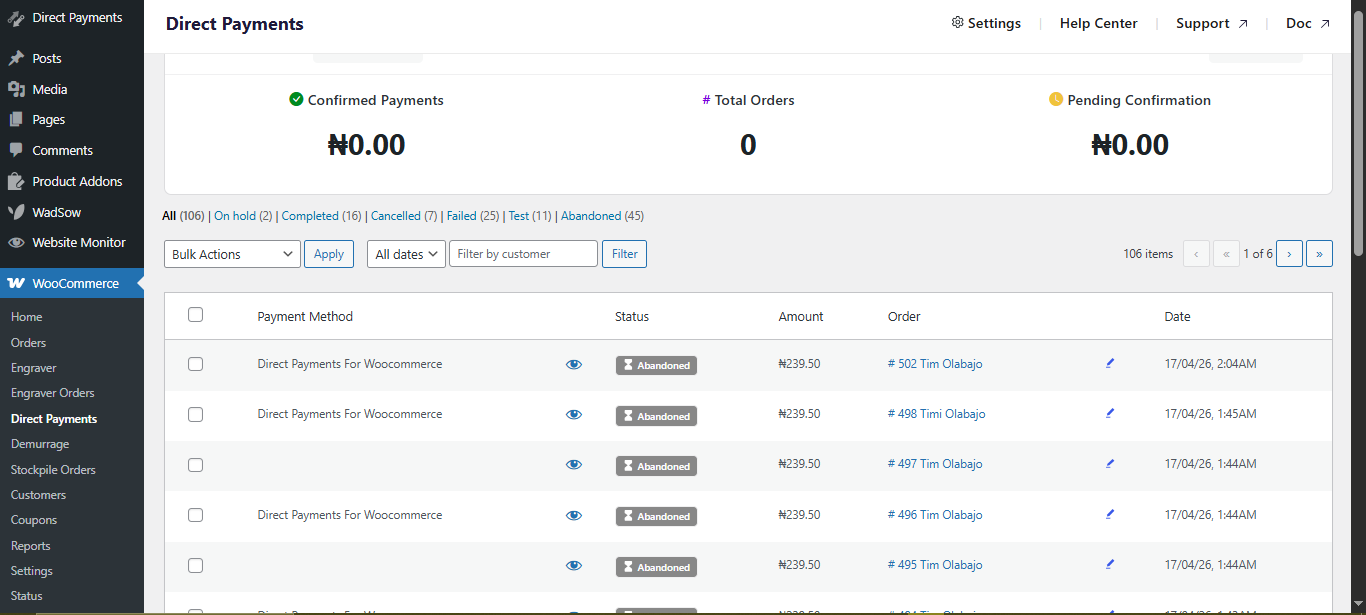
By noon, forty-three orders had come in — a record for a single opening morning. Orders were split across all four payment methods, with P2P (Venmo and Cash App) taking the largest share, followed by bank transfer, then mobile money, and a handful of Crypto Payments.
The order management experience was simple: as customers completed their payments and uploaded proof of payment, Clara confirmed each order within the plugin’s interface. Confirmed orders automatically progressed to processing status in WooCommerce. The few orders where customers had not yet sent payment sat in a pending state, which Clara could follow up on directly.
“I kept refreshing the dashboard,” she admitted. “It was like watching a machine work. Orders coming in, payments confirmed, everything moving. And not a single penny going through PayPal.”
The season continued in the same vein. By Christmas Eve, Harvest & Holly had processed its most profitable season on record. The PayPal restriction, which had started as a nightmare, had forced a diversification that Clara now considers one of the best things that ever happened to her business.
The PayPal account was eventually reinstated about two weeks into October. Clara did not reactivate it as a checkout method.

What This Story Illustrates
Clara’s experience highlights something that many WooCommerce store owners learn the hard way: building your entire payment infrastructure around a single third-party processor is a single point of failure. PayPal, Stripe, and similar platforms are powerful tools, but they operate on their own terms — and those terms include the right to restrict or close accounts, sometimes with little warning and inconvenient timing.
Direct Payments for WooCommerce is built around a fundamentally different philosophy. Instead of routing payments through a processor’s platform, it lets merchants accept payments through direct channels — bank accounts, P2P apps, crypto wallets, and mobile money numbers — that the merchant controls. There are no third-party approvals to lose, no inactivity restrictions to trigger, and no percentage fees deducted from every sale.
For seasonal businesses in particular, this matters enormously. The very nature of a seasonal operation — long periods of quiet followed by intense activity — is exactly the pattern that some payment processors flag as suspicious. A direct payments setup sidesteps that risk entirely.
“I always thought PayPal was just what you used for WooCommerce. I didn’t know there was another way. Now I can’t imagine going back.” — Clara Osei, Harvest & Holly

Key Takeaways
- Payment diversification is not optional — it is resilience planning. If your store relies solely on PayPal or any single gateway, you are one account restriction away from a complete checkout failure.
- Direct Payments for WooCommerce can be installed and configured in an evening, even under pressure. The plugin is straightforward enough for non-technical store owners.
- P2P, bank transfer, crypto, and mobile money are not niche payment options. They are how many people — especially international customers — actually prefer to pay.
- Seasonal stores are particularly vulnerable to inactivity-triggered restrictions. Direct payment methods have no inactivity clauses; your wallet address and bank account stay yours regardless of how long the store has been quiet.
- Zero processing fees means every direct payment is a more profitable transaction. Over a full season, the savings can be significant.
Get Started with Direct Payments for WooCommerce
If Clara’s story resonates with you — whether you run a seasonal shop, an international store, or simply want more control over how you get paid — Direct Payments for WooCommerce is worth exploring. The plugin is available in a free version that you can set up and test today.
Ready to take control of your WooCommerce payments? Learn more about Direct Payments for WooCommerce and start accepting payments on your own terms.








