🎁 New: Build Customer Loyalty & Drive Repeat Purchases with WooCommerce. Learn more



Auto-Pickup Locations for WooCommerce
Automate WooCommerce Local Pickup
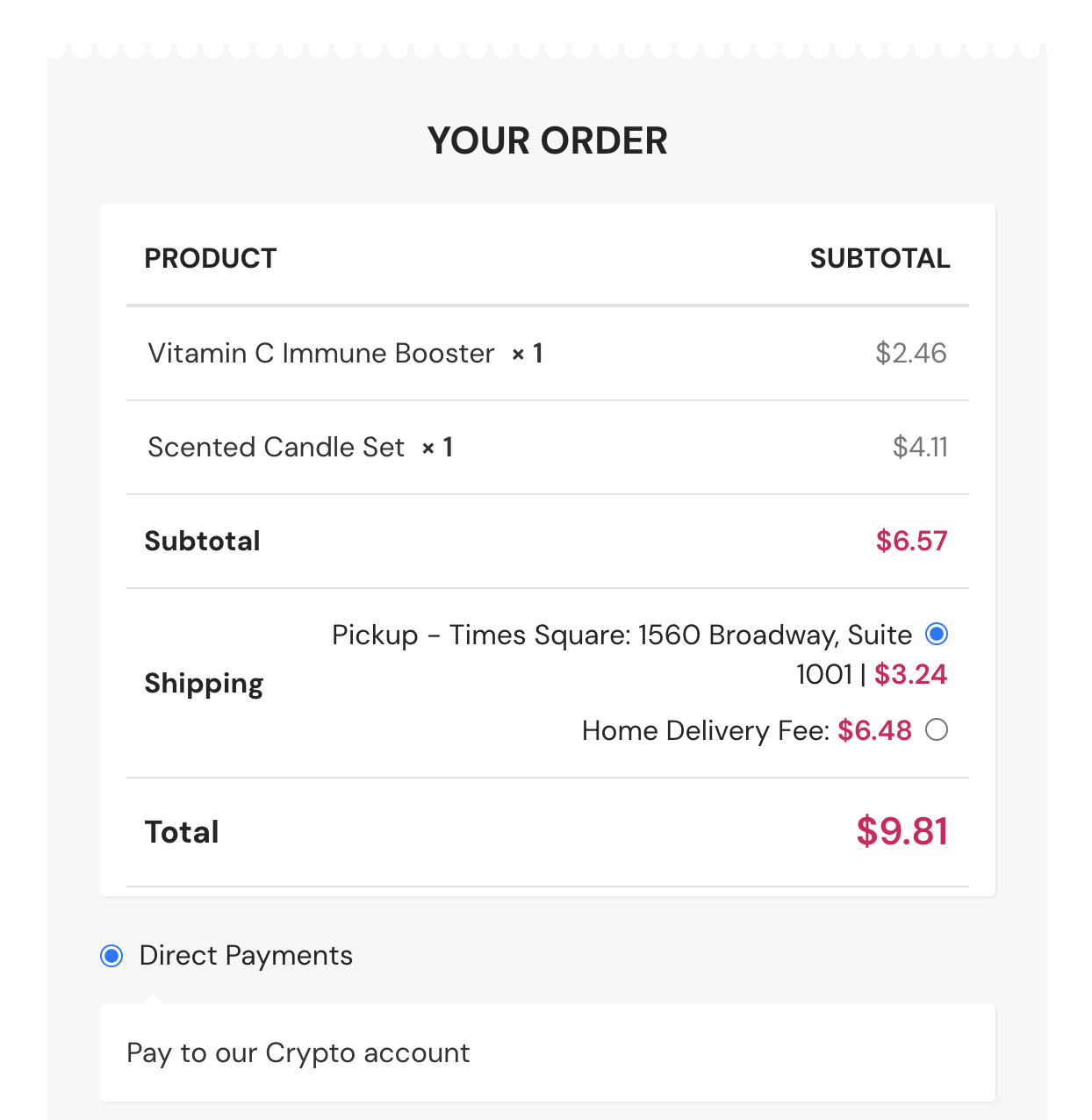
Auto-Pickup Locations helps WooCommerce stores automatically assign the nearest pickup point based on customer location.
Features to simplify your pickup workflow
1.
Smart Pickup Selection
Automatically assigns the nearest pickup location at WooCommerce checkout based on the customer’s location, or lets customers choose their preferred pickup point. No API keys needed.
2.
Pickup Notifications
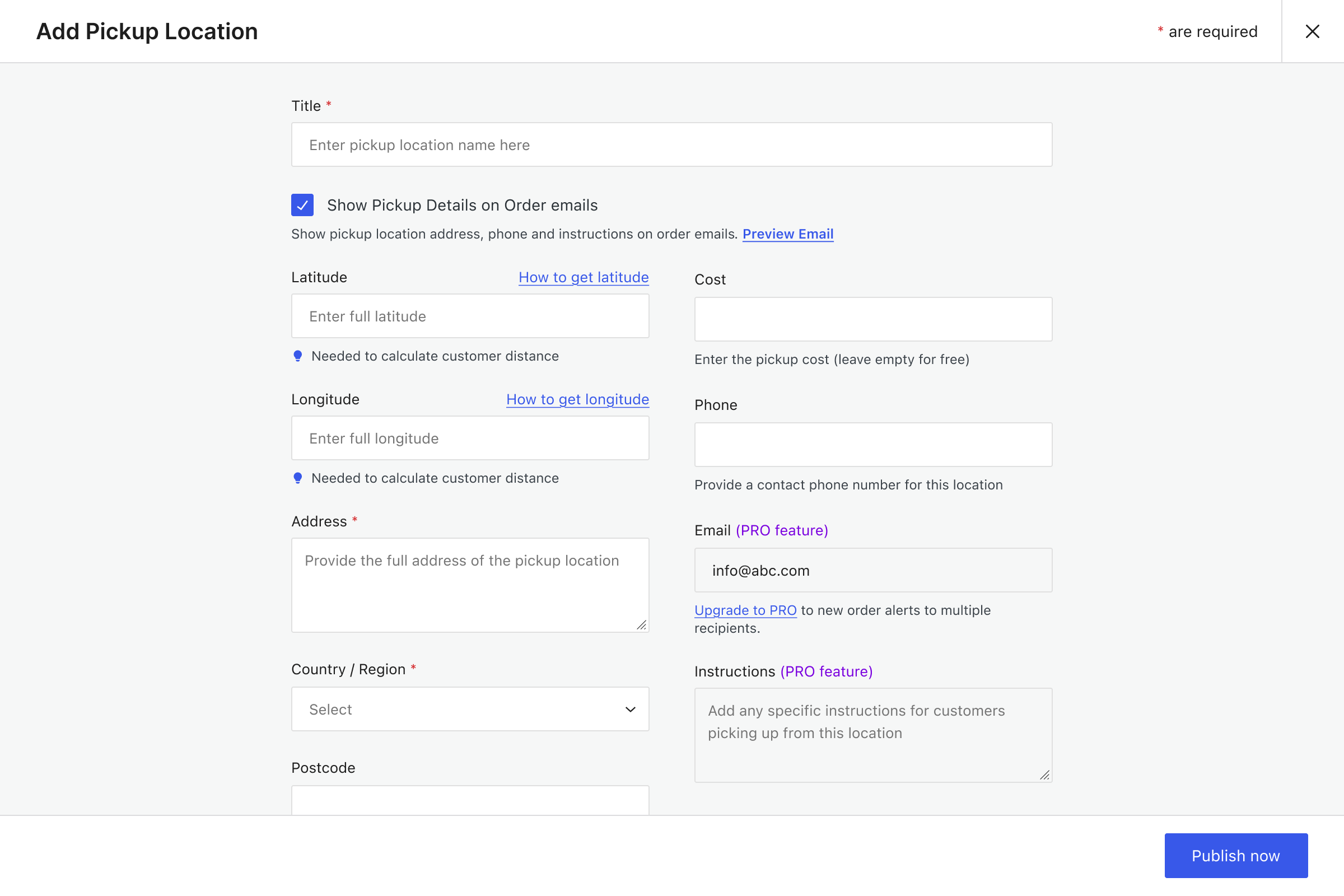
Show pickup details in customer and admin order emails, and send alerts to specific email addresses based on the selected pickup location.
3.
Unlimited Pickup Locations
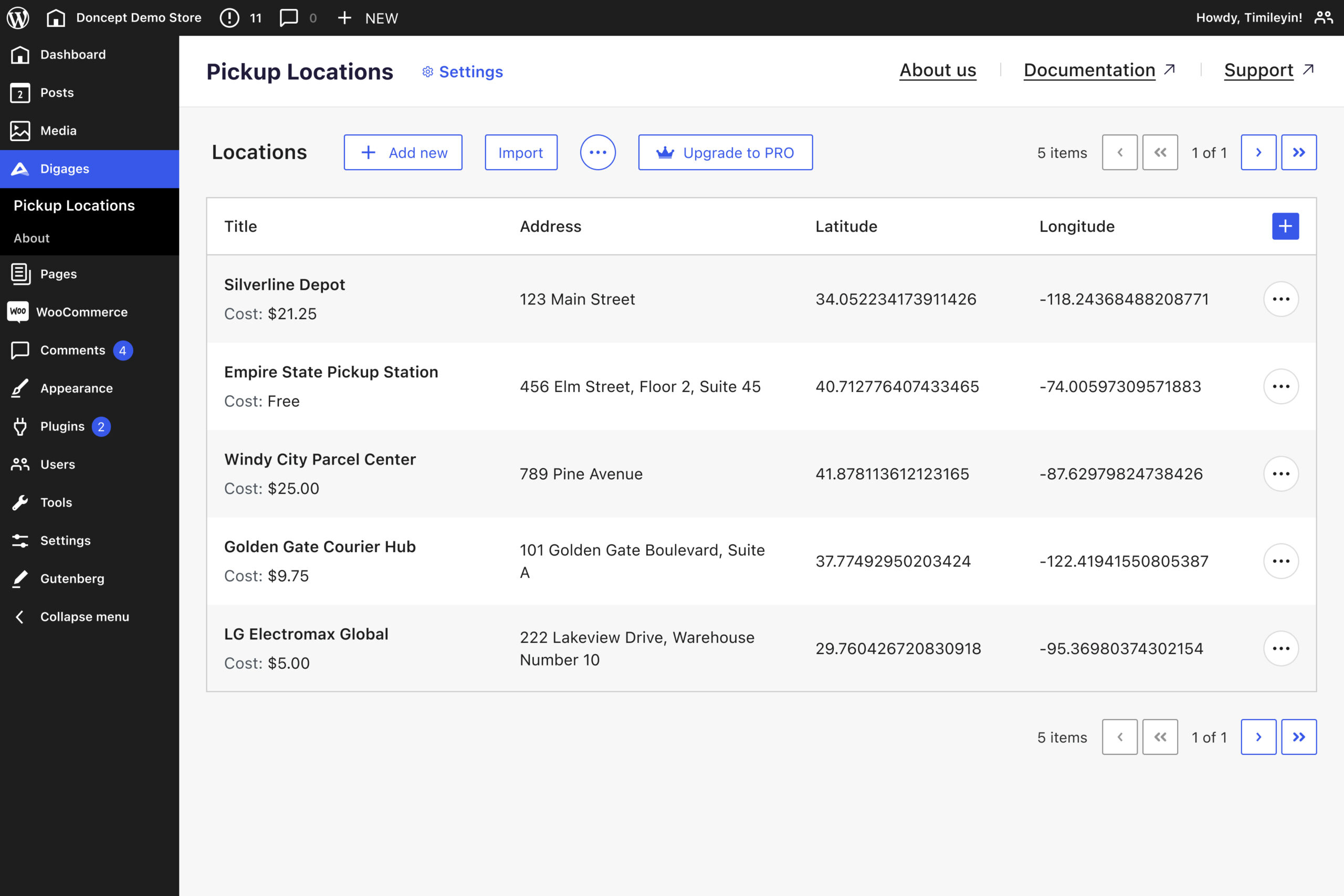
Add and manage as many pickup locations as your business requires.
4.
CSV Import & Export
Upload multiple locations at once or export your data easily.
5.
Add Pickup Instructions
Include phone numbers, addresses, and pickup instructions for each location.
Trusted by 5,000+ businesses
See how our plugins solve real problems for businesses around the world.
Build websites up to
normally $85.00
Activate on 1 website
Unlock all PRO features for 1 year, with priority support and updates.
normally $199.00
Activate on 1 website
Pay once and unlock all PRO features with lifetime priority support and updates.
normally $299.00
Activate on 1 website
Unlock all current and future Digages plugins with priority support and updates.
normally $229.00
Activate on 10 websites
Unlock all PRO features for 1 year, with priority support and updates.
normally $345.00
Activate on 10 websites
Pay once and unlock all PRO features with lifetime priority support and updates.
normally $499.00
Activate on 10 websites
Unlock all current and future Digages plugins with priority support and updates.
normally $329.00
Activate on 25 websites
Unlock all PRO features for 1 year, with priority support and updates.
normally $659.00
Activate on 25 websites
Pay once and unlock all PRO features with lifetime priority support and updates.
normally $699.00
Activate on 25 websites
Unlock all current and future Digages plugins with priority support and updates.
-
 All PRO features included
-
 14-day money-back guarantee
All pricing is in USD. You can change plans or cancel your account at any time. If you require more sites license, please contact us for Agency license.
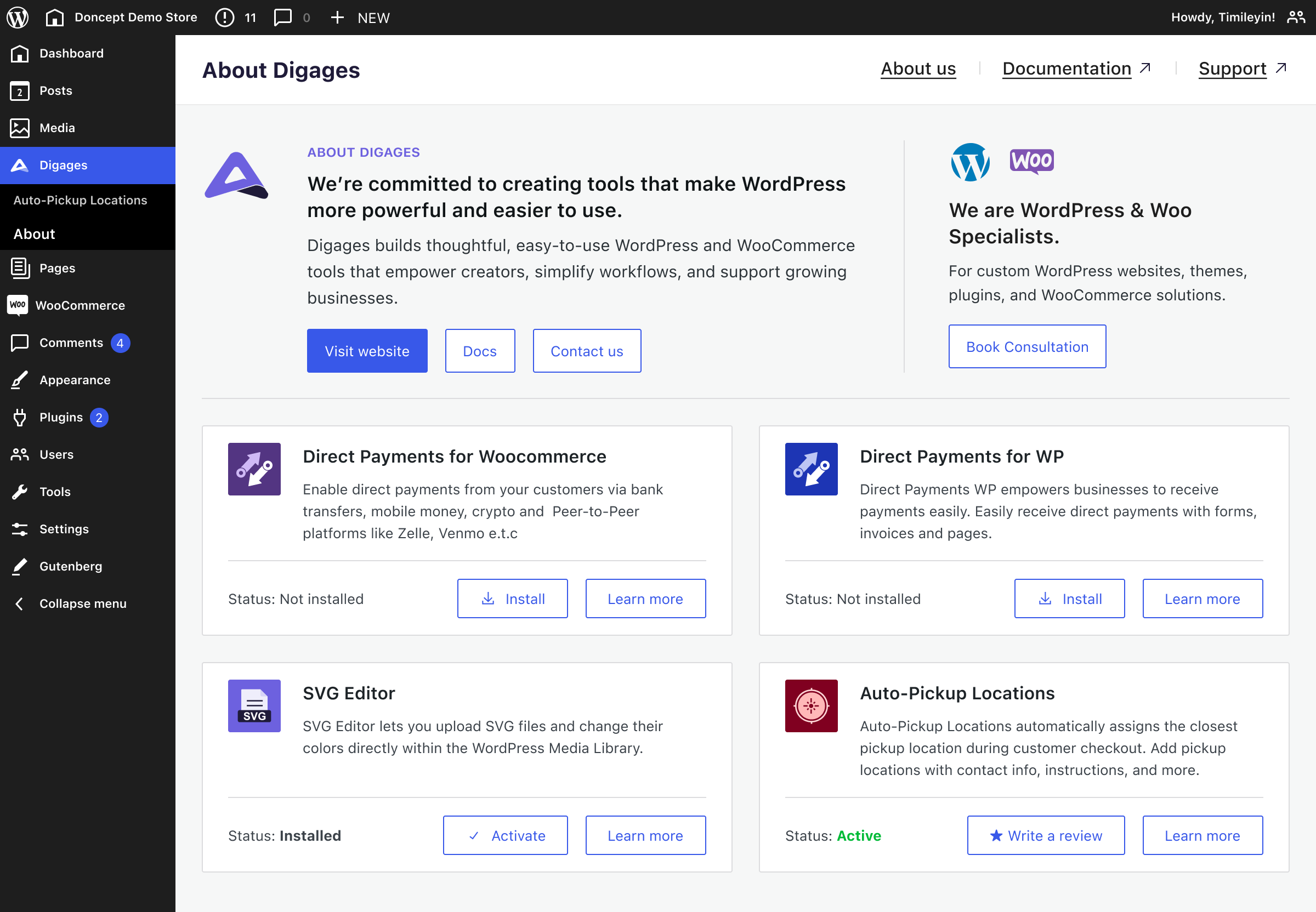
Screenshots
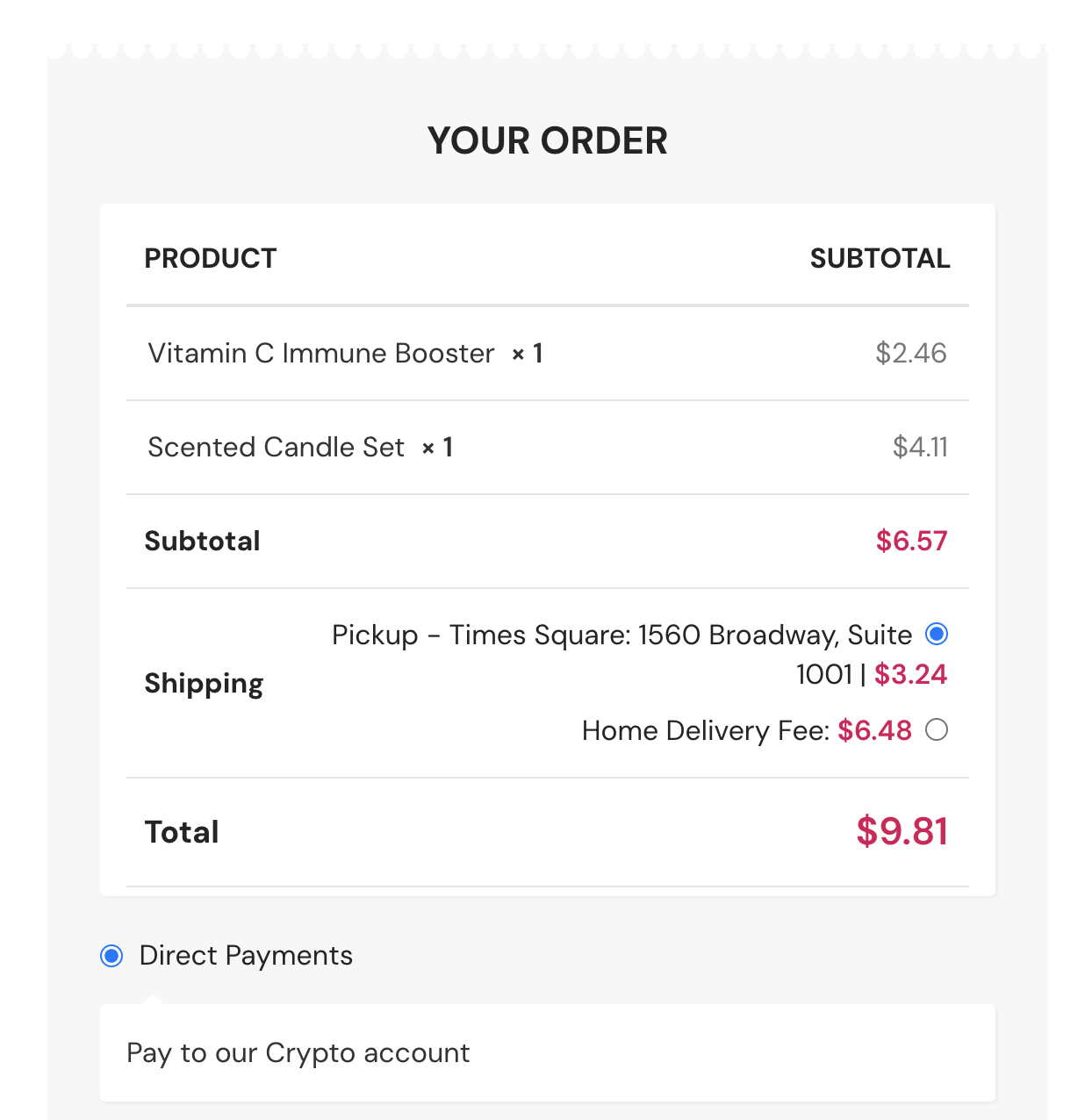
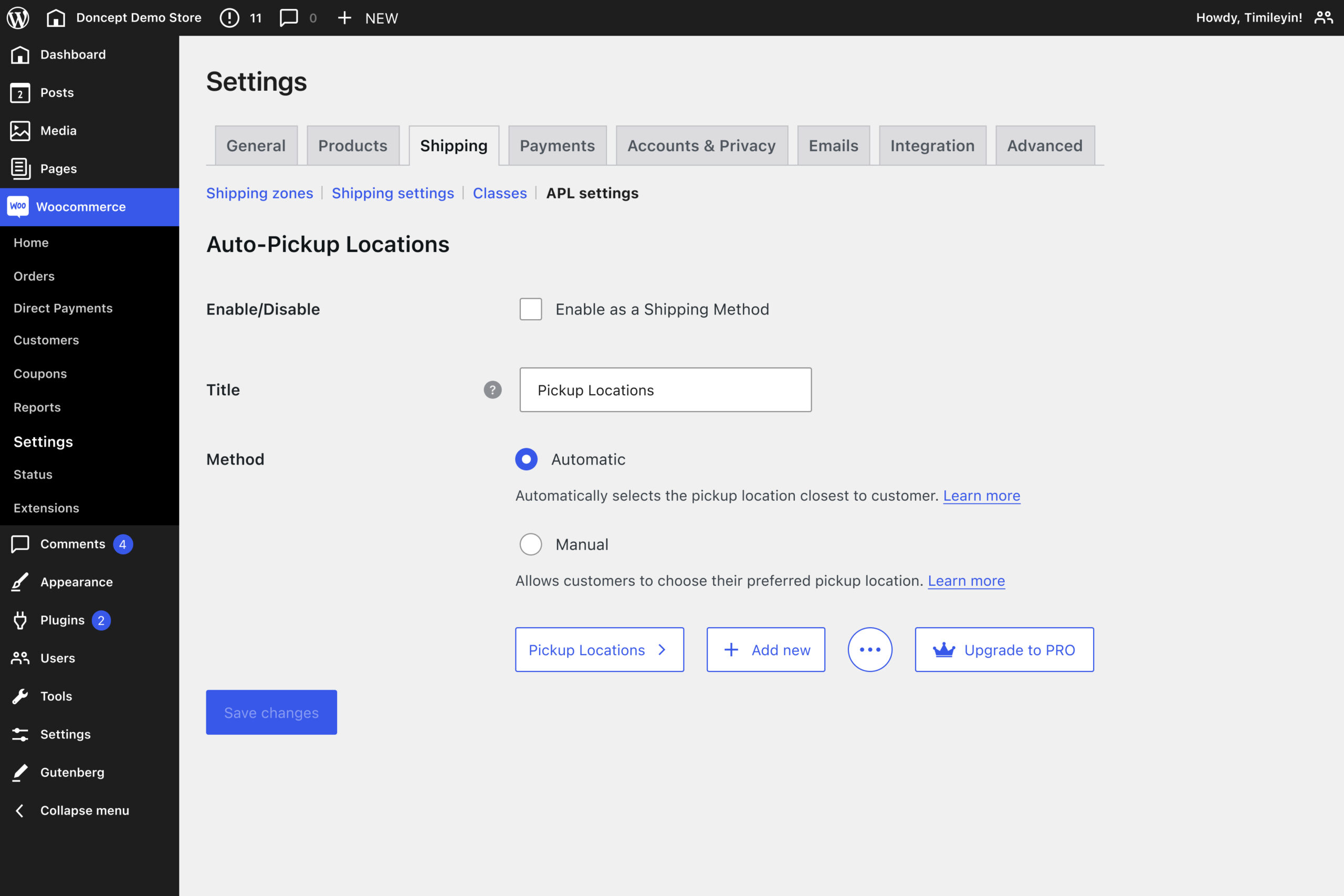
See Auto-Pickup Locations screens in action
Frequently asked questions
Do you have a question about Auto-Pickup Locations? See the list below for our FAQs. If your question is not listed here, then please visit our docs or contact us.
What does Auto-Pickup Locations do?
It automatically assigns the nearest pickup location to your customers at checkout based on their location, improving speed and convenience.
Can customers choose their own pickup location?
Yes. You can enable manual selection so customers can pick their preferred location instead of automatic assignment.
How does the location detection work?
The plugin uses the customer’s browser or device location to determine the closest pickup point.
How do I set up the plugin?
Setting up is simple. Install and activate the plugin, add your pickup locations, and choose how locations should be assigned at checkout. You can enable automatic detection or allow customers to select their preferred pickup location.
Once set up, test the checkout to ensure a smooth experience for your customers. Read full setup guide.
Can I add multiple pickup locations?
Yes, you can create and manage unlimited pickup locations with full plugin.
Does it work on mobile devices?
Yes, the plugin is fully responsive and works smoothly on mobile, tablet, and desktop.
Can I use Auto-Pickup Locations on client sites?
Yes, you can use Auto-Pickup Locations on client sites. Purchase the appropriate license for the number of client sites that it will be installed on.
Improve WooCommerce pickup with Auto-Pickup Locations
Automatically assign the nearest pickup point at checkout, reduce manual errors, and give your customers a faster, smoother experience.







