🎁 New: Build Customer Loyalty & Drive Repeat Purchases with WooCommerce. Learn more


Secure Your WordPress Admin Area with Custom Roles
Create custom user roles, restrict dashboard access, manage permissions, and protect your WordPress website with advanced role and access controls.
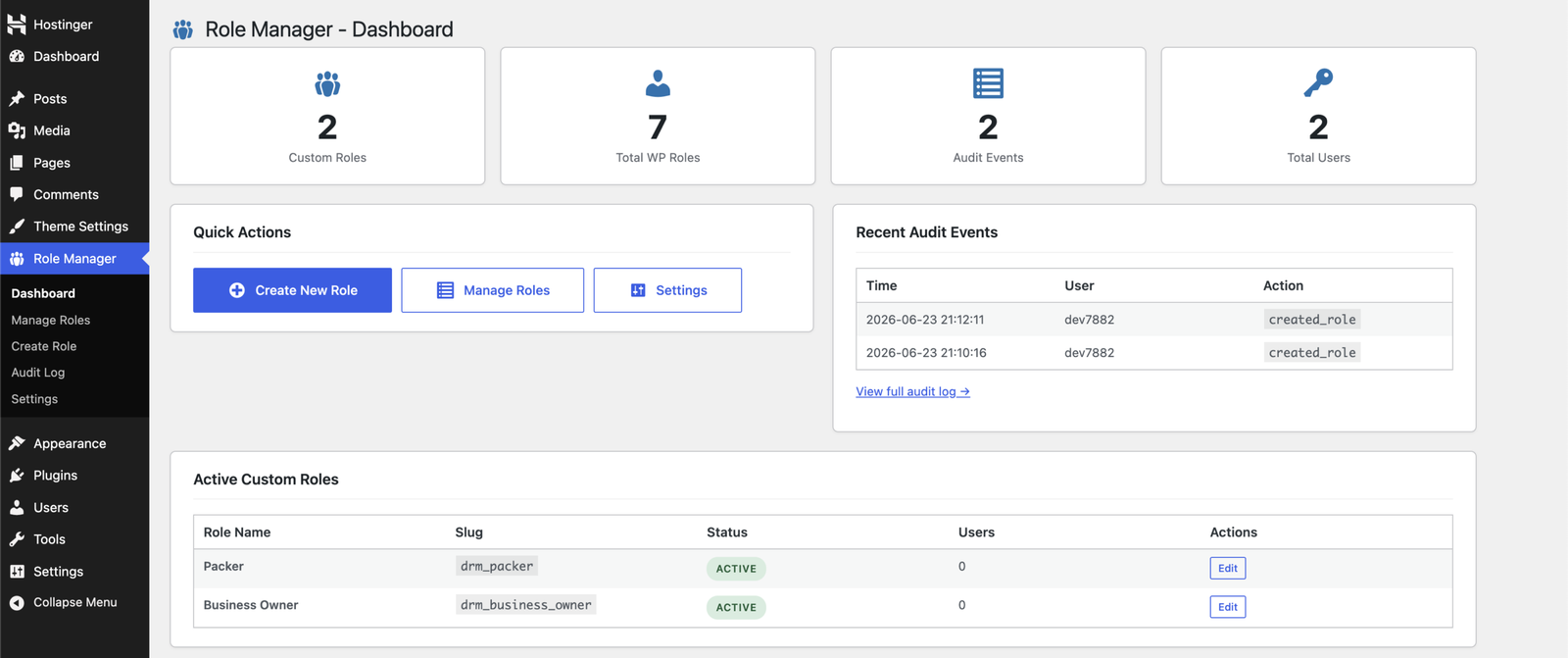
Take full control of your WordPress admin area
1.
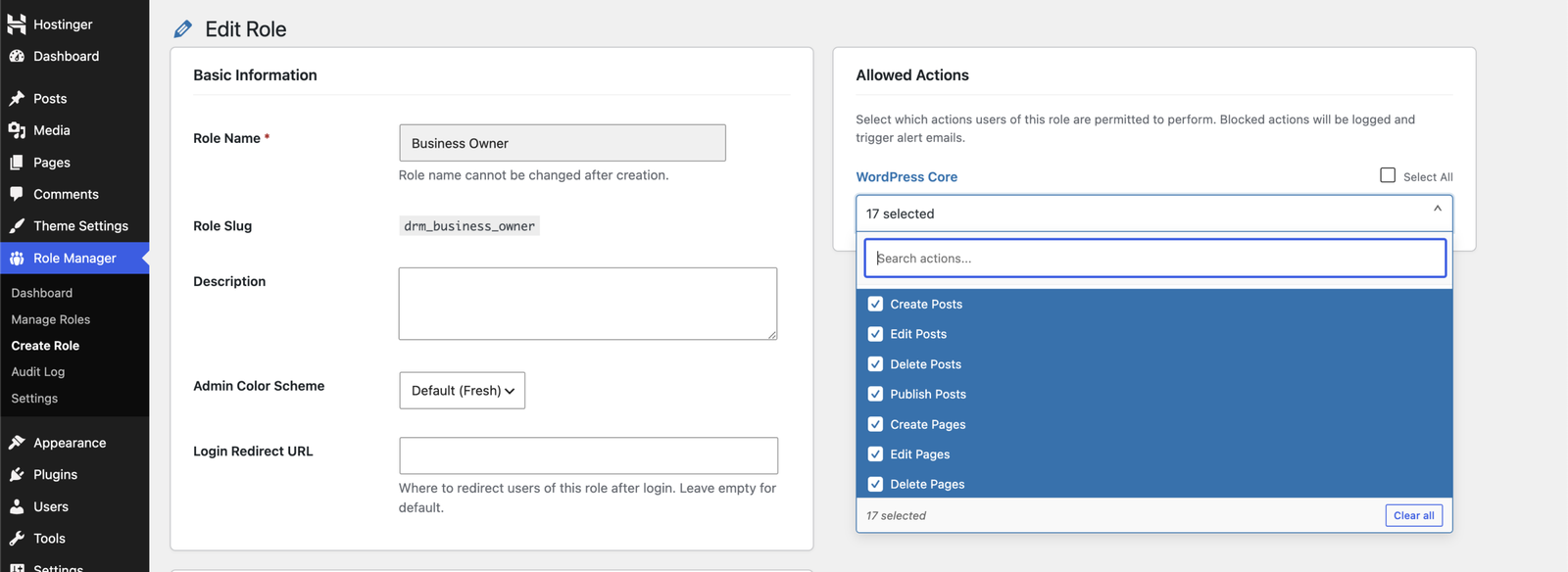
Custom Role Creation
Create unlimited custom WordPress roles with custom names, descriptions, and inherited capabilities.
2.
Admin Menu Restrictions
Control which dashboard menus users can access and hide restricted pages from specific roles.
3.
Action-Level Permissions
Allow or restrict actions such as creating posts, managing users, installing plugins, uploading themes, and more.
4.
WooCommerce Role Controls
Manage permissions for orders, products, coupons, reports, settings, and order status updates.
5.
Third-Party Plugins
Automatically add permission controls for plugins like WooCommerce, ACF, Easy Digital Downloads, and Gravity Forms.
6.
Unauthorized Access Alerts
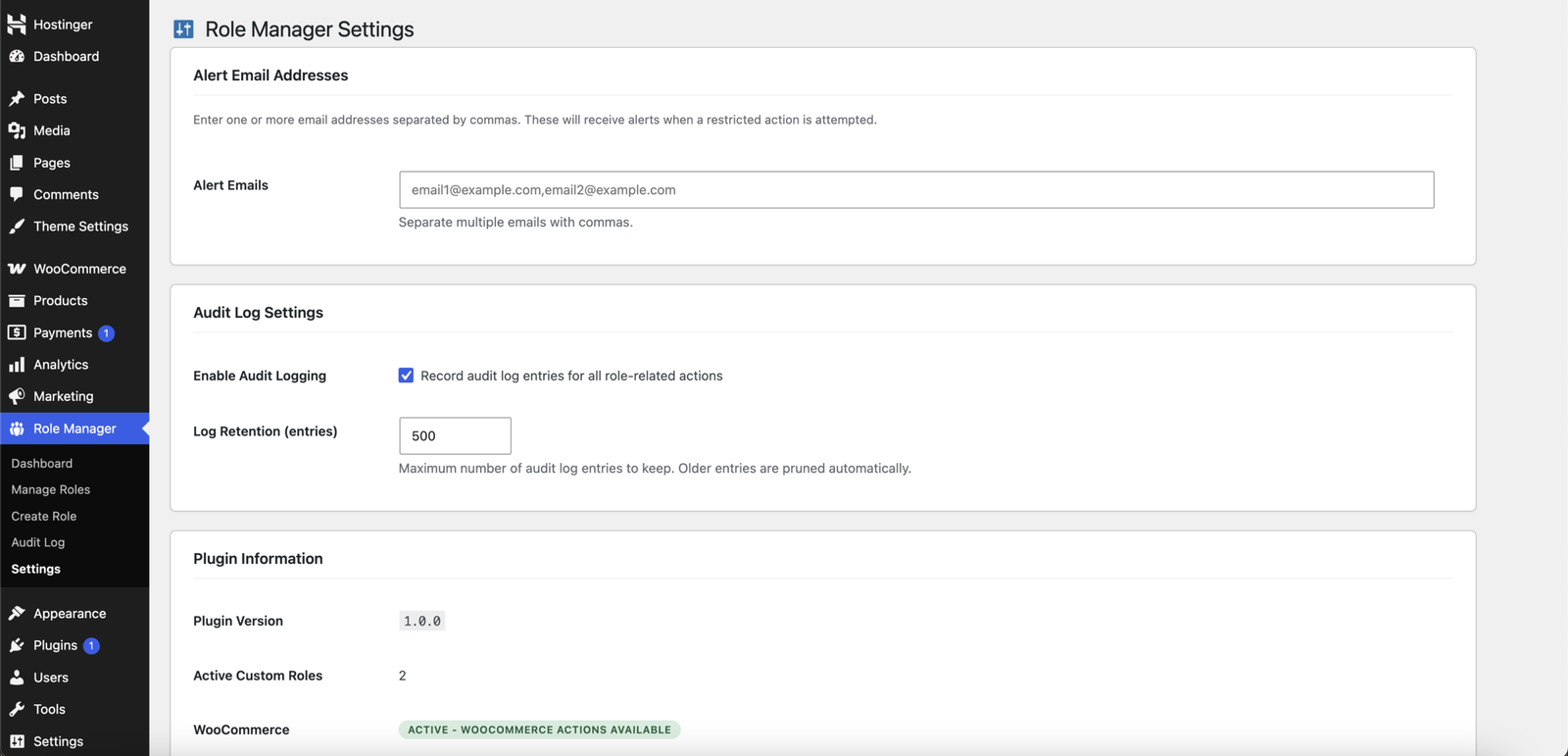
Receive email notifications whenever users attempt restricted actions or access blocked admin pages.
7.
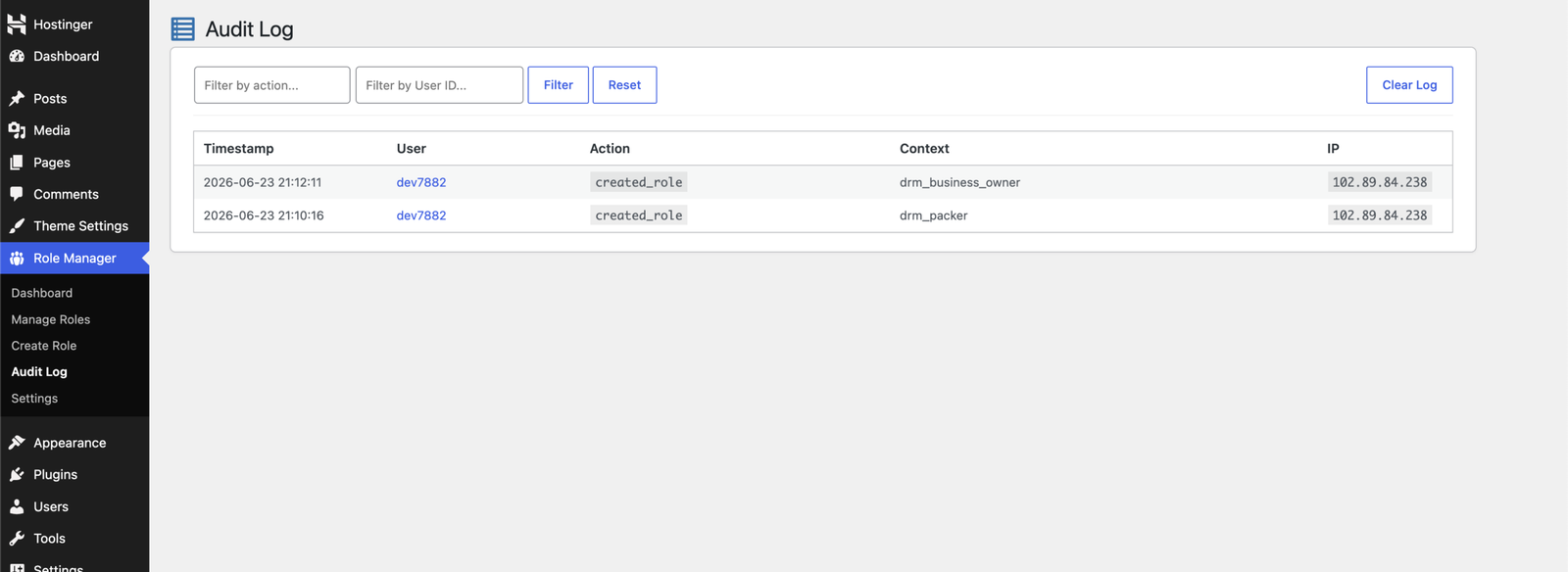
Audit Log & Activity Tracking
Track blocked actions, permission violations, user activity, timestamps, and IP addresses.
8.
Role-Based Login Redirects
Redirect users to specific pages after login based on their assigned role.
9.
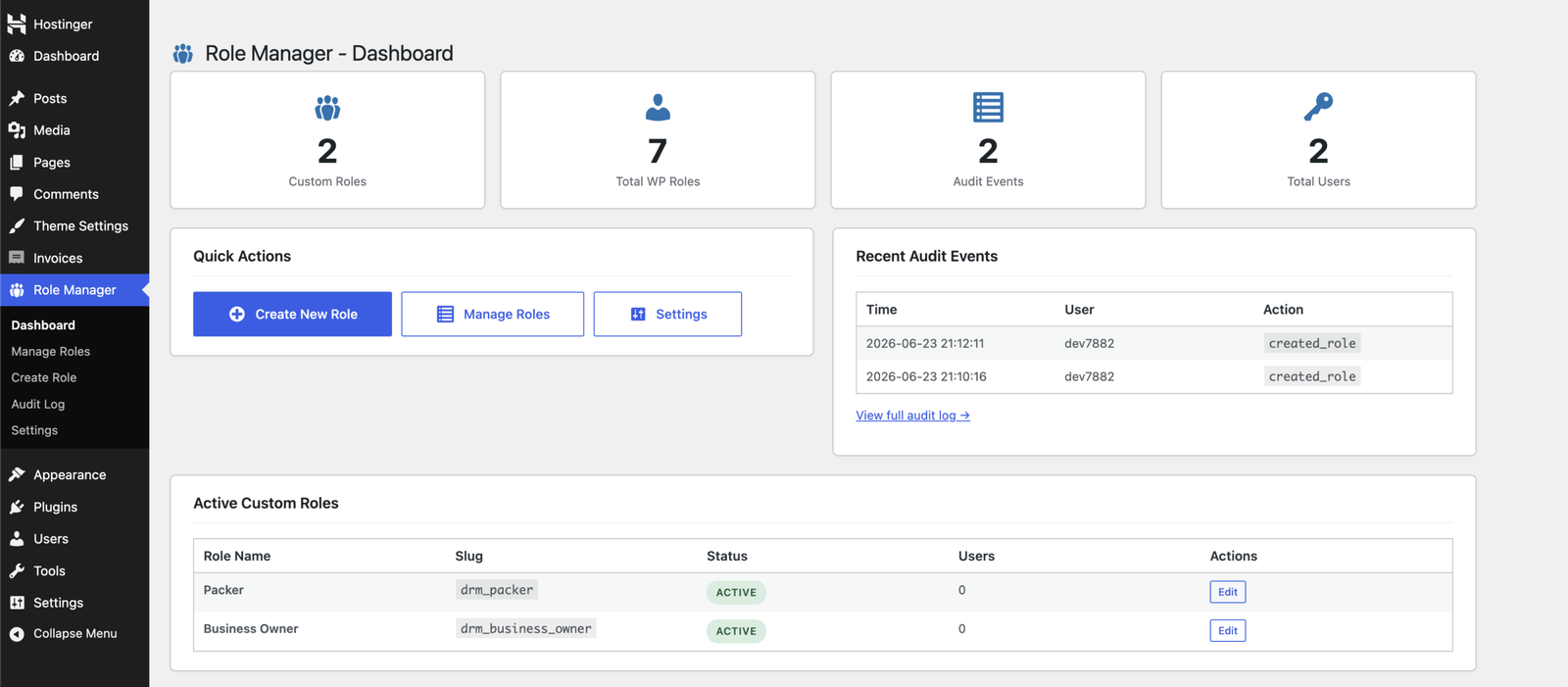
Role Management Dashboard
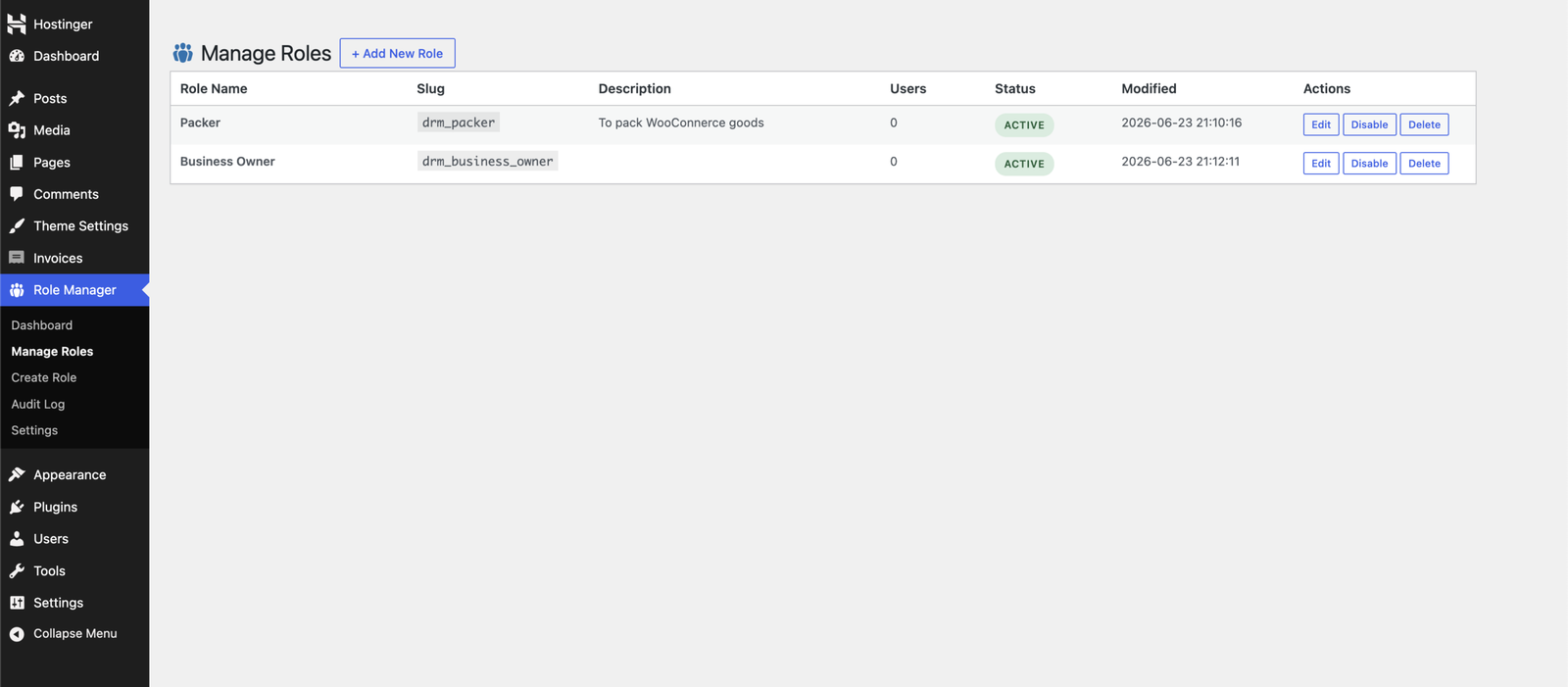
Manage roles, monitor activity, view statistics, and quickly enable, disable, edit, or delete custom roles.
Trusted by 5,000+ businesses
See how our plugins solve real problems for businesses around the world.
Screenshots
See Digages Role Manager in action
Frequently asked questions
Do you have a question about Digages Role Manager? See the list below for our FAQs. If your question is not listed here, then please visit our docs or contact us.
How do I set up the plugin?
Getting started is quick and simple. Install the plugin, create your custom role, and assign it to your staff.
For a step-by-step guide, read full setup guide.
Does this plugin replace WordPress roles?
No. The plugin creates and manages WordPress roles using WordPress role and capability APIs. Built-in roles such as Administrator, Editor, Author, Contributor, and Subscriber are not deleted by the plugin.
Can I create a role based on an existing role?
Yes. When creating a new role, you can inherit capabilities from an existing WordPress role and then configure menu and action permissions for the new role.
Can I hide admin menu pages for a role?
Yes. Select the admin menu items the role should be allowed to access. Unselected items are hidden, and direct access attempts are redirected and logged.
Does the plugin require WooCommerce?
No. WooCommerce is optional. If WooCommerce is active, additional WooCommerce action controls become available.
Do I need technical knowledge to set it up?
No, the plugin is built to work out of the box with WordPress, so you can start using it without any technical setup.
Which third-party plugins are detected?
The plugin can add action groups for WooCommerce, Easy Digital Downloads, Advanced Custom Fields, and Gravity Forms when those plugins are active.
Can I receive email alerts for blocked actions?
Yes. Add one or more comma-separated email addresses in Role Manager > Settings.
Can I view blocked access attempts?
Yes. Go to Role Manager > Audit Log to review logged actions, blocked access attempts, user details, context, timestamps, and IP addresses.
Can developers add more action groups?
Yes. Developers can use the `digages_rm_available_actions` filter to add custom action groups and action keys.
Secure Your Dashboard with Digages Role Manager
Take control of your WordPress and WooCommerce user permissions with Digages Role Manager. Create custom roles, restrict dashboard access, and give users access only to the tools they need.








