✨ New in v2.4: AI Powered Payment Confirmation & Custom Workflow Controls.



Engraver for WooCommerce
Sell Personalized WooCommerce Products
Engraver for WooCommerce lets customers personalize products directly on the product page. Add text, images, and QR codes. Fully integrated with WooCommerce.
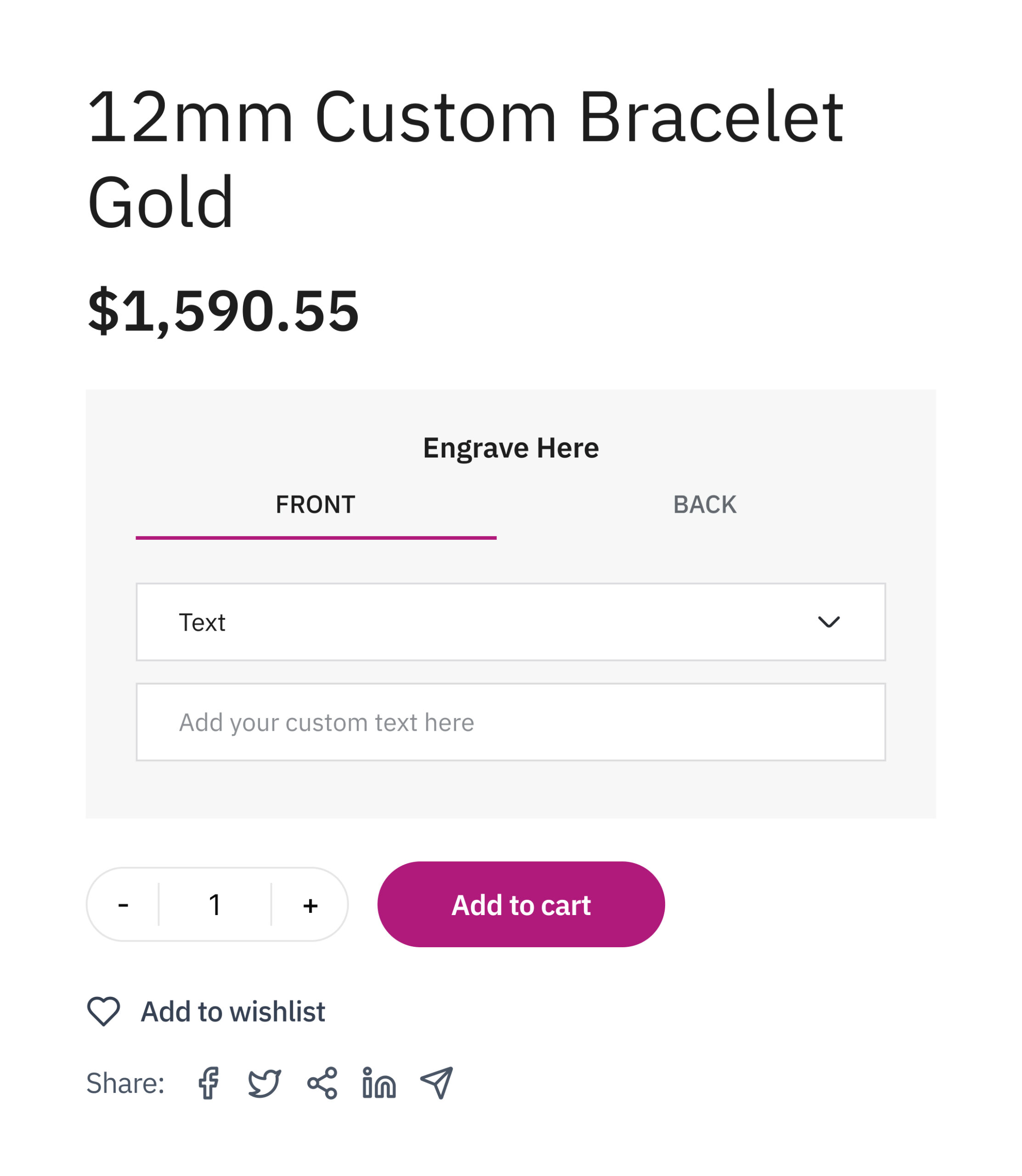
Tools built to sell customized WooCommerce products
1.
Template System
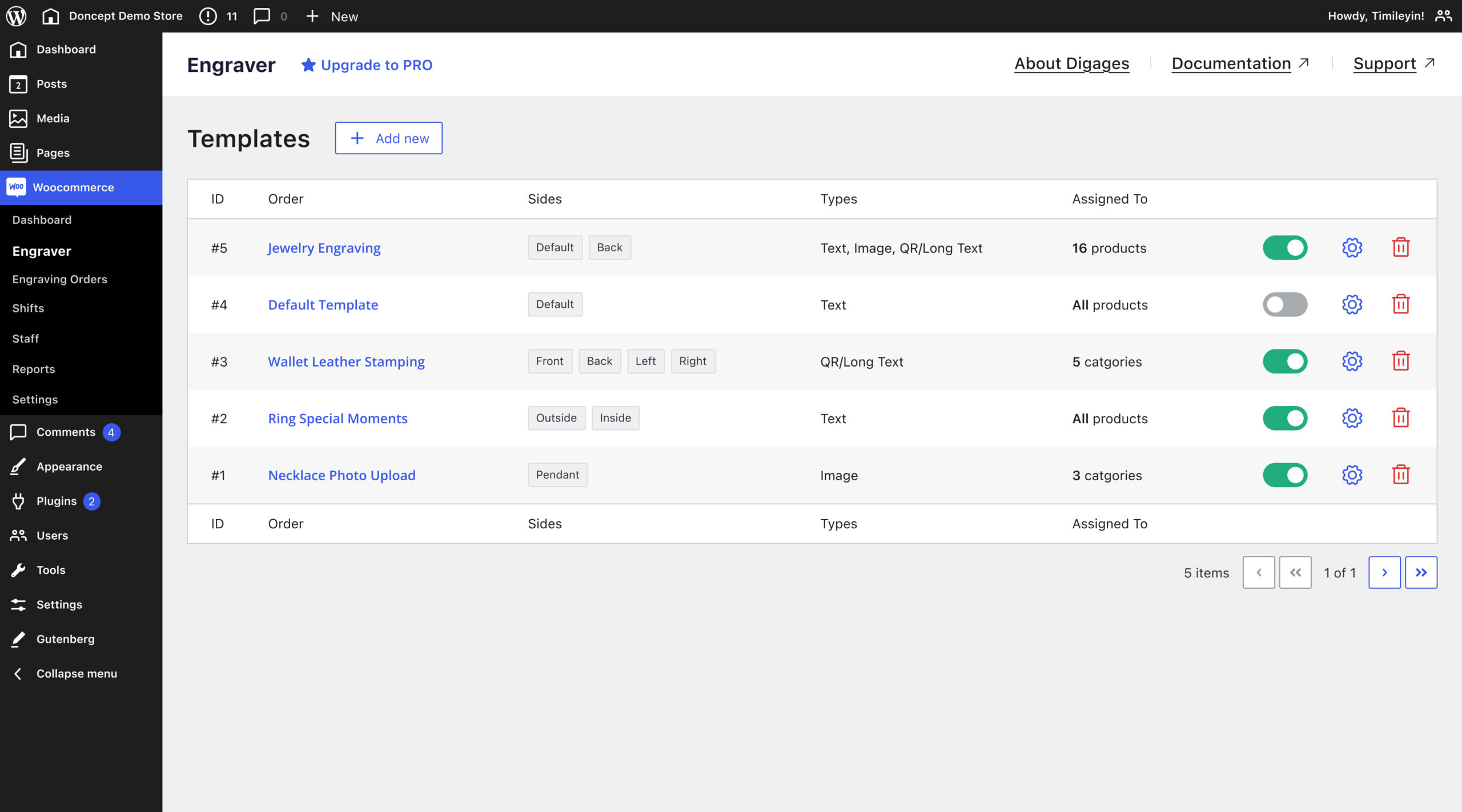
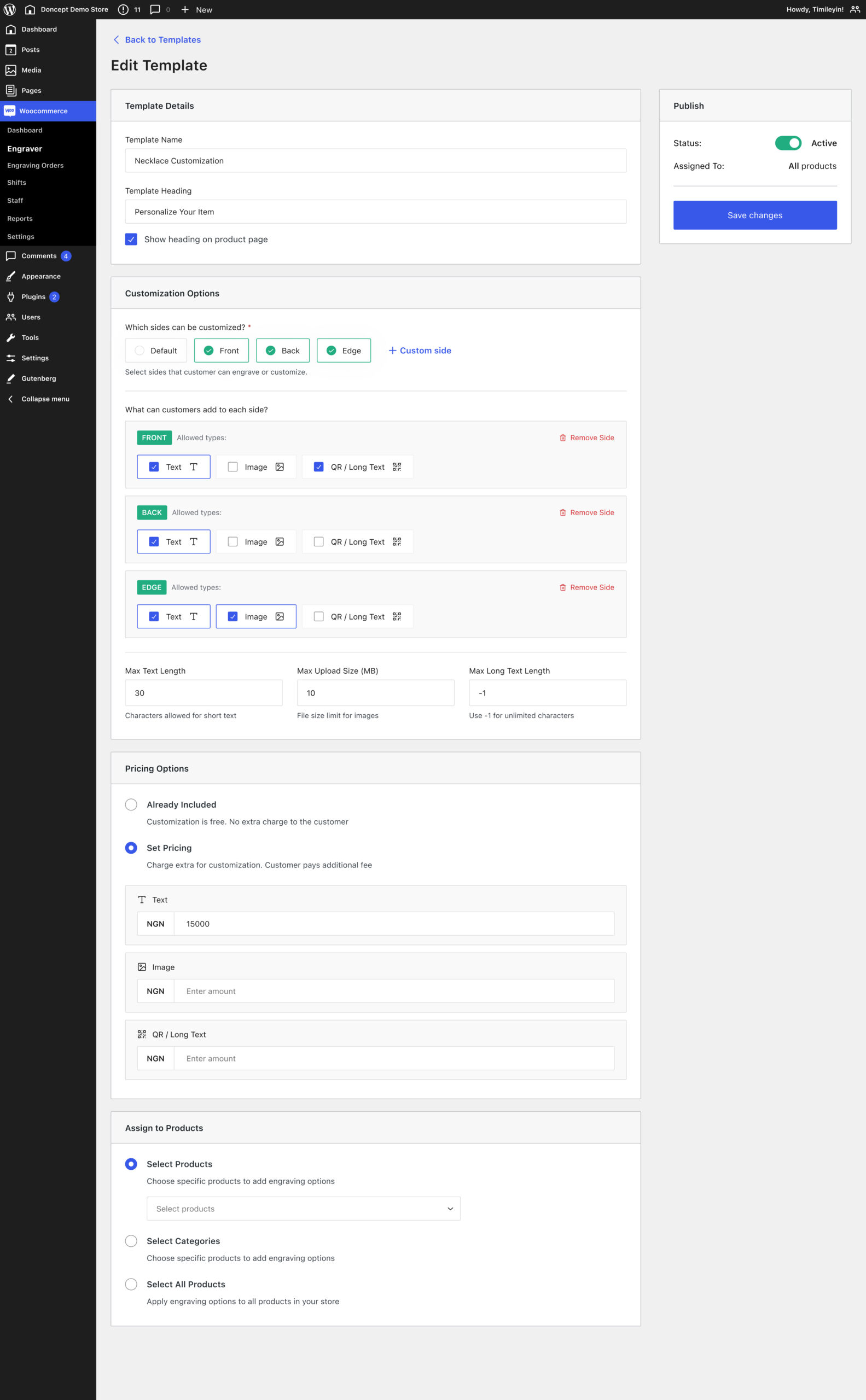
Create multiple engraving templates and apply them across your WooCommerce products, categories, or entire store.
2.
Customize Sides
Allow customers to engrave multiple sides of a product such as the front, back, edge, or any custom side.
3.
Text & QR Support
Let customers add custom text, QR codes, and longer messages directly on WooCommerce product pages.
4.
Image Support
Let customers upload images for customization, with files saved to the order for fulfillment.
5.
Pricing System
Set personalization as free or paid and define pricing based on input type.
6.
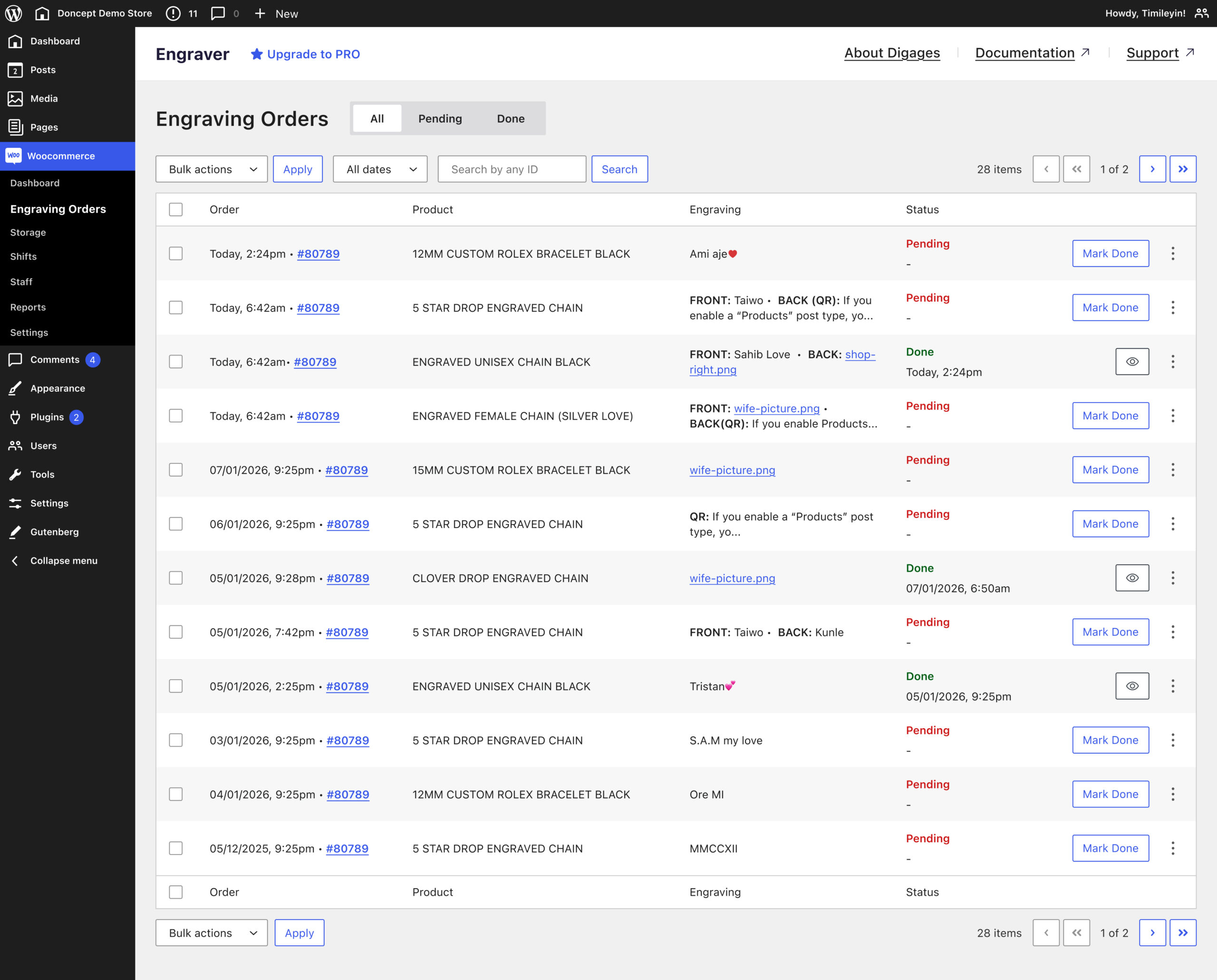
Engraving Orders Dashboard
Manage all engraving orders in one place. Engraving details are included in default WooCommerce order emails.
7.
WooCommerce Integration
Built natively for WooCommerce with zero setup. Works directly with your existing checkout, and order system.
8.
Status Tracking
Track engraving progress with clear statuses like pending and completed, ensuring no personalized order is missed.
9.
Fulfilment Ready
View structured engraving details per order with easy access to copy text and download files.
Trusted by 5,000+ businesses
See how our plugins solve real problems for businesses around the world.
Flexible plans for you

Build websites up to
normally $85.00
Activate on 1 website
Unlock all PRO features for 1 year, with priority support and updates.
normally $199.00
Activate on 1 website
Pay once and unlock all PRO features with lifetime priority support and updates.
normally $299.00
Activate on 1 website
Unlock all current and future Digages plugins with priority support and updates.
normally $229.00
Activate on 10 websites
Unlock all PRO features for 1 year, with priority support and updates.
normally $345.00
Activate on 10 websites
Pay once and unlock all PRO features with lifetime priority support and updates.
normally $499.00
Activate on 10 websites
Unlock all current and future Digages plugins with priority support and updates.
normally $329.00
Activate on 25 websites
Unlock all PRO features for 1 year, with priority support and updates.
normally $659.00
Activate on 25 websites
Pay once and unlock all PRO features with lifetime priority support and updates.
normally $699.00
Activate on 25 websites
Unlock all current and future Digages plugins with priority support and updates.
-
 All PRO features included
-
 14-day money back guarantee
-
All PRO features included
-
14-day money back guarantee
All pricing is in USD. You can change plans or cancel your account at any time. If you require more sites license, please contact us for Agency license.
Screenshots
See Engraver for WooCommerce screens in action
Frequently asked questions
Do you have a question about Engraver for WooCommerce? See the list below for our FAQs. If your question is not listed here, then please visit our docs or contact us.
Does Engraver for WooCommerce work with any WooCommerce theme?
Yes, Engraver for WooCommerce works with most WooCommerce-compatible themes and integrates directly into your product pages without requiring any setup.
Can I charge customers for engraving?
Yes, you can set engraving as free or paid and define pricing based on the type of customization, such as text, image, or QR code.
What’s the difference between engraving, customization, and personalization?
They essentially mean the same thing, allowing customers to modify a product to their preference. The term used often depends on the use case or industry. Jewelry brands typically use “engraving” for adding names or messages to items like rings or bracelets.
“Personalization” is commonly used for gifts, such as adding a name or special message to make a product more meaningful, while “customization” is broader and used when customers can modify multiple aspects of a product, like adding logos, images, or choosing different design options.
Can customers engrave multiple parts of a product?
Yes, you can allow engraving on multiple sides like front, back, edge, or any custom side depending on your product.
How do I set up the plugin?
Getting started is quick and simple. Install the plugin, create your engraving template, and assign it to your WooCommerce products.
For a step-by-step guide, read full setup guide.
Where can I see engraving details after an order is placed?
All engraving details are available in order emails, the WooCommerce order view, and a dedicated Engraving Orders dashboard, with options to copy text and download uploaded files.
Do I need technical knowledge to set it up?
No, the plugin is built to work out of the box with WooCommerce, so you can start using it without any technical setup.
Can I control what customers can enter?
Yes, you can set limits for text length, file uploads, and other inputs to ensure clean and production-ready orders.
Sell personalized WooCommerce products with Engraver
Give customers the ability to personalize products while keeping your WooCommerce workflow simple and organized.





