✨ New: Sell Gifts & Personalized WooCommerce Products with Engraver. Learn more



5 Plugins to Accept Payments on WordPress Without a Payment Gateway
Every day, thousands of WordPress site owners lose revenue because of one thing: payment gateway friction. Mandatory KYC verification, API setup headaches, restricted countries, transaction fees eating 2–3% of every sale, these are not small hassles. For freelancers billing international clients, NGOs collecting donations from emerging markets, or small businesses serving customers who prefer Bank Transfers and mobile money, the traditional gateway model is not always the way to go.
The good news? You don’t need a traditional payment gateway to collect payments on WordPress. A growing class of plugins lets you accept money through Bank Transfers, mobile money, peer-to-peer (P2P) platforms, and cryptocurrency directly into your own accounts, with zero transaction fees and no API key required.

In this guide, we review 5 of the best WordPress plugins that let you collect payments without a traditional payment gateway. Two of them (spoiler: the top two) are so complete that they may be the only payment tools you ever need.
What Does 'Without a Payment Gateway' Actually Mean?
In WordPress, a payment gateway is a tool that allows your website to accept online payments from customers on your ecommerce store.
Plugins that work without a payment gateway skip all of this. Instead, they display your preferred payment details, a bank account number, a mobile money number, a crypto wallet address, or a PayPal.me link directly to the customer. The customer pays you through their preferred platform. You confirm payment and fulfil the order. No middleman. No fees going to a processor. No rejection.
This model is increasingly popular with businesses in Africa, Southeast Asia, Latin America, and South Asia, regions where global gateways have poor coverage or high fees, as well as with freelancers and agencies worldwide who prefer to deal in Bank Transfers and invoice-based transactions.
1. Direct Payments WP
If you have been looking for a single plugin that completely replaces the need for Stripe or PayPal on a standard WordPress site, Direct Payments WP is it. This plugin lets you create operational payment forms like order forms, donation forms, service booking forms and present your customers with any of 100+ payment methods at checkout.
No merchant account. No API keys. No waitlists. You install the plugin, add your bank account details, mobile money numbers, PayPal.me username, crypto wallet address, whatever you accept, and you’re collecting payments within minutes. If you need to add a payment form to a page and get paid, this is the cleanest way to do it.
What sets Direct Payments WP apart from every other plugin reviewed here is its philosophy: your customers should be able to pay you their way. While most payment plugins lock you into Stripe or PayPal, Direct Payments WP opens the door to virtually every payment method in existence.

Key Benefits
- 100+ payment methods: Bank Transfers, mobile money (MTN MoMo, Airtel Money, GCash, M-Pesa), P2P platforms (Venmo, Zelle, Cash App, PayPal), and cryptocurrencies
- Payment form builder: create order forms, donation forms, and service request forms without code
- Zero transaction fees: keep 100% of every payment, no percentage cut to any processor
- All currencies supported: no currency restrictions
- No coding required: configure entirely from the WordPress dashboard
Pricing
Direct Payments WP lets you keep 100% of your revenue with no transaction fees or hidden costs. Give your WordPress page the freedom to accept payments your way, all set up in under 3 mins – Get started now
2. Direct Invoices
Direct Invoices takes the no-gateway philosophy and applies it specifically to professional invoicing. Think of it as a complete billing and payment system for WordPress that handles the entire client payment lifecycle: invoice creation, multi-channel sending, payment confirmation, receipt generation, and overdue reminders, all without touching a single payment gateway API.
Where Direct Payments WP excels at payment forms, Direct Invoices excels at client billing. The two plugins are complementary, which is why many WordPress users run both simultaneously, because together they cover virtually every payment scenario a WordPress-powered business faces.

Standout Benefits
- Professional PDF invoices: generate branded, clean PDF invoices with your logo, business details, line items, and due dates
- 100+ payment methods: bank transfer, crypto, mobile money, P2P platforms
- Automated payment reminders: schedule reminders before and after due dates to reduce late payments and chasing
- Automated receipts: once a payment is confirmed, a receipt is generated and sent automatically
- WhatsApp and Telegram integration: send invoices via WhatsApp or Telegram with pre-filled messages and direct invoice links
- Recurring invoice support: configure repeat billing cycles for ongoing services and retainer clients
- Smart payment tracking: manage invoice status and confirm payments from your dashboard.
- WooCommerce integration: add WooCommerce products to invoices and sync payment methods across plugins
Pricing
Direct Invoices lets you keep 100% of your revenue with no transaction fees or hidden costs. Give your WordPress page the freedom to accept payments your way, all set up in under 3 mins – Direct Invoices
3. GetPaid (wpGetPaid)
GetPaid is a lightweight but powerful payments and invoicing system for WordPress that has been actively developed since 2016. It is fully free to use in its core form, with an optional premium membership for access to all add-ons.
What makes the GetPaid plugin relevant to this article is its built-in Pre-Bank Transfer gateway, a no-API, no-account payment method that instructs customers to manually send a bank transfer. Once received, the site owner marks the invoice as paid. This makes GetPaid functional for non-gateway payments right out of the box, no third-party accounts required.

Key Benefits
- Buy Now buttons
- Inline payment forms
- Pre-Bank Transfer built-in
- Invoice creation and management
- Recurring payments
Pricing
The core plugin is free on WordPress.org. A premium membership ($199/year) grants access to all add-ons and payment gateways. For users who only need the bank transfer option, the free version is fully sufficient.
4. Gravity Forms
Gravity Forms has been the enterprise-grade form builder of choice for WordPress professionals since 2008. It is fully premium (no free version) and commands higher pricing, but it justifies every cent for organisations running complex data-collection and payment workflows.
Where Gravity Forms plugin shines is in its extensibility. A rich add-on library covers Stripe, PayPal, Authorize.Net, Mollie, Square, and 2Checkout for payments, plus integrations with virtually every major CRM, email platform, and automation tool. For agencies building client sites with sophisticated requirements, Gravity Forms remains the gold standard.

Key Benefits
- Payment add-ons for Stripe (incl. Apple Pay / Google Pay), PayPal, Mollie, Square, etc.
- Coupons and discount codes for payment forms
- Deep developer hooks, filters, and API access
- Partial entry and form abandonment features
Pricing
The Basic plan costs $59 per year and supports 1 site. It includes payment support for Stripe and PayPal. The Pro plan costs $159 per year and supports 3 sites, adding support for Square alongside Stripe and PayPal. Finally, the Elite plan costs $259 per year and supports unlimited sites, with full payment support including all gateways such as Authorize.Net and Mollie.
5. Fluent Forms
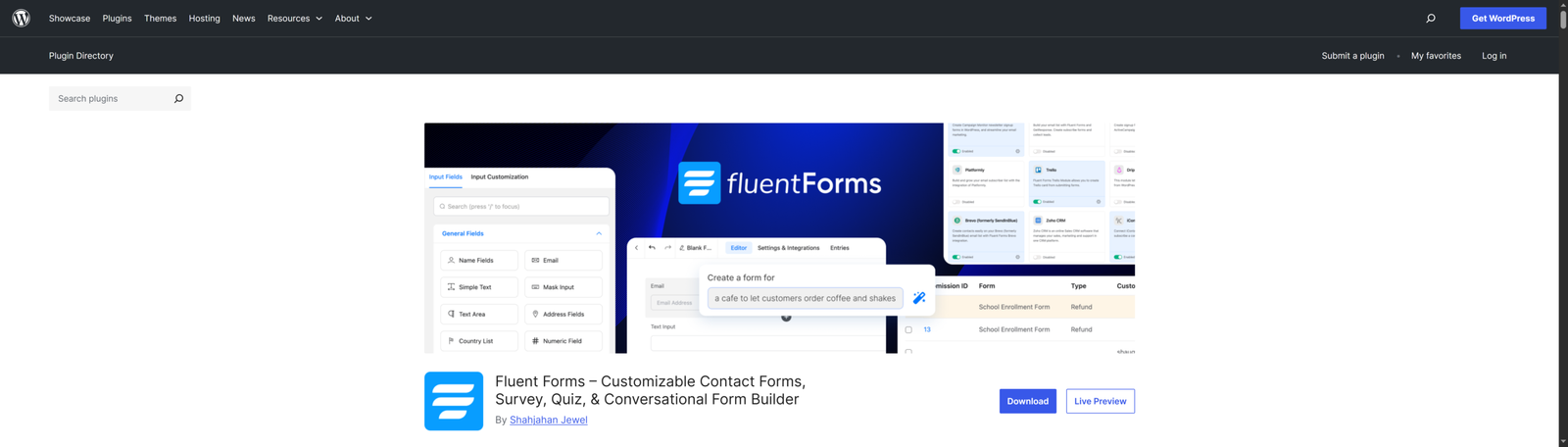
Fluent Forms punches well above its price point. It is packed with features that rival, and in some areas exceed, much more expensive plugins, it supports an impressive range of payment gateways including Stripe, PayPal, Square, Mollie, and Paystack.
For budget-conscious users who want broad gateway coverage and advanced features without breaking the bank, the Fluent Forms plugin is a compelling choice. It handles everything from simple contact forms to complex multi-step payment forms with conditional logic and recurring subscriptions.
Key Benefits
- Payment gateways: Stripe, PayPal, Square, Mollie, Razorpay, and Paystack
- One-time and recurring payment support
- Multi-step and conversational forms
- Over 70 input field types
- Integrations with 40+ CRMs, email tools, and automation platforms
- Built-in analytics and form conversion tracking
Pricing
The 1 Site plan costs $47 per year or $244 as a one-time lifetime payment, covering a single website. The 5 Sites plan costs $95 per year or $419 for lifetime access, supporting up to five websites. Finally, the Unlimited plan costs $179 per year or $629 as a lifetime payment, allowing use on unlimited sites.
Conclusion
Traditional payment gateways have been the default for so long that many WordPress users assume there is no alternative. But for an enormous and growing segment of the global online economy, businesses in gateway-restricted countries, operators who refuse to pay 3% on every transaction, freelancers who prefer direct bank relationships, there is a better way.
The five plugins in this guide represent the best options available today for accepting payments on WordPress without a traditional payment gateway.
Suppose you are starting from scratch and want our single recommendation: install Direct Payments WP to collect payments through forms, and add Direct Invoices for your client billing workflow. Together, they cover virtually every payment scenario you will encounter on a modern WordPress site with zero transaction fees, professional-grade UX, and support for 100+ payment methods, including mobile money, P2P, crypto, and bank transfer. Both have free tiers, so you can try before you commit.








