🎁 New: Build Customer Loyalty & Drive Repeat Purchases with WooCommerce. Learn more





How to Sell Custom T-Shirts on WooCommerce
Personalised T-shirts sell because customers get to add their own name, message, or design before checkout. The catch is that WooCommerce doesn’t support this out of the box, so every store needs a solution to collect that customisation data cleanly and pass it through to fulfilment.
Engraver for WooCommerce is a plugin built for exactly this. It adds a customization step to the product page, lets you control what customers can submit, and keeps every request organized and production-ready.
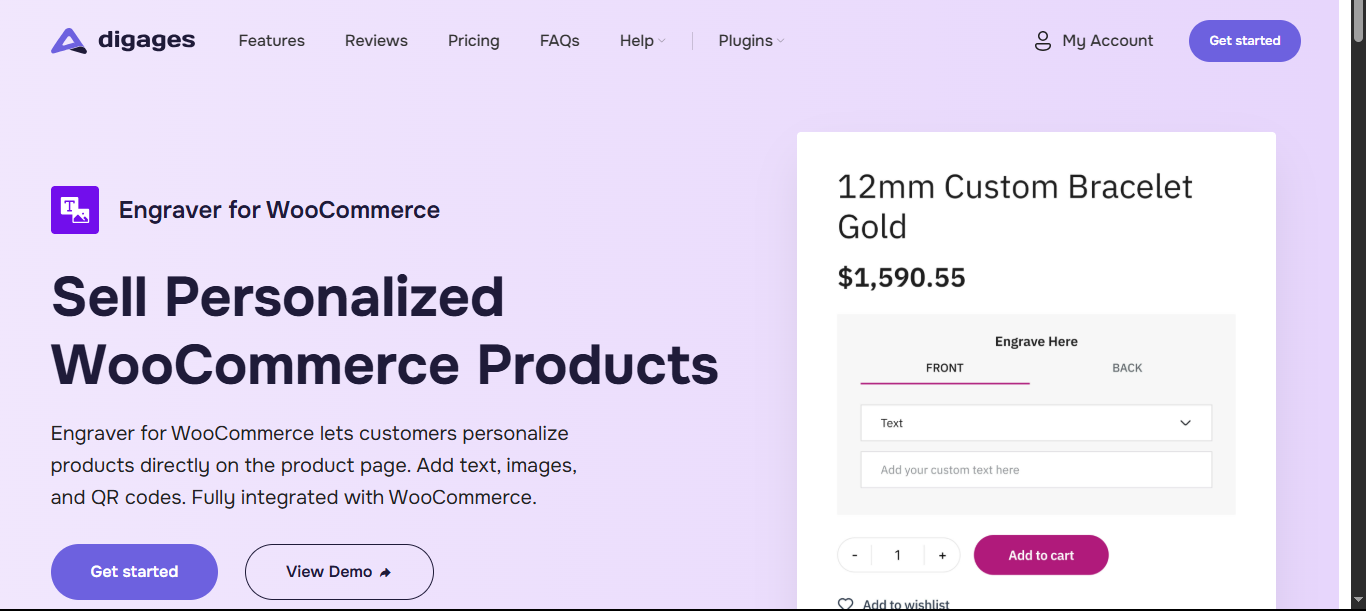
This guide walks through the full process of selling a custom T-shirt in your WooCommerce store.
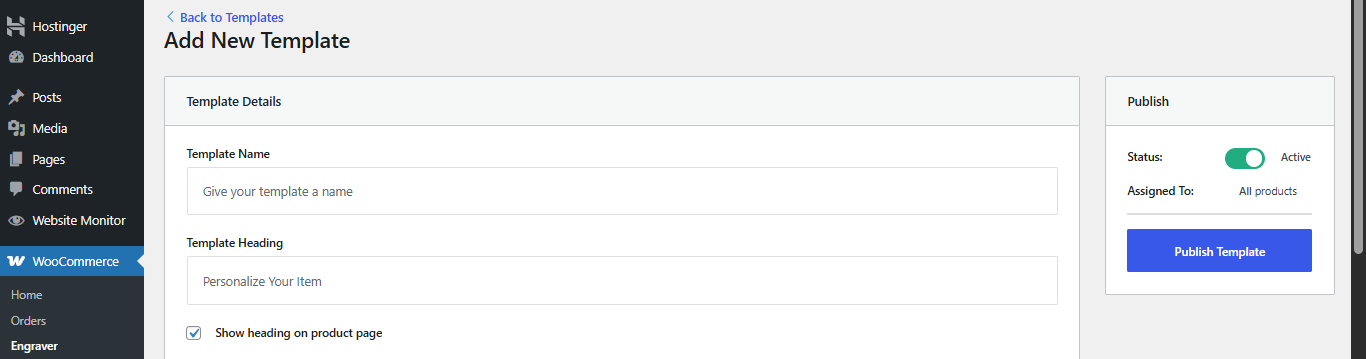
Build a Template and Set What Can Be Customized on Each Side
This is where Engraver for WooCommerce replaces what would otherwise take custom development. From WooCommerce → Engraver, create a template and define, per side of the T-shirt, what kind of customization you’ll accept:
- Text — a name, initials, or short phrase, with a character limit you control.
- Image — customers upload their own artwork or photo, with a maximum file size you set.
- Long text / message — for a full message or quote, with its own length limit.
Set these limits deliberately. A tight character count on the front and a generous one on the back keep designs production-safe without you having to check every order manually.
Assign the Template to Your T-Shirt Products
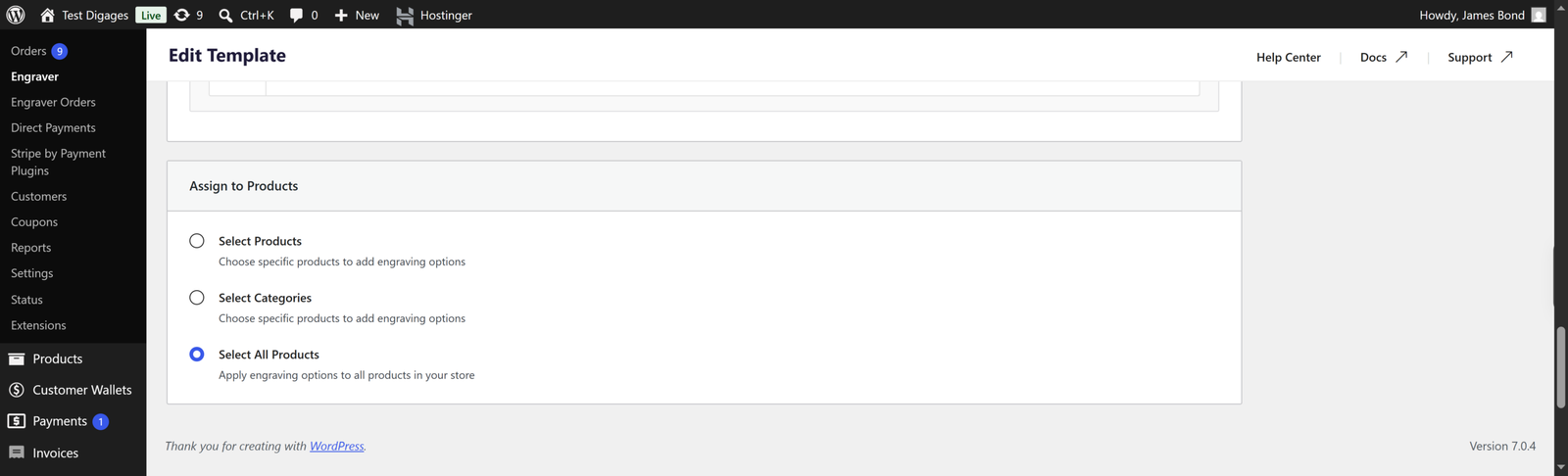
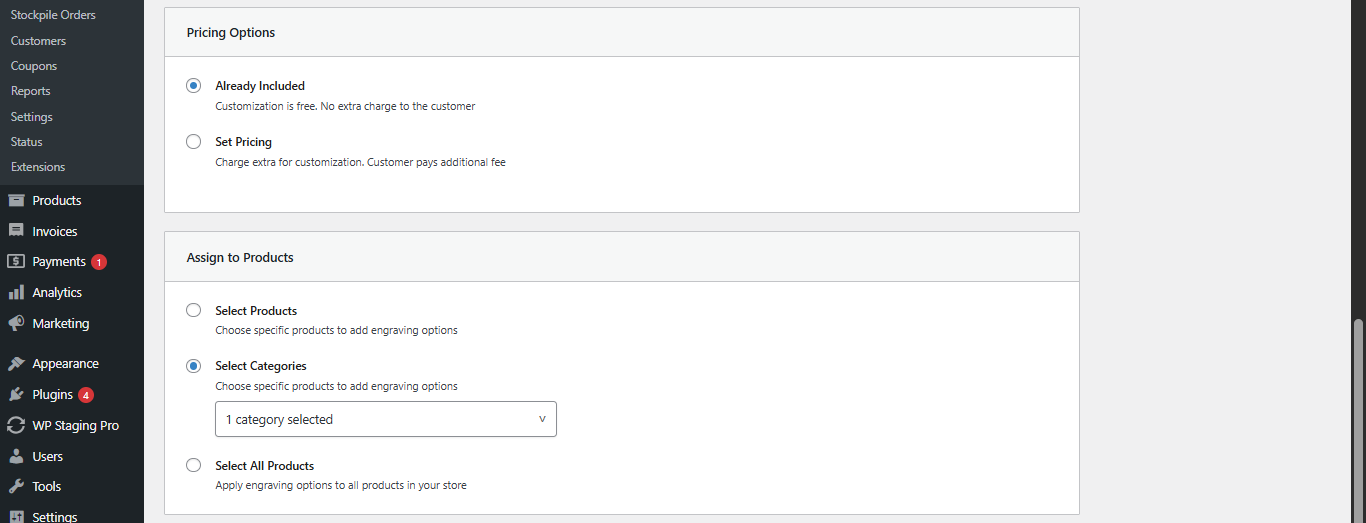
Once your template is built, decide where it applies:
- All products — if every T-shirt in your store is personalizable.
- Specific categories — e.g., only your “Custom Tees” or “Print-on-Demand” category.
- Individual products — for a one-off design with its own customization rules.
This template-to-product mapping is what lets a merch store scale: build the customization logic once, then apply it across a whole catalog of T-shirt designs instead of configuring each product from scratch.
Set Pricing for Personalization
Engraver for WooCommerce lets you decide whether customization is a free perk or a paid add-on, and you can even set different prices based on the input type. For example:
- Text: Text on the front of the T-shirt may be included in the base price.
- Image upload: All images may carry a flat customization fee.
- QR code/Long text: priced separately from short text.
Pricing is configured per template, so it’s applied automatically to every product the template is assigned to.
Fulfil Orders Without Chasing Down Details
Once customers start checking out, every personalization request lands in the Engraver Orders dashboard alongside the standard WooCommerce order, plus in the default order emails. For each order, you can:
- View exactly which side was customized and with what.
- Copy submitted text directly for printing.
- Download uploaded images or text.
- Track status from pending to completed, so nothing slips through.
For a merch store, this is the difference between chasing customers for clarification and handing your print team a clean, ready-to-produce spec for every order.

Why This Beats a Manual or Custom-Coded Setup
WooCommerce doesn’t offer a native way to collect a name, an image, or a QR code on a product page, so most stores either patch this together with generic add-on fields or pay for custom development per product. Engraver for WooCommerce is purpose-built for this instead: templates keep the customization logic in one place, per-side controls keep front and back independent, and the Engraver Orders dashboard keeps fulfillment organized as your T-shirt catalog grows.

Conclusion
Selling custom t-shirts on WooCommerce is a viable, scalable business, but the quality of your personalisation workflow determines how smoothly it runs. The single biggest operational improvement most stores can make is getting structured personalisation data from the customer at the point of purchase, rather than chasing it through emails and order notes.
Getting that step right means your production team always has exactly what they need, your order processing is clean, and your customers don’t have to jump through extra hoops to tell you what they want. Everything downstream gets easier.
If you’re on WooCommerce and want a structured way to handle personalisation without workarounds, Engraver for WooCommerce is worth starting with. The free version handles text personalisation, and the Pro version adds image uploads and QR codes when your catalogue is ready for it.
Follow the complete usage guide to get your first personalized product live today.