Meet Direct Payments v2.6 and Other Releases

This is our biggest update to Direct Payments for WooCommerce in a while, and it’s built around a simple idea: giving you more ways to manage your payments and more control over how those payment methods appear at checkout. Thank you for the bug reports, feature requests, and your patience while we put this release together; much of it comes directly from your feedback.

Direct Payments for WooCommerce v2.6 is now live, introducing a refund center, a customer-facing payment dashboard, automatic abandoned payment recovery, and new options for how individual payment methods appear and behave at checkout.
✨ What’s New in v2.6
1.

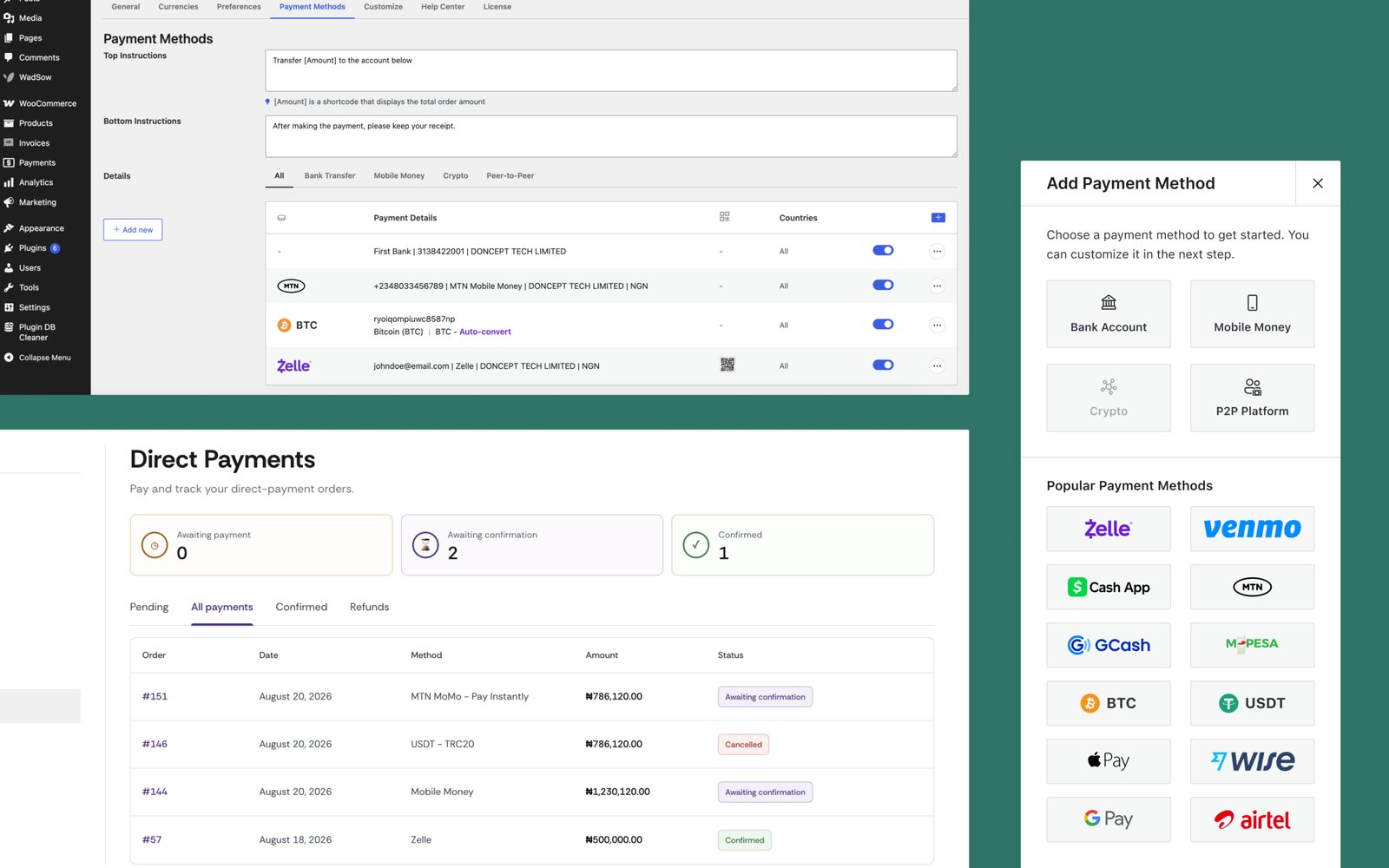
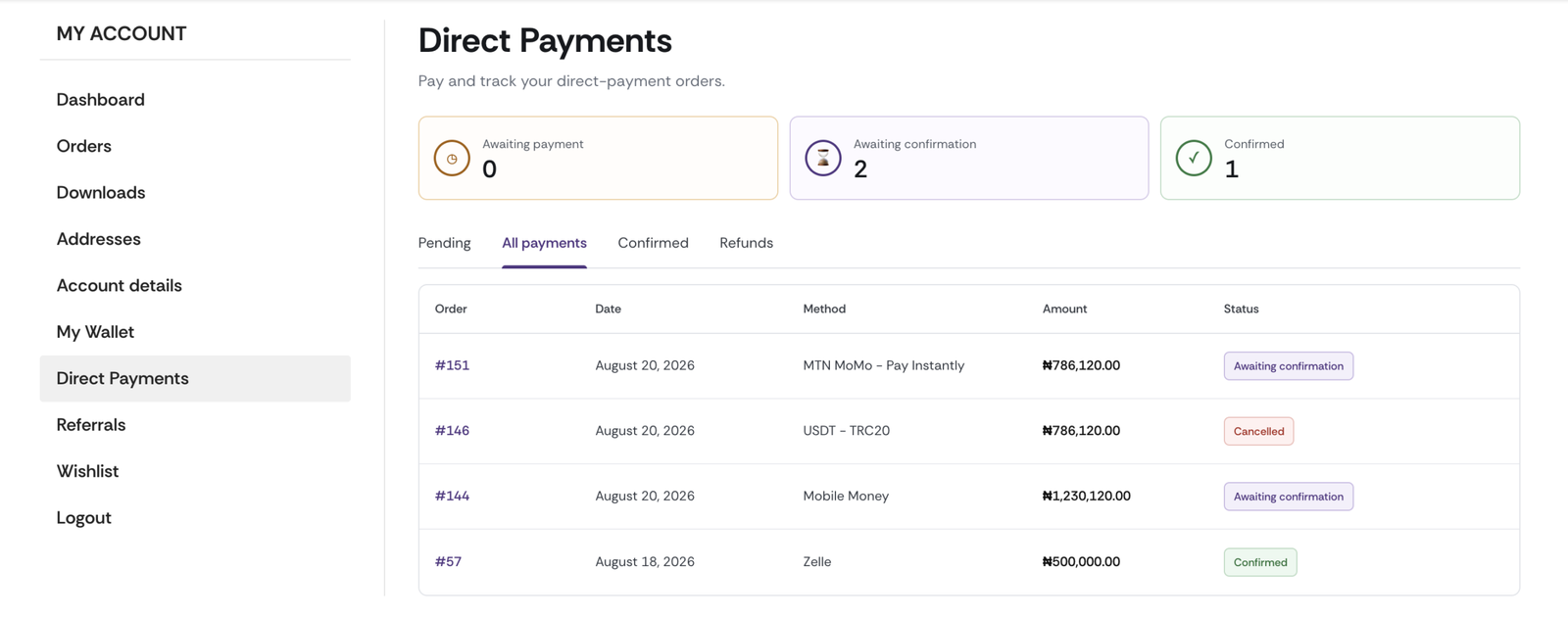
Customers’ Direct Payments Dashboard

Customers now get their own Direct Payments page inside My Account, separate from the admin side entirely. They can view pending, confirmed, and refunded payments, request a refund, and message your store about an order, all without contacting support.

2.

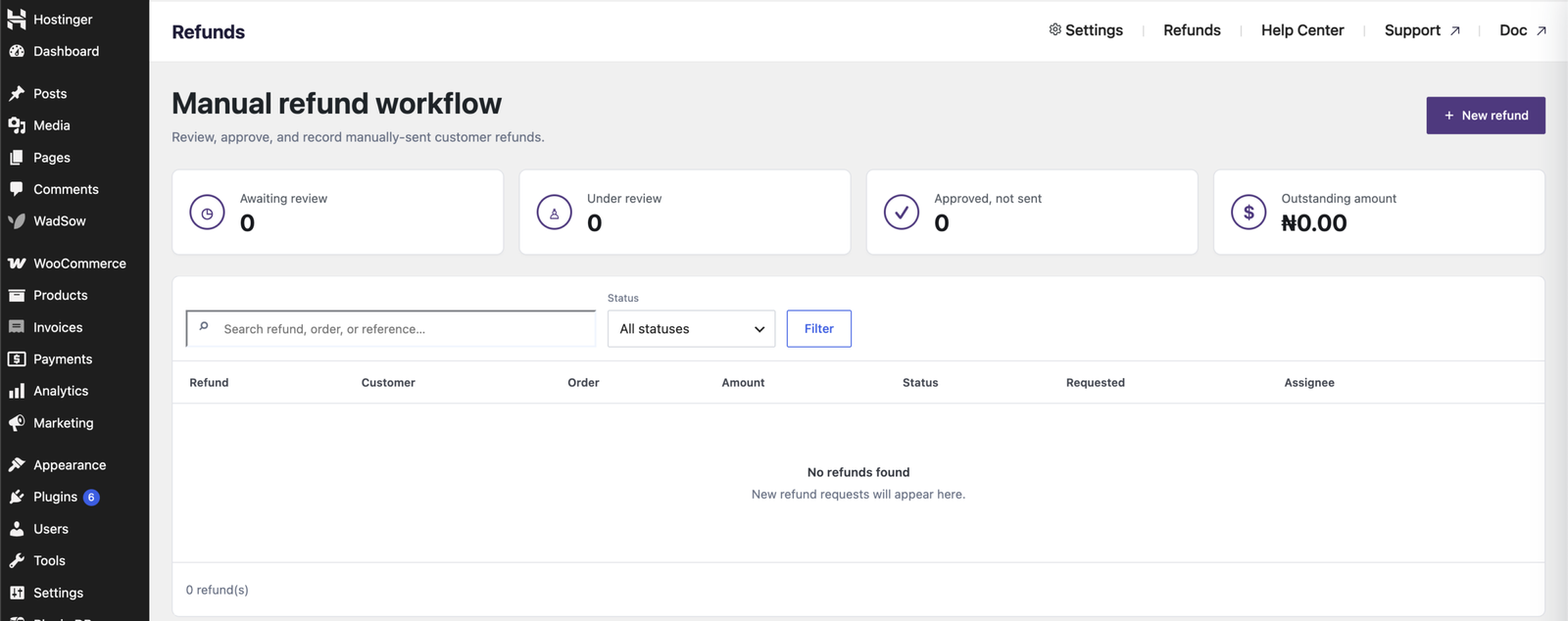
Refund Center

Manage refunds from a dedicated Refunds page instead of handling them order by order. See what’s awaiting review, under review, approved but not sent, and your total outstanding refund amount, all in one place.

3.

Checkout Icons

You can now upload an icon for each payment method, which displays next to it on the checkout page, making it easier for customers to recognize and pick their preferred way to pay.

4.

Abandoned Payment Recovery

Building on the abandoned payment window introduced earlier, you can now turn on automatic recovery emails. If a customer starts a payment but doesn’t finish it in time, they can now automatically receive a recovery email with a secure link to complete their payment.

5.

Payment Method Fees

Attach a fee to any payment method, fixed or percentage-based, so customers see the exact cost of paying that way before they choose it.

6.

Flexible Checkout Display

Payment methods no longer have to sit behind a single pop-up. Show a method separately at checkout, with its own title and description, and choose whether it opens the payment popup or places the order directly.

7.

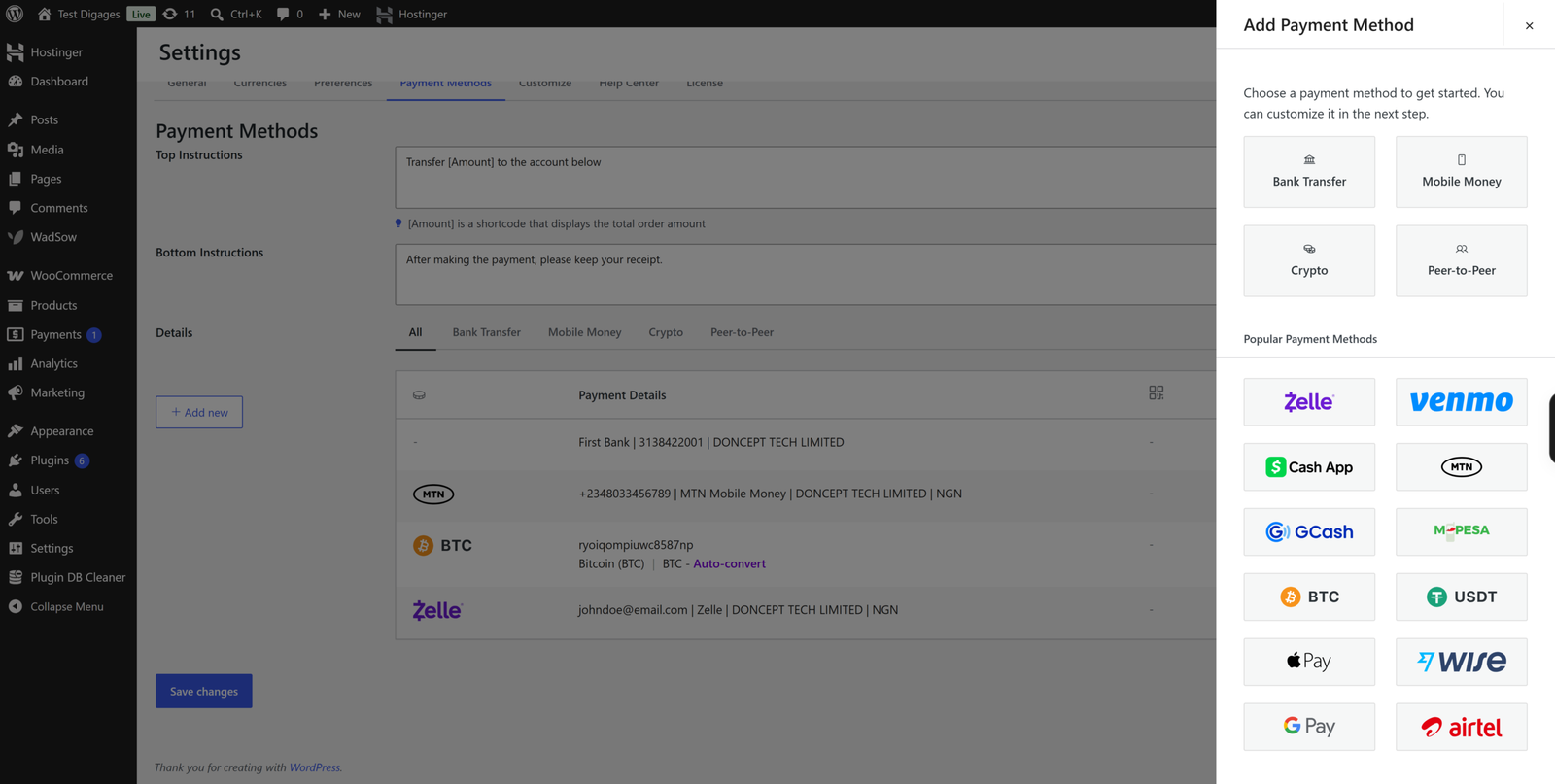
Popular Payment Method Templates

Adding a payment method is faster with built-in templates for popular options like Zelle, Venmo, Cash App, MTN, GCash, M-Pesa, Bitcoin, USDT, Apple Pay, Wise, Google Pay, and Airtel; just pick one and add your account details.

8.

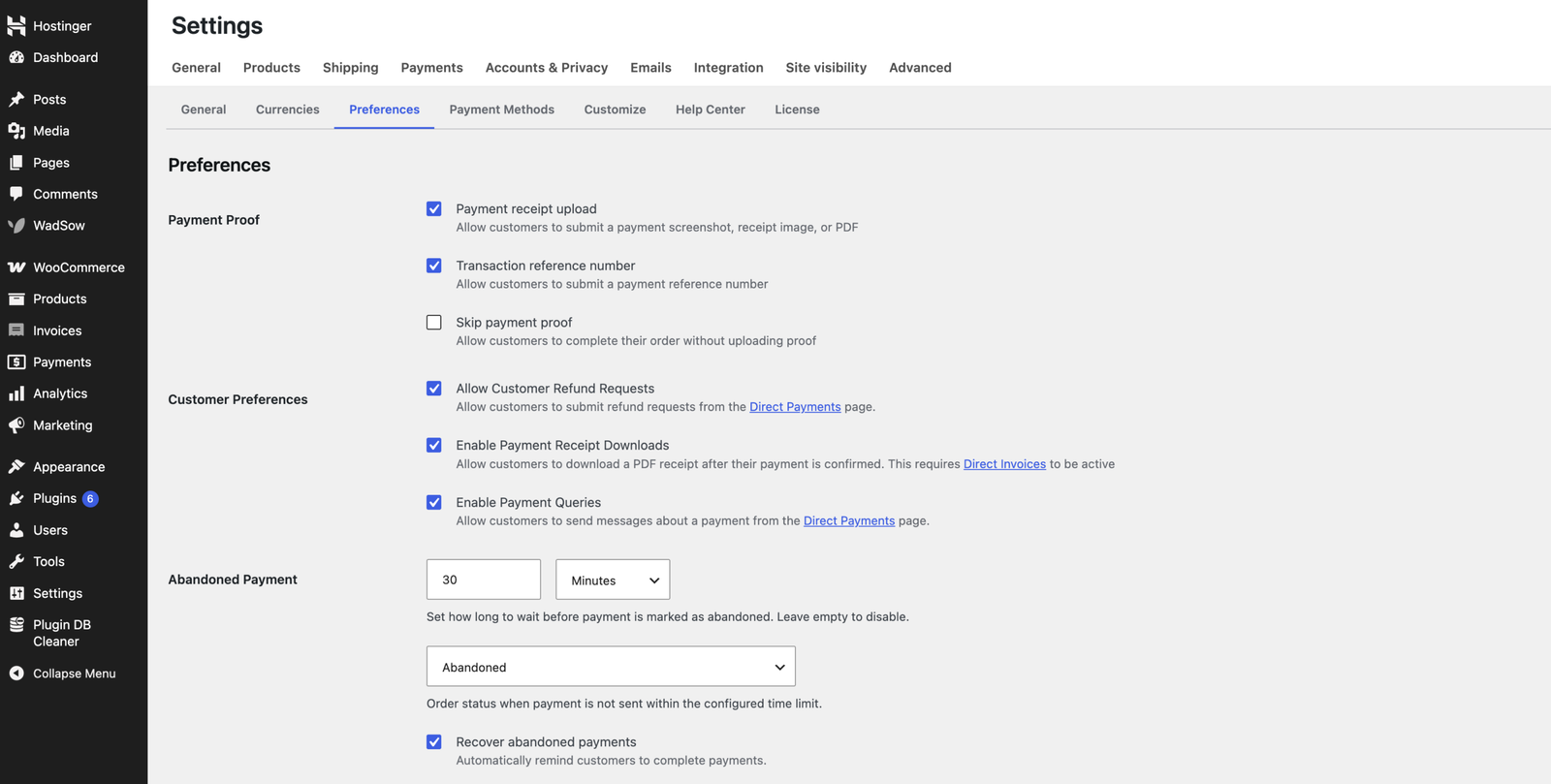
Preferences Tab (formerly Workflow)

The Workflow tab is now Preferences, with added controls for customer refund requests, payment queries, receipt downloads, and payment proof options.

9.

Transaction Reference

Customers can now verify a payment by entering a transaction reference number instead of uploading a screenshot, a faster way to confirm payments were sent.

10.

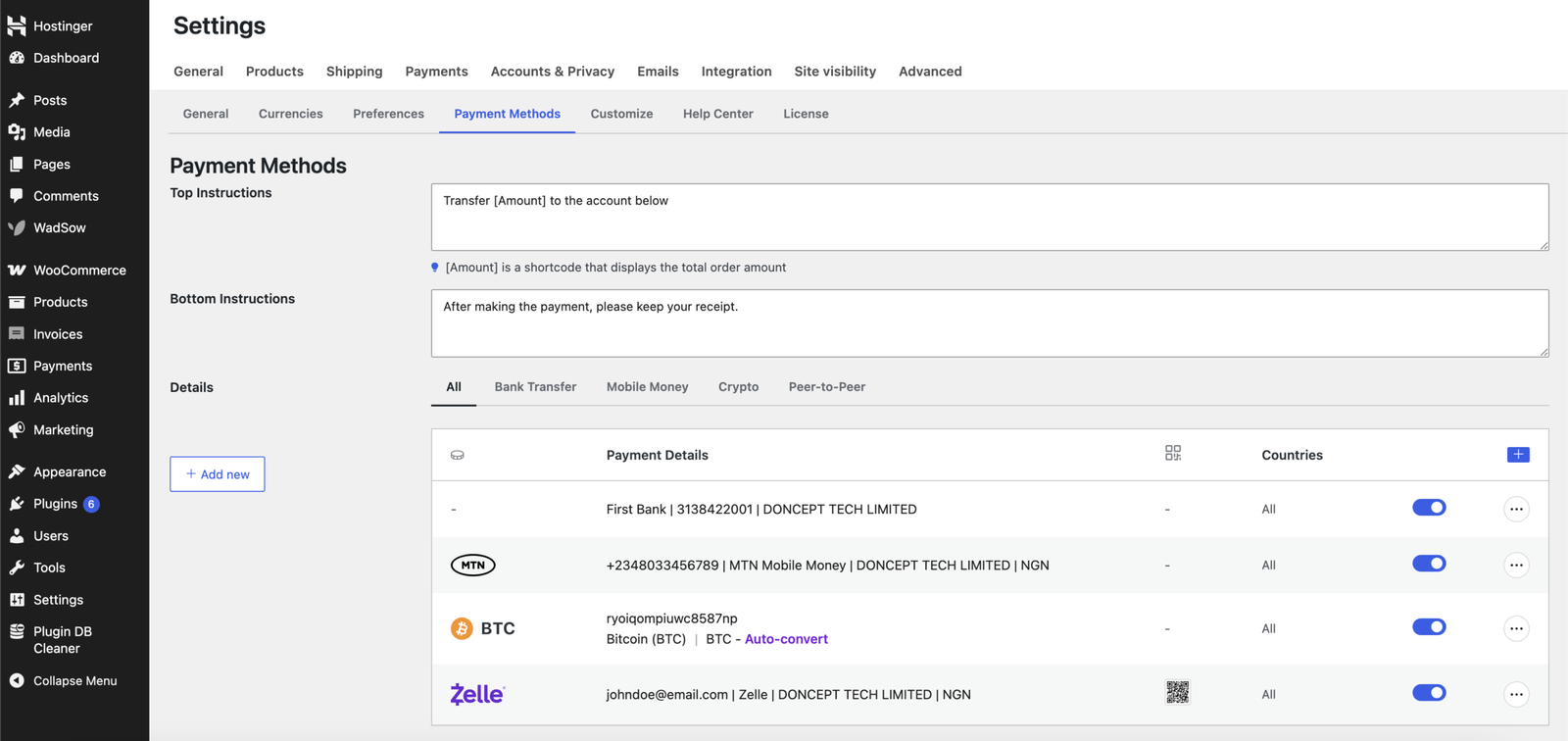
Unified Payment Methods Tab

Bank Transfer, Mobile Money, Crypto, and Peer-to-Peer settings are now combined into one Payment Methods tab with simple category filters.

11.

Updated Checkout Payment Method Selection

You can now choose exactly which individual payment methods appear at checkout, instead of enabling or disabling an entire category at once.

12

Streamlined Payment Review

Reviewing a payment now opens in a side panel instead of a pop-up, so you can review and act without losing your place in the list.

13.

Improved WooCommerce Compatibility

We’ve made general compatibility improvements to keep Direct Payments running smoothly with the latest version of WooCommerce.


🧾 New in Direct Invoices v1.0.3

Our invoicing plugin, Direct Invoices, just got two big upgrades. Invoices can now be paid via Stripe, so businesses, freelancers, and store owners can accept card payments straight to their own Stripe account. And with Private Invoices, you can require customers to verify their email or use 2FA before they can view or pay an invoice, adding an extra layer of protection for sensitive billing.


👛 Introducing Digages Customers Wallet for WooCommerce

We’re also launching Customer Wallets for WooCommerce, a new plugin that lets shoppers store credit in a personal store wallet. Customers can top up their balance, pay with it at checkout, in full or as a partial payment, and even transfer funds to other customers’ wallets in the same store. Check it out for the full picture of what it can do.

Upgrade Today!

Don’t miss out; update to v2.6 now and enjoy all these new features.

PRO users: Log in to Downloads and get the latest version.
FREE users: Update directly from the WordPress directory.