✨ New in v2.4: AI Powered Payment Confirmation & Custom Workflow Controls.


Cryptocurrency allows you to receive decentralized payments directly into your wallet without relying on traditional payment processors. With Direct Payments WP, you can add crypto as a payment option to your WordPress forms and display wallet instructions to customers during checkout.
This guide walks you through installing the plugin, enabling Crypto Payments, adding wallet details, and testing the full payment flow.
Step 1: Install Direct Payments WP
You can install Direct Payments WP directly from your WordPress dashboard or by uploading the plugin ZIP file.
-
Log in to your WordPress website.
-
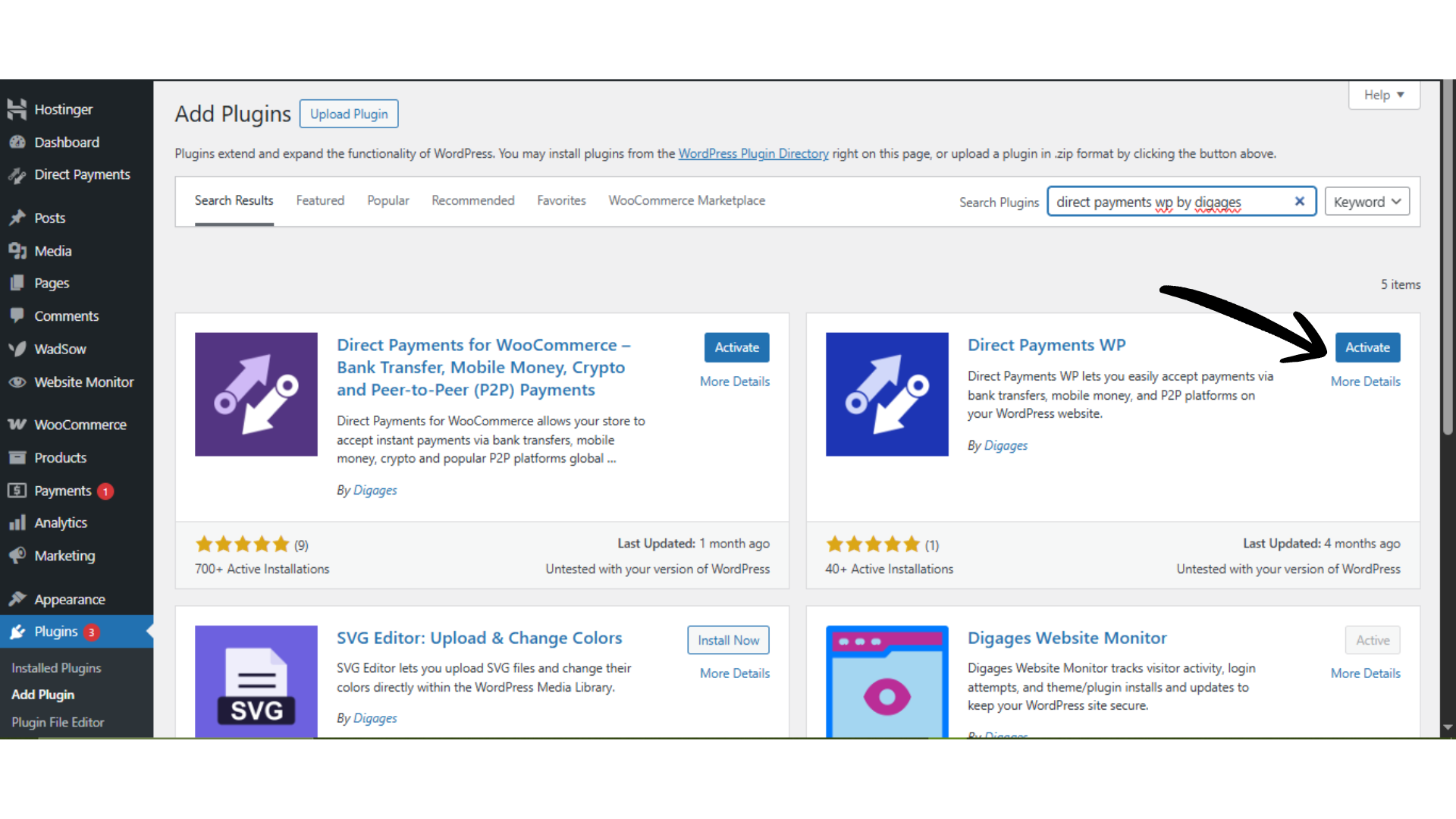
Go to WordPress Admin → Plugins → Add New.
-
Search for “Direct Payments WP by Digages”, or click Upload Plugin to upload the ZIP file.
-
Click Install Now.
-
After installation, click Activate.
Once activated, you can begin configuring payment methods.
Step 2: Add Your Crypto Wallet Details
-
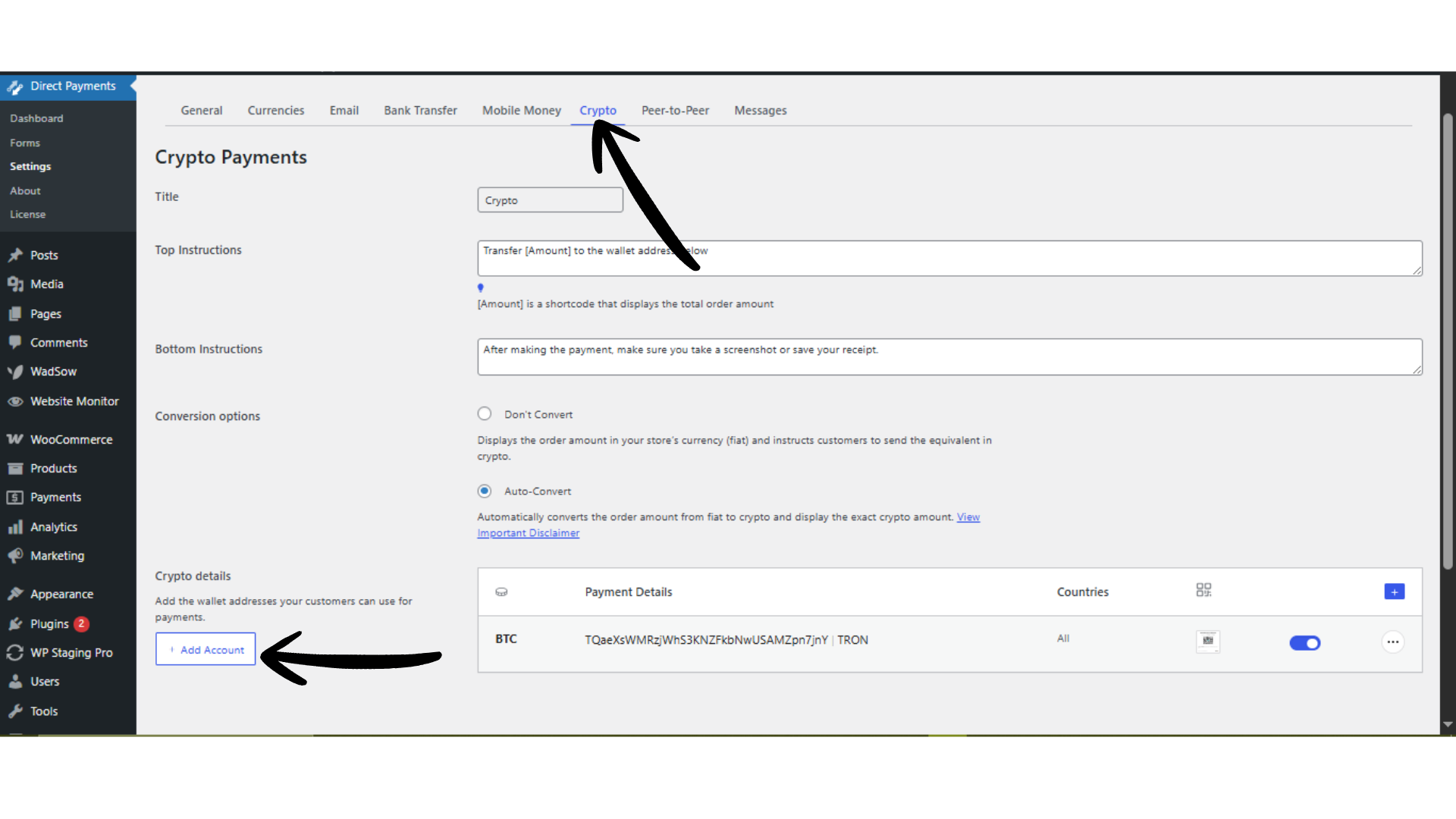
Navigate to Direct Payments WP → Settings → Crypto.
-
Click Add Account or the (+) icon.
-
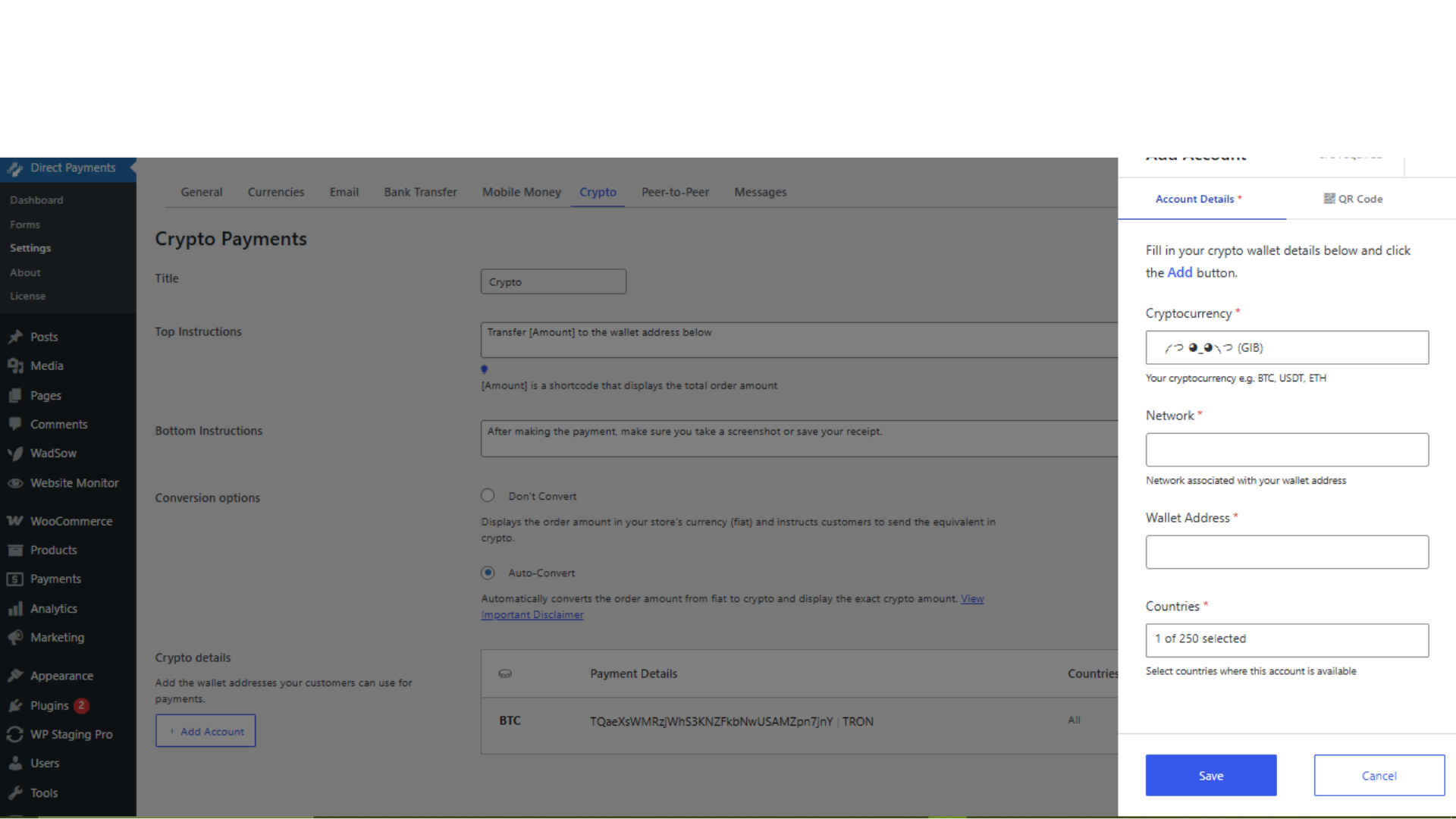
In the pop-up form: Select the cryptocurrency (e.g., BTC, ETH, USDT), enter your receiving wallet address, and choose the correct network (e.g., ERC20, BEP20, TRC20).
-
Click Save.
Important: Always select the correct crypto network. Using the wrong network can result in permanent loss of funds with no recovery option.
Step 3: Enable Crypto Payments
-
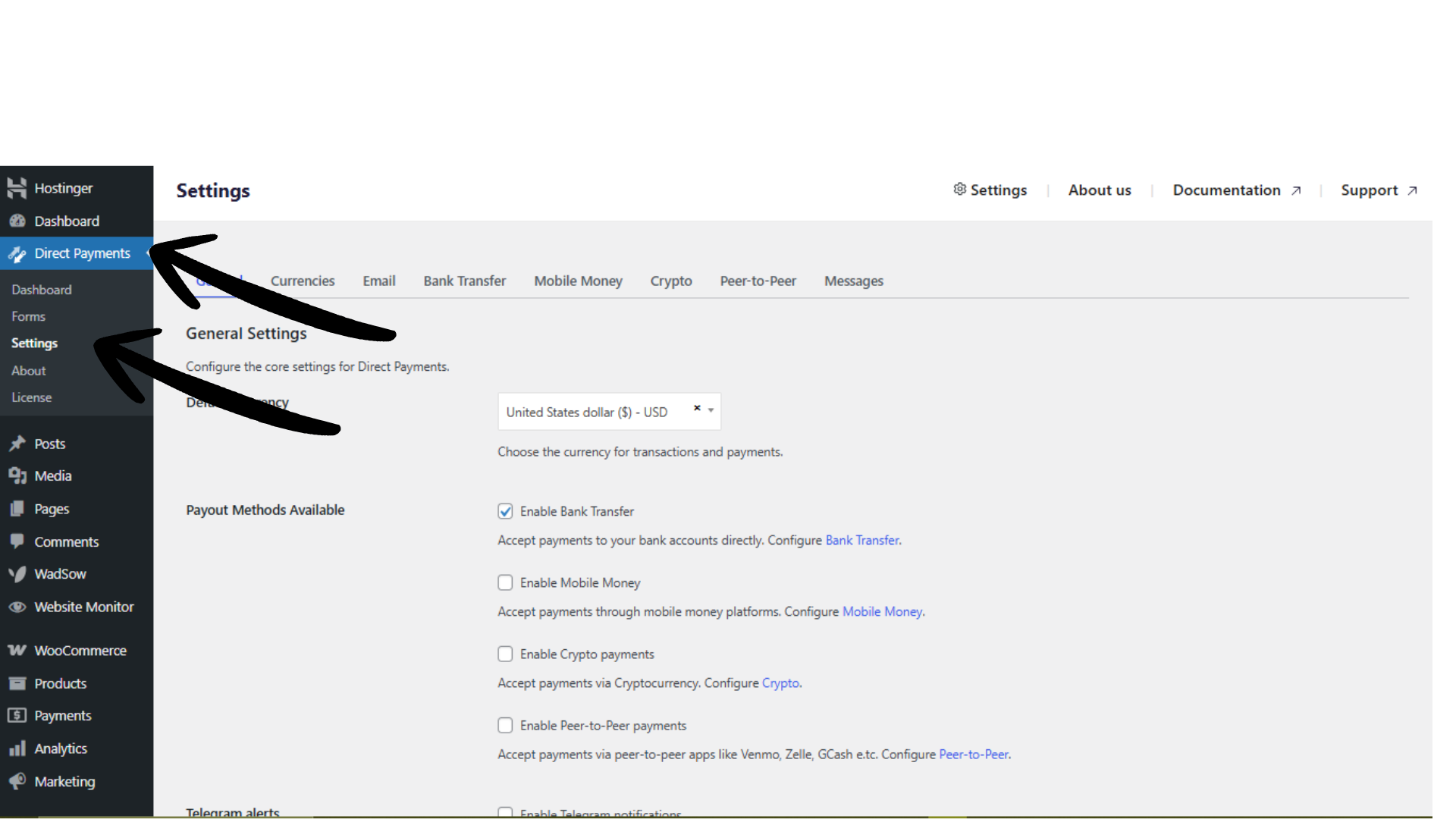
Go to Direct Payments WP → Settings in your WordPress dashboard.
-
Locate the Crypto Payments option.
-
Toggle it ON.
-
Click Save.
Step 4: Create a Form
After adding wallet details, enable Crypto Payments on your payment form.
-
Go to Direct Payments WP → Forms.
-
Edit an existing form or create a new one.
-
 Save the form.
 -
Copy the form shortcode and place it on the target page or post.
Publish the page to make crypto payment options visible to customers.
Test the Crypto Payment Flow
Before accepting live payments, run a test to confirm everything works correctly:
-
Open the page containing the payment form.
-
Select a cryptocurrency payment method.
-
Confirm the wallet address and network instructions display correctly.
-
Perform a small test transaction (if possible) to validate the workflow and notifications.
Testing helps prevent incorrect transfers and ensures customers see accurate payment instructions.
Best Practices for Accepting Crypto Payments
-
Clearly label each wallet with its correct network (e.g., “USDT (TRC20)”).
-
Add an instruction reminding users to send only via the specified network.
-
Enable email notifications to receive alerts when users submit payment confirmations.
-
Periodically verify wallet addresses to avoid outdated or incorrect payment details.
Troubleshooting Quick Tips
If crypto payment options are not showing:
-
Confirm Crypto Payments is enabled in plugin settings.
-
Ensure wallet accounts have been added and saved correctly.
-
Verify the crypto payment method is toggled ON inside the form settings.
-
Clear the site and browser cache.
-
Temporarily disable conflicting plugins to rule out UI issues.

