✨ New in v2.4: AI Powered Payment Confirmation & Custom Workflow Controls.


Direct Payments WP allows you to manually verify and manage payments submitted through your payment forms. After a customer completes a payment using any preferred payment method, you can review the proof and either confirm or cancel the transaction to keep your payment records accurate.
With Direct Payments WP Pro, you can confirm or cancel payments directly from email notifications without logging into the dashboard, saving time on manual reviews.
Quick Pre-Check (Before Managing Payments)
Before confirming or cancelling a payment, ensure:
-
Direct Payments WP is installed and active.
-
Payment submissions are being received in the dashboard.
-
Customers are uploading valid payment proof or transaction details.
This ensures you have enough information to verify each payment accurately.
Step 1: Confirm a Payment
Follow these steps to verify and confirm a received payment:
-
Log in to your WordPress admin dashboard.
-
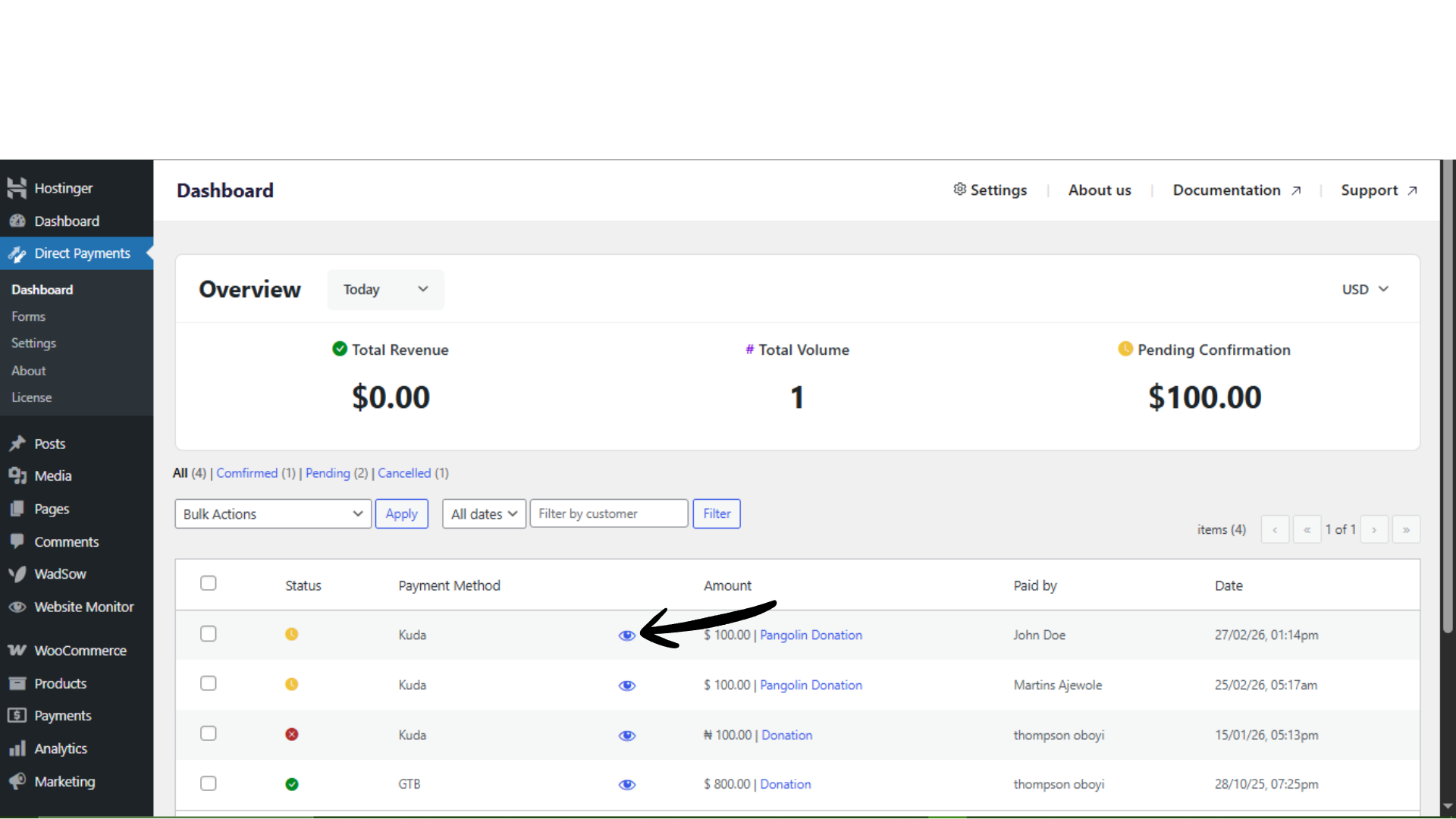
Navigate to Direct Payments WP → Dashboard.
-
Locate the payment in the list of received transactions.
-
Click the View icon next to the relevant payment to open its details.
-
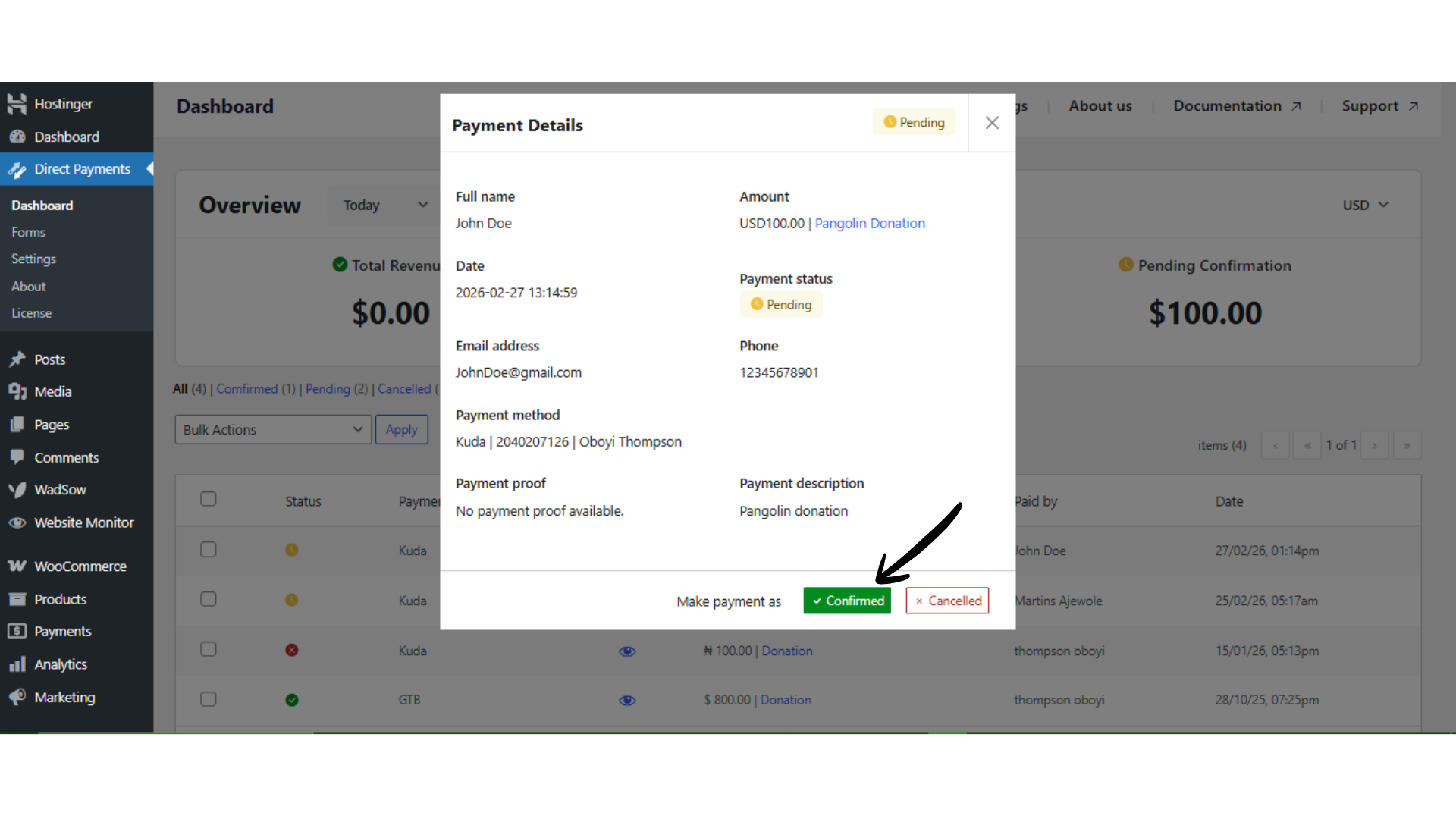
If the payment has been received, click Confirmed (The order status will automatically update to Confirmed.)
-
If the payment has not been received after 2–3 working days, click Cancelled. (The order status will update to Cancelled.)
Additional Tips for Managing Payments
Enable Instant Payment Notifications
Activate Instant Payment Alert Notifications to receive immediate alerts whenever a payment is submitted. This helps you review and confirm payments faster.
Confirm or Cancel Payments via Email (Pro)
With Direct Payments WP Pro, you can confirm or cancel payments directly from email notifications without logging into the dashboard, streamlining your workflow.
Use Auto-Cancel for Pending Payments
Configure the auto-cancel feature to automatically void unpaid or unverified transactions after a specified number of days. This keeps your payment list organised and prevents stale pending orders.
Troubleshooting Quick Tips
If you cannot confirm or cancel a payment:
-
Ensure you have opened the correct payment record from the dashboard.
-
Refresh the dashboard or clear the cache if status updates are not reflecting.
-
Confirm you have the required permissions to manage payment statuses.

