✨ New in v2.4: AI Powered Payment Confirmation & Custom Workflow Controls.


Direct Payments WP allows you to configure and display your preferred payment methods on your WordPress site. You can enable options such as Bank Transfers, mobile money, crypto, or peer-to-peer platforms like Venmo, Zelle, and CashApp, giving customers flexible ways to pay.
This guide explains how to add and manage your preferred payment methods so they are available on your payment forms.
Quick Pre-Check
Before configuring preferred payment methods, confirm the following:
-
Direct Payments WP is installed and activated.
-
You have valid account details for the payment methods you plan to enable (e.g., bank account, crypto wallet, or P2P username).
Once confirmed, follow the steps below.
Step 1: Enable Your Preferred Payment Method Category
-
Log in to your WordPress admin dashboard.
-
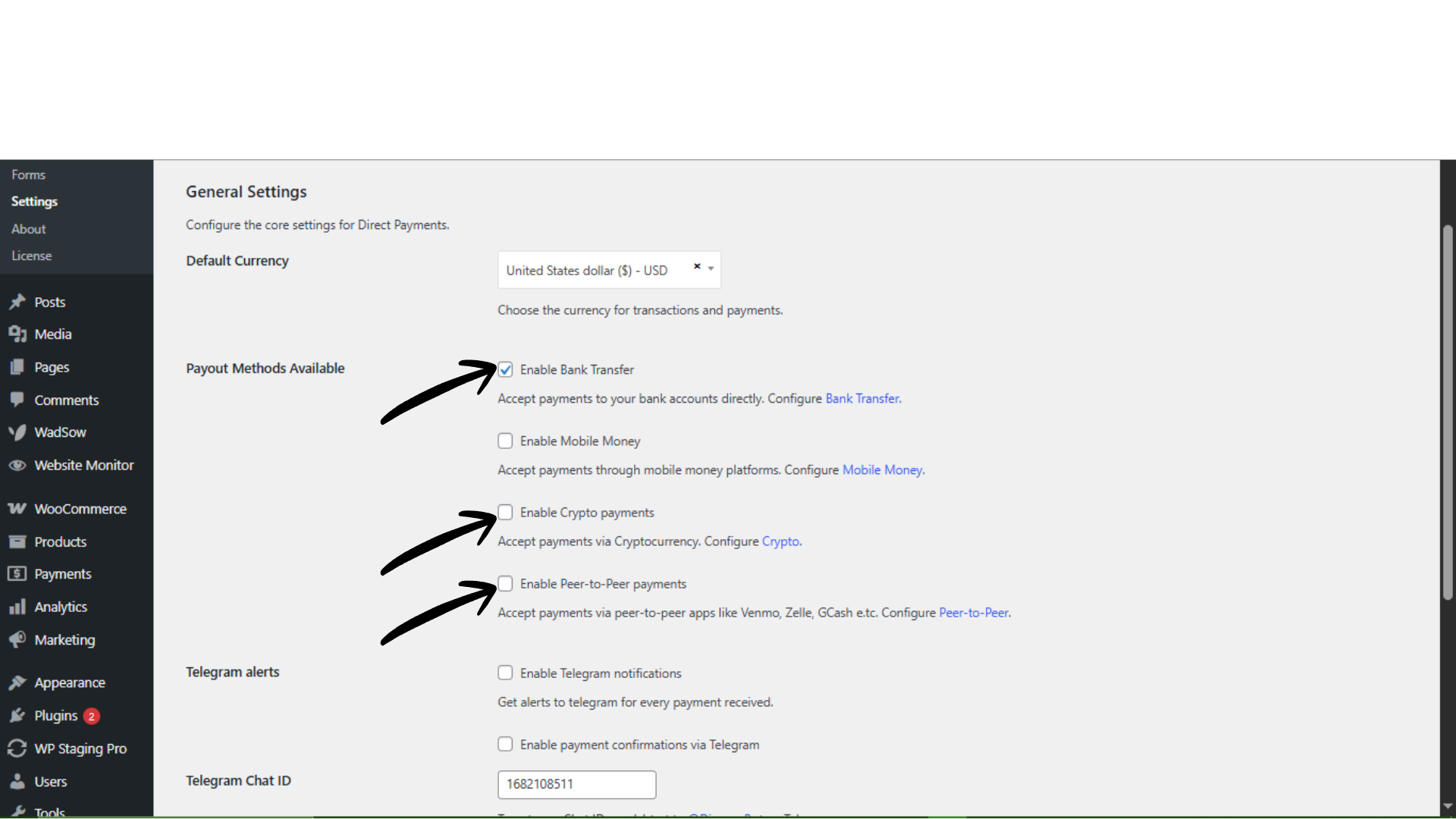
Navigate to Direct Payments WP → Settings.
-
In the General section, locate the payment method category you want to use (e.g., Bank Transfer, Mobile Money, Crypto, Peer-to-Peer).
-
Toggle your preferred payment method category ON.
-
Click Save Changes.
Enabling a category makes it available for configuration and use in your payment forms.
Step 2: Add Preferred Payment Account Details
-
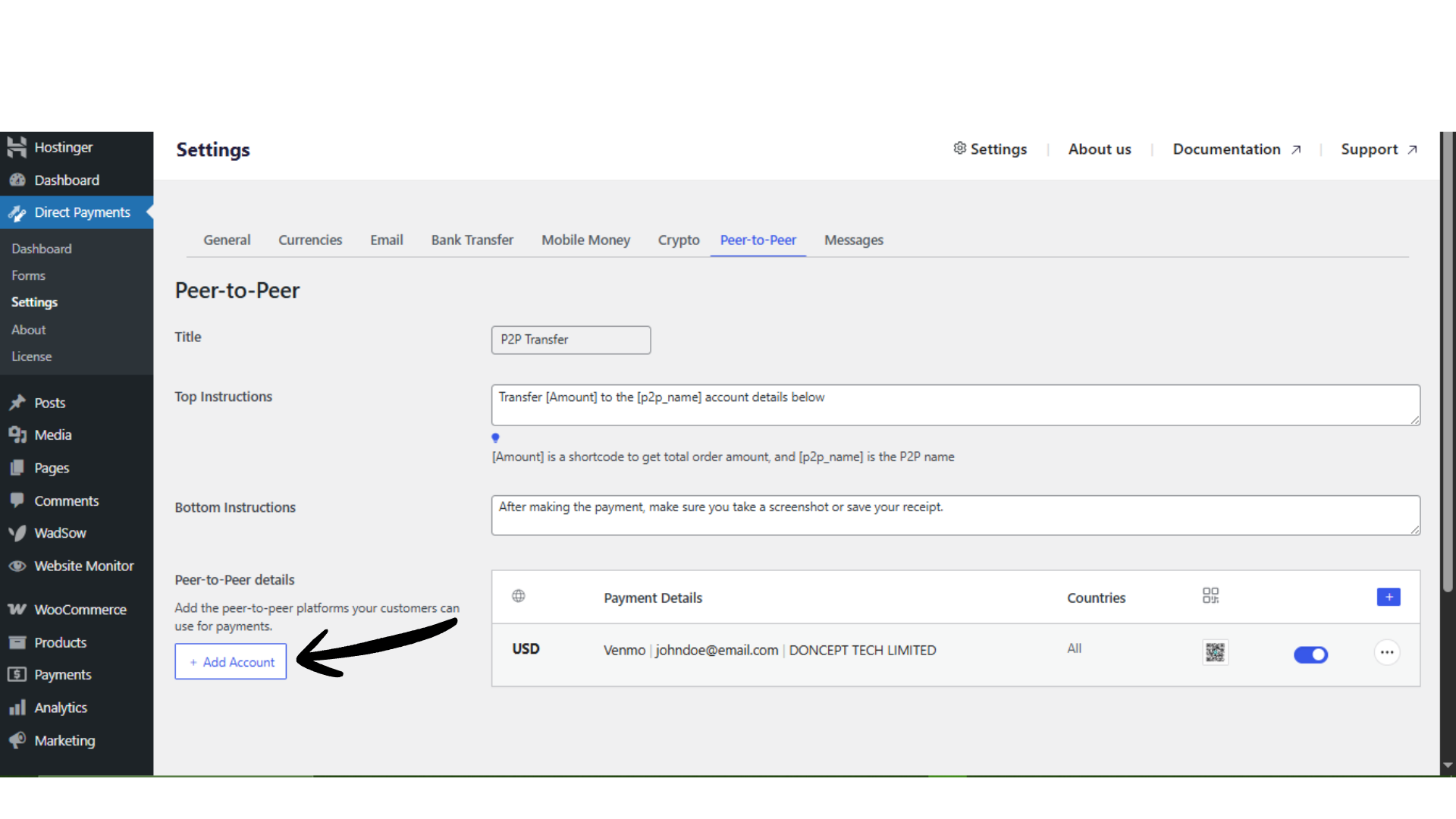
After saving, click the category tab at the top (e.g., Bank Transfer, Mobile Money, Crypto, or Peer-to-Peer).
-
Click Add Account or the (+) icon.
-
Fill in the required account details in the pop-up form (such as account name, account number, wallet address, or username, depending on the method).
-
Click Save Changes.
Your preferred payment account is now configured and ready to be used on payment forms.
Step 3: Use Preferred Payment Methods on a Form
To make the configured methods visible to customers:
-
Go to Direct Payments WP → Forms.
-
Edit an existing form or create a new one.
-
Save or update the form and embed it on your page using the shortcode.
Customers will now see the preferred payment options during submission.
How Payment Methods Work
-
You enable a payment category (e.g., Crypto or Bank Transfer).
-
You add one or more accounts under that category.
-
Customers choose their preferred payment method when submitting the form.
-
You receive the payment based on the configured account information.
Troubleshooting Quick Tips
If preferred payment methods are not showing:
-
Confirm the payment category is enabled in Settings → General.
-
Ensure at least one account has been added under the category.
-
Verify the form is updated after enabling new methods.
-
Clear the site and browser cache.
-
Check for theme or plugin conflicts affecting form display.

