✨ New in v2.4: AI Powered Payment Confirmation & Custom Workflow Controls.


Are you ready to unlock the full potential of Direct Payment WP? Upgrading to the Pro version unlocks advanced features that improve your payment workflow and customer experience, including: Creating multiple payment forms, Multiple Currencies, Multiple Payment Methods, Automatic Email Payment Confirmation, Business logo, Customizable accent colour, Customizable link colour, Access to plugin updates, and priority support.
Follow the steps below to upgrade and activate the PRO version.
Step 1: Purchase the PRO Version
-
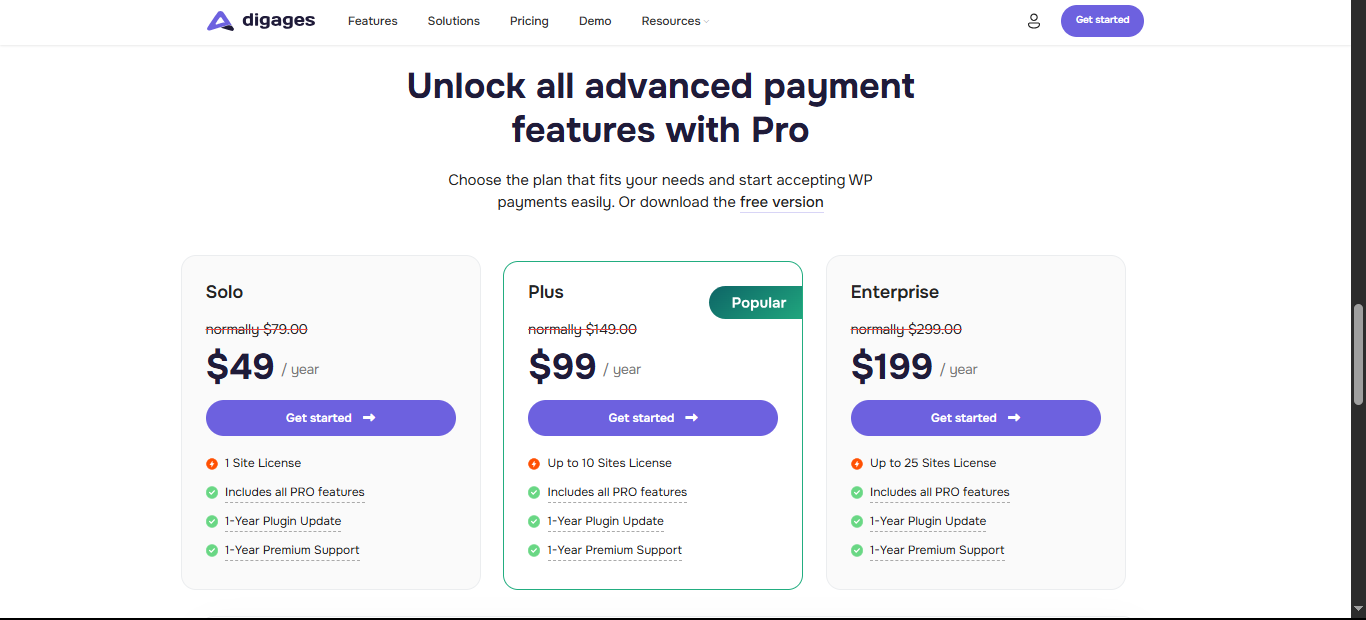
Visit the official Direct Payment WP website.
-
Select your preferred PRO plan.
-
Click Get Started to begin checkout.
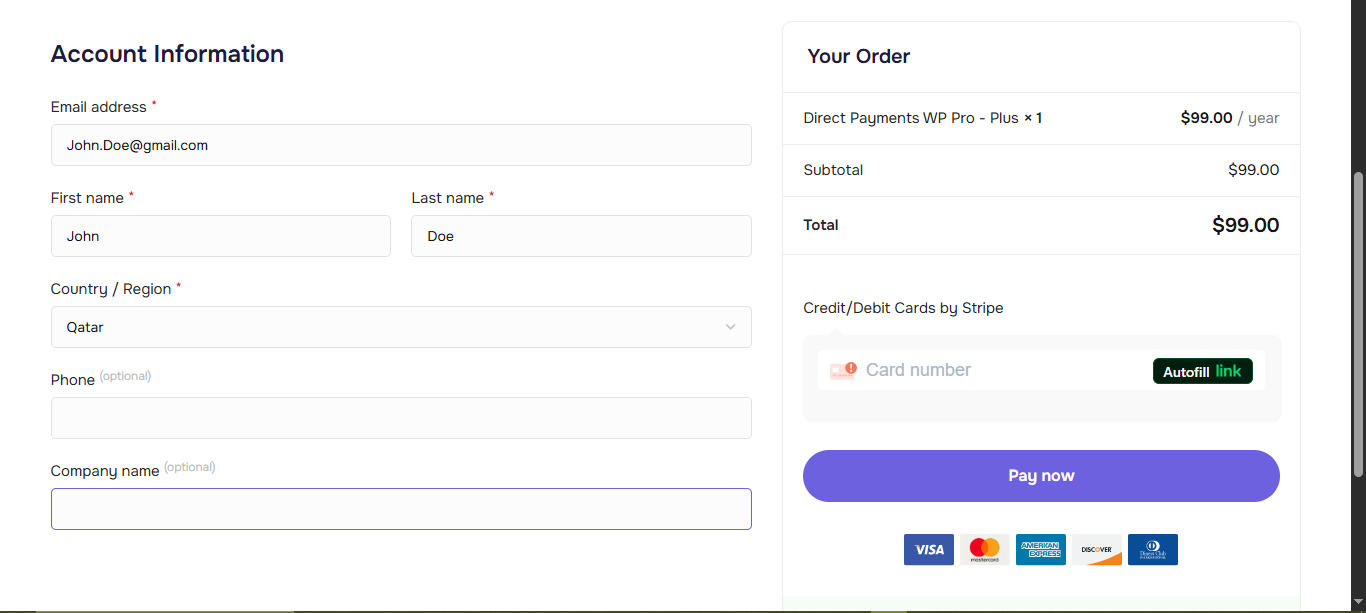
During checkout, you will be asked to create a Digages account. This account is required to access your downloads and manage your license.
-
Enter the required account details.
-
Choose your preferred payment method.
-
Click Pay Now to complete the purchase.
After successful payment:
-
You will be redirected to the download page.
-
You will receive an email containing the plugin ZIP file download link, your license key, and activation instructions
If you cannot locate your files, log in to your Digages dashboard and check the Downloads and License sections.
If the download or license key is missing after payment, create a Support Ticket with Digages, and our team will respond within 24 hours.
Step 2: Upload the PRO Plugin to WordPress
-
Log in to your WordPress admin dashboard.
-
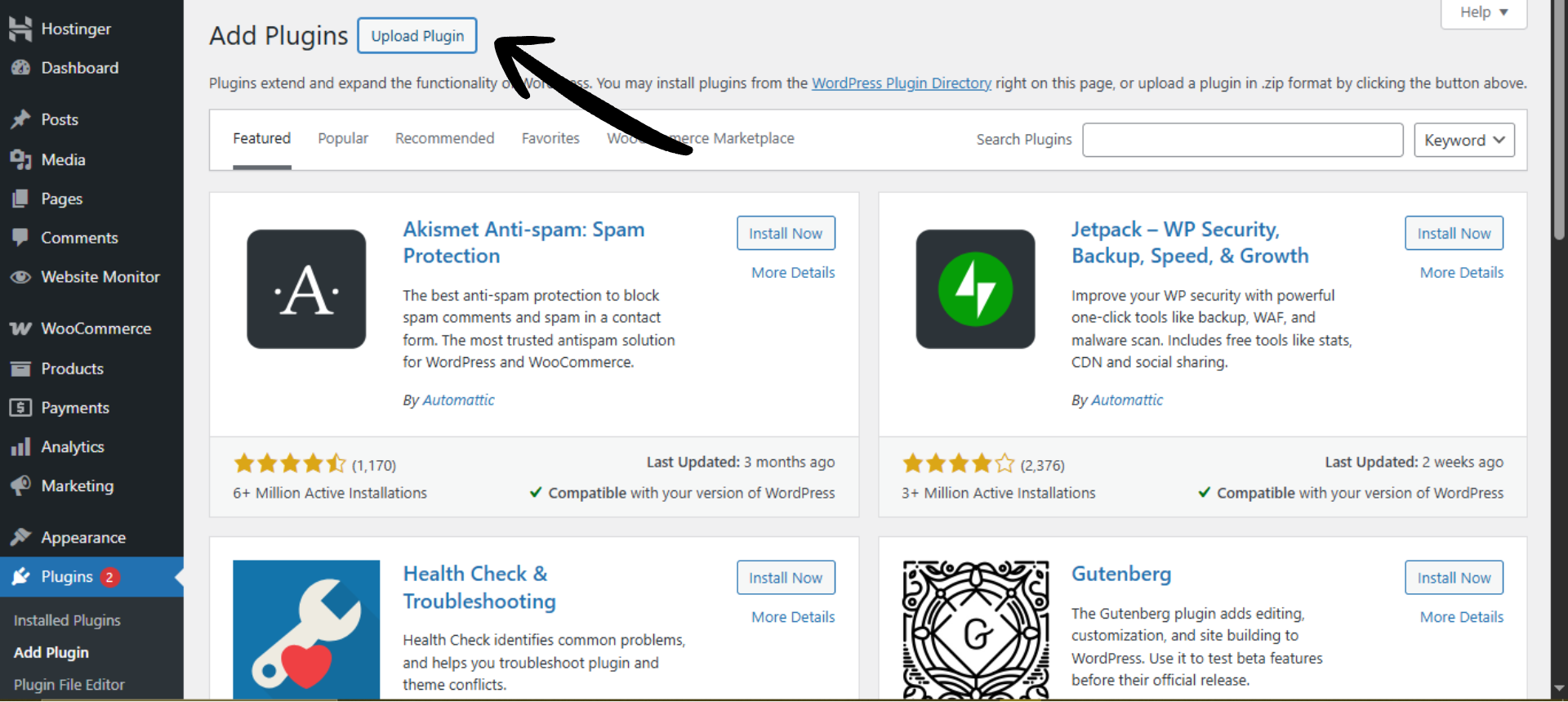
Navigate to Plugins → Add New.
-
Click Upload Plugin → Choose File, then select the Direct Payment WP PRO ZIP file you downloaded.
-
Click Install Now and activate the plugin.
WordPress will automatically upload and unpack the plugin files during installation.
Step 3: Activate the PRO License
Activating your license enables all PRO features, automatic updates, and support access.
-
Go to Direct Payment WP → Settings.
-
Open the License tab.
-
Paste your license key (from your email or Digages dashboard).
-
Click Activate License.
Once activated, all PRO features become available immediately.
That’s it! You’ve now upgraded to Direct Payments WP PRO and unlocked advanced features to enhance your payment experience.
Start Enjoying The Benefits Today!
If you’ve paid for the PRO version but can’t download the Pro version or see your license key, don’t worry! Simply create a Support Ticket, and someone from our team will get back to you within 24 hours or less.
How to Find Your License Key
After purchasing Direct Payment WP PRO, you can easily retrieve and activate your license key by following these steps:
-
Log in to your Digages Dashboard.
-
Navigate to the License tab.
-
Locate and copy your license key.
-
Go back to your WordPress site and open the Direct Payment WP settings.
-
In the License section, paste the key and click Activate PRO.
Your PRO features will be unlocked, and you’ll be set to receive plugin updates and support.
Frequently Asked Questions
- Will I lose my settings and payment methods after upgrading?
No, all your configurations will carry over to the PRO version seamlessly. - How quickly can I start using the PRO features?
Once installed and activated, the PRO features are available immediately. - What if I encounter issues during the upgrade?
Simply create a Support Ticket, and we’ll assist you with any issue you’re experiencing.

