🎁 New: Build Customer Loyalty & Drive Repeat Purchases with WooCommerce. Learn more




Why Manual Pickup Selection Causes Checkout Friction
Friction is the enemy of conversion. In e-commerce, it shows up in obvious places, too many form fields, surprise shipping costs, and forced account creation. But there is a subtler form of checkout friction that multi-location WooCommerce stores create without realising it: making customers manually select their pickup location from an unordered, undifferentiated list of branches.
It looks harmless. It is a dropdown, or a list of radio buttons. How much effort could it possibly take? But when you examine exactly what a customer has to do to make that selection correctly, you start to see how many things can go wrong, and how many of them lead to abandoned carts, wrong-branch pickups, frustrated customers, and wasted staff time.
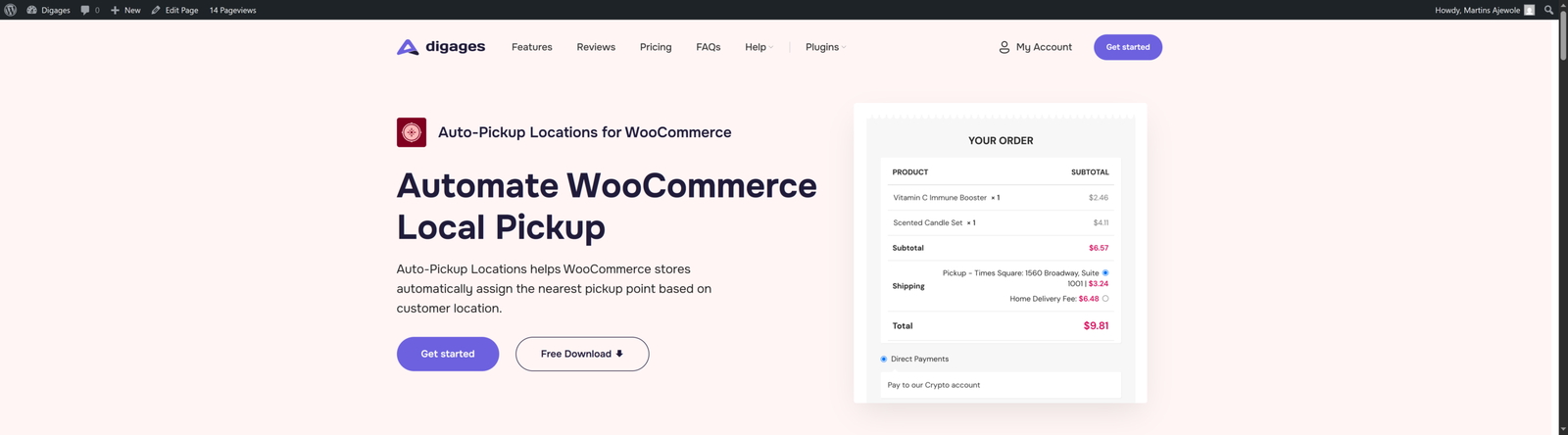
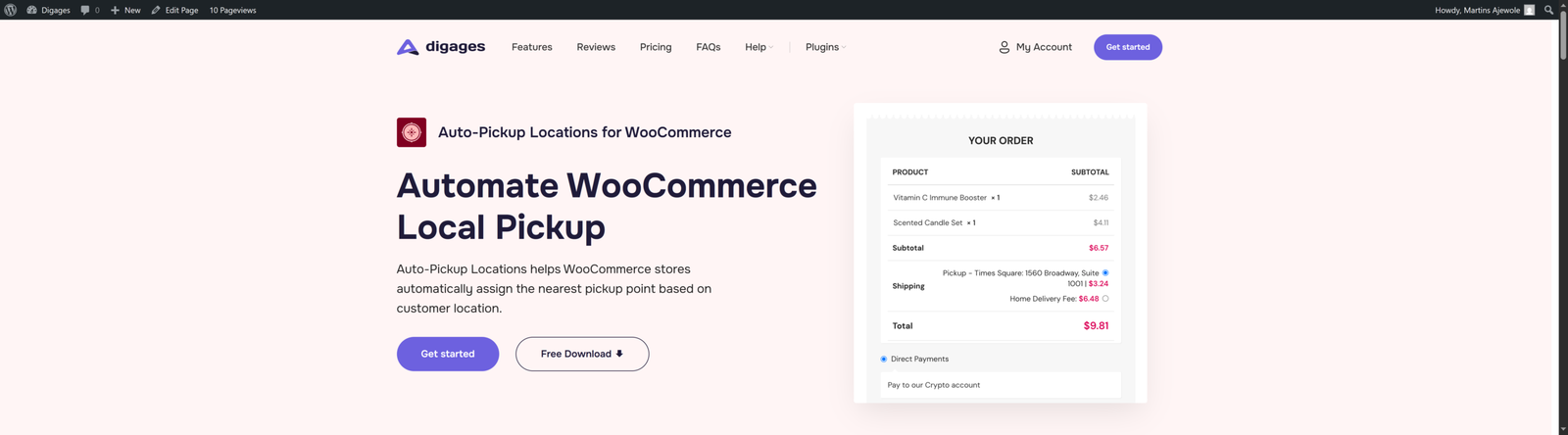
Auto-Pickup Locations for WooCommerce was built to remove this friction entirely. It uses GPS-based location detection to automatically assign the nearest pickup branch the moment a customer reaches the shipping step, no list to scroll, no map to consult, no decision to make.
This article breaks down every layer of the manual selection problem, explains exactly why it damages your checkout, and shows how Auto-Pickup Location resolves them.
The Hidden Cost of 'Just Pick a Branch'
Store owners underestimate this step because they see it as trivially simple. But they are thinking about it from the wrong side of the screen. From the customer’s perspective, particularly on mobile, mid-browse, with limited patience, ‘just pick a branch’ is a multi-step geography task disguised as a dropdown menu.
Here is what the customer actually has to do when faced with an unordered list of pickup locations:
- Recognise that they need to pick the most convenient branch, not just any branch.
- Remember or estimate which branch is closest to them.
- Verify this memory by opening Google Maps or searching the store’s website for location details.
- Return to the checkout tab and find the correct branch in the list.
- Select it without accidentally clicking the wrong one.
- Proceed — assuming the list was accurate and up to date in the first place.
That is six cognitive steps for what should be a zero-step process. And each step is an opportunity for the customer to lose confidence, make an error, or simply decide the effort is not worth it and abandon the cart.
The Specific Ways Manual Selection Damages Your Checkout
Let us go deeper. Manual pickup selection does not just add one layer of friction; it creates seven distinct problems, each of which costs you something real.
1. The Unsorted List Problem
The friction
WooCommerce’s default local pickup displays all configured branches in the order they were added, not alphabetically, not by distance, not by any logic meaningful to the customer. A shopper in Lagos, Nigeria, sees branches in Abuja, Nigeria, listed first because they were created first. They have to read every option carefully to find the one that applies to them.
How Auto-Pickup Locations fixes it
Auto-Pickup Locations eliminates the sorting problem. In Auto Mode, the nearest branch is assigned without the customer ever seeing a list. In Manual Mode, Auto-Pickup Locations uses GPS detection to rank branches by distance, so the most relevant option always appears first, regardless of the order in which branches were created.

2. The Context-Switching Problem
The friction
When a customer does not immediately know which branch is nearest, they open a second tab, Google Maps, the store’s contact page, or a branch locator on another site. This context switch breaks the checkout flow. Research on task interruption consistently shows that people who leave a flow mid-way are significantly less likely to return and complete it. Every tab they open is a risk that they will not come back.
How Auto-Pickup Locations fixes it
Because Auto-Pickup Locations detects the customer’s location automatically and assigns the nearest branch, there is no reason to open another tab. The right answer is already on the checkout page. The customer never leaves your store’s environment, and the checkout flow remains unbroken from cart to payment.

3. The Wrong-Branch Selection Problem
The friction
Manual selection errors happen more often than store owners realise. Similar branch names (‘Victoria Island Store’ and ‘Victoria Island Annex’), locations that share a city name, or customers who simply click the first item without reading carefully, all of these result in orders being assigned to the wrong pickup point. The customer shows up at the wrong branch. The branch has no record of the order. A staff member has to intervene. The customer’s trust in your store takes a hit.
How Auto-Pickup Locations fixes it
When Auto-Pickup Locations assigns the nearest branch automatically based on GPS coordinates, the possibility of a casual misclick or misread is removed entirely. The branch assignment is based on mathematical distance, not on a customer reading a list carefully under time pressure. Wrong-branch errors do not occur because manual selection does not occur.

4. The Mobile Experience Problem
The friction
Mobile now accounts for the majority of e-commerce traffic. On a small screen, manually selecting a pickup location is significantly worse than on a desktop, with smaller tap targets, more scrolling through a list, harder to read branch names at a glance, and switching to Google Maps on mobile often means losing the checkout context entirely. A checkout flow designed around manual location selection was designed for desktop. Most of your customers are not on a desktop.
How Auto-Pickup Locations fixes it
Mobile browsers have GPS built in. Auto-Pickup Locations was built to work with that reality. When a customer checks out on their phone, Auto-Pickup Locations requests location access through the same permission prompt they use with every location-aware app they trust. Their nearest branch is assigned in milliseconds. The checkout works as well on a 6-inch screen as it does on a 27-inch monitor — arguably better, because no list-scrolling is required.

5. The Information Vacuum Problem
The friction
The default WooCommerce local pickup list shows only branch names. The customer sees ‘Ikeja Store’ in the dropdown but has no idea what that branch’s address is, what hours it keeps, whether it is currently open, or who to call if there is a problem. They are being asked to select something they cannot fully evaluate. That uncertainty creates hesitation, and hesitation kills conversions.
How Auto-Pickup Locations fixes it
Every pickup branch in Auto-Pickup Locations can be configured with a full address, phone number, opening hours, and custom pickup instructions. When a branch is assigned at checkout, whether automatically or by customer selection, this information is displayed immediately. The customer knows exactly where they are going, when the branch is open, and who to contact. Uncertainty is replaced with confidence.

6. The Post-Order Notification Problem
The friction
Even when a customer selects the correct branch and completes their order, the default WooCommerce confirmation email provides no pickup-specific information. They just receive a generic order summary. They have to go back to the website, find the branch details themselves, and hope the details they find match the one they selected. It is friction that continues after the sale.
How Auto-Pickup Locations fixes it
Auto-Pickup Locations automatically injects the assigned branch’s full details, address, phone number, and custom pickup instructions into the customer’s order confirmation email. The moment they complete checkout, they have everything they need in their inbox. No follow-up research required. No second visit to the website. The post-purchase experience is as smooth as the checkout itself.

7. The Operational Triage Problem
The friction
Manual pickup selection does not just cost you customer conversions; it costs your team time. When orders land in a shared admin inbox with no automatic branch routing, someone has to read each order, identify the pickup location, and forward the information to the right branch. In a store processing dozens or hundreds of orders per day, this triage becomes a significant operational burden. And when it goes wrong, when a notification goes to the wrong branch or gets missed, the downstream cost in customer complaints and remedial effort is still higher.
How Auto-Pickup Locations fixes it
Auto-Pickup Locations includes per-location email notifications. When an order is assigned to a specific branch automatically by GPS or manually by the customer, APL fires an alert directly to that branch’s configured email address. The Abuja manager sees the Abuja orders. The Lagos Island branch sees its own queue. Nobody is manually triaging a shared inbox, and no order slips through because of a missed forward.

The Checkout Journey: Before and After Auto-Pickup Locations
The difference between manual selection and Auto-Pickup Locations’ automatic assignment is most visible when you map the two checkout journeys side by side.
Without Auto-Pickup Locations
- Your customer reaches checkout and selects Local Pickup.
- Your customer is presented with an unsorted list of all branches.
- Your customer does not know which branch is closest.
- Your customer opens Google Maps in a new tab.
- Your customer finds the nearest branch, memorises the name, and closes the tab.
- Your customer returns to checkout and locates the correct branch in the list.
- Your customer selects the branch correctly, if they are lucky.
- Your customer receives a confirmation email with no branch details.
- Your customer returns to the website to find the branch address and opening hours.

With Auto-Pickup Locations
- Customer reaches checkout and selects Store Pickup.
- Auto-Pickup Locations detects the location and assigns the nearest branch instantly.
- The customer sees the correct branch already confirmed, with address and instructions shown.
- The customer proceeds to payment.
- The customer receives a confirmation email with full branch details included.

Nine steps become five. Two entire journeys outside the checkout, opening Maps, and returning to find the right branch are eliminated. The post-order friction of finding branch details disappears. Everything the customer needs is on the page in front of them.
How Quickly Can You Eliminate This Friction?
One of the most common reasons store owners tolerate a friction-heavy checkout is the assumption that fixing it requires developer time, custom code, or a complex integration. With Auto-Pickup Locations, none of that is true.
The full setup, including install, configure branches with coordinates, choose assignment mode, and enable the plugin, takes under fifteen minutes for a store with a handful of locations. For stores with dozens of branches, the Auto-Pickup Locations CSV import brings that setup time down to minutes regardless of location count.
Here is the simple process:
- Install: Search ‘Auto Pickup Locations’ in WordPress → Plugins → Add New. Then click Install and activate.
- Configure: Go to WooCommerce → Settings → Shipping → APL Settings. Add each branch with its name, address, phone number, and 15-decimal-place coordinates from Google Maps.
- Choose your mode: Select Auto Mode (GPS assigns nearest branch silently) or Manual Mode (GPS orders the list, customer selects). Most multi-location stores use Auto Mode.
- Enable and test: Toggle APL to ON. Run a test checkout from your own device to confirm the nearest branch is correctly detected and displayed.
- Go live: That is it. Every customer from this point forward gets the nearest pickup branch assigned automatically — no manual intervention required.
No API keys. No mapping subscription. No developer needed. Auto-Pickup Locations performs all distance calculations internally using the coordinates you provide. There are no external dependencies to configure, no billing accounts to set up, and no technical prerequisites beyond a working WooCommerce installation.
Conclusion
Every time a customer has to open Google Maps to find your nearest branch, your store is failing at something it should handle automatically. Every wrong-branch pickup is a solvable error. Every abandoned cart at the shipping step is a recoverable conversion.
Auto-Pickup Locations for WooCommerce removes the manual selection step, eliminates wrong-branch errors, gives customers full branch details at checkout and in their confirmation email, and routes order notifications directly to the right manager without any human triage in between.
The friction described in this article is real, measurable, and entirely avoidable. The fix is a plugin installation and a Fifteen-minute setup. Your customers may not notice the change in the way you hope they do, they will just know that checkout was effortless. That is the point.
Ready to make your checkout smooth and effortless? Install Auto-Pickup Locations today, with setup in under 15 minutes. No API keys, no developer, no dependencies. Get it for free on WordPress.org








