Customize Direct Invoices Templates

Last modified: April 9, 2026
In this article

Introduction

The Customise Templates section controls how invoice messages are sent to customers across different communication channels.

It allows you to define the tone, structure, and content of your invoice notifications, ensuring consistent and professional communication.

You can customise templates for: Email, WhatsApp, and Telegram

Most users can rely on the default templates. However, customization is recommended if you want to align messages with your brand voice or provide clearer payment instructions.

This section controls how invoice messages appear across different channels.

You can customize templates for:

  • Email
  • WhatsApp
  • Telegram

Most users can rely on default templates, but customization is useful for branding and maintaining a consistent tone.

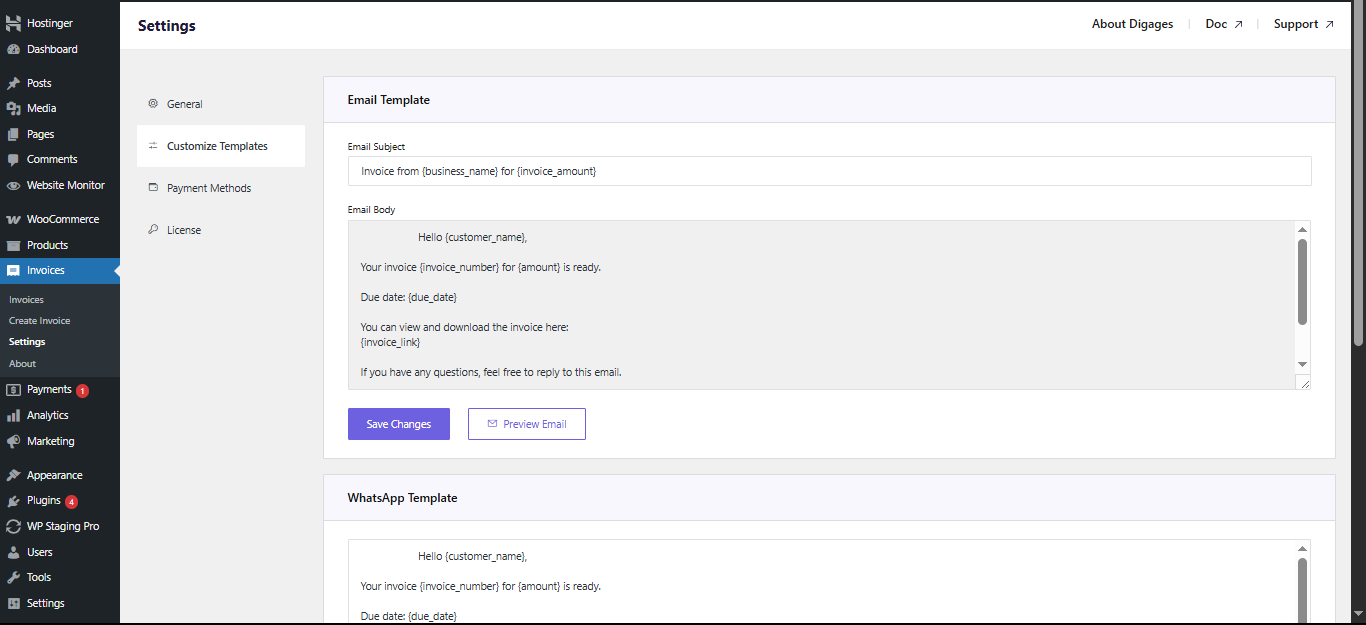
Direct Invoices Customize Template

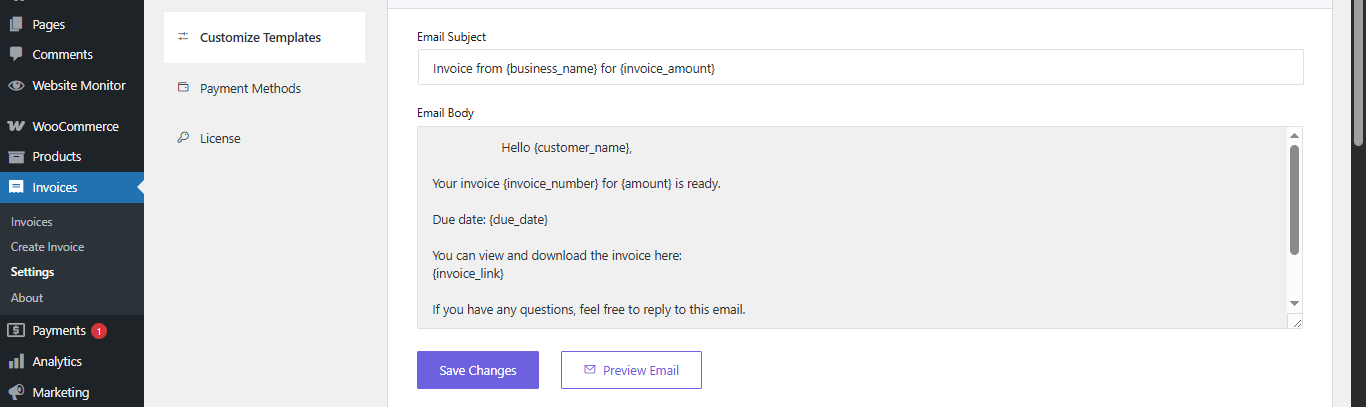
Email Template

Used when invoices are sent via email.

  • Email Subject: Should be clear and professional.
  • Email Body: Typically includes: Customer name, Invoice number, Amount, Due date, and Invoice link.
  • Preview Email: Allows testing before sending.
  • Save Changes: Applies updates.

Direct Invoice Customize Template Email

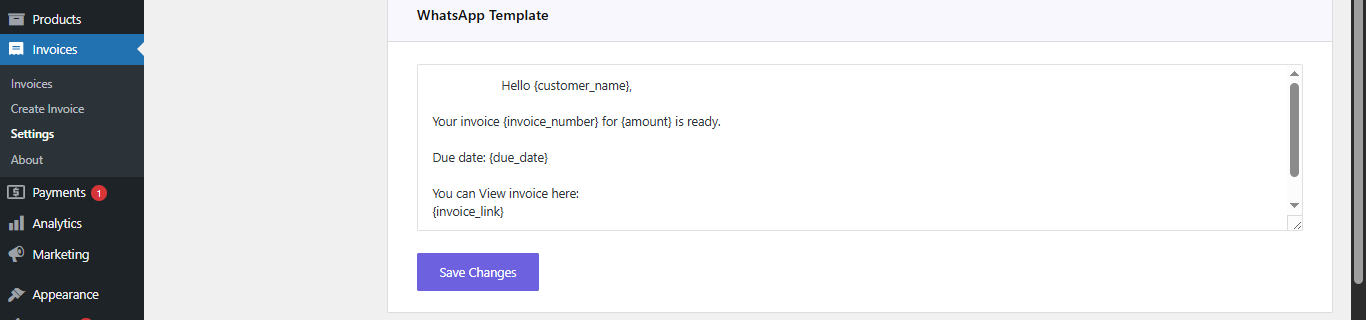
WhatsApp Template

  • Used when sending invoices via WhatsApp.

    • Message Body: Typically includes: Customer name, Invoice number, Amount, Due date, and Invoice link.
    • Save Changes: Applies updates.

Direct Invoice Customize Template Whatsapp

Always test templates before using them in production.
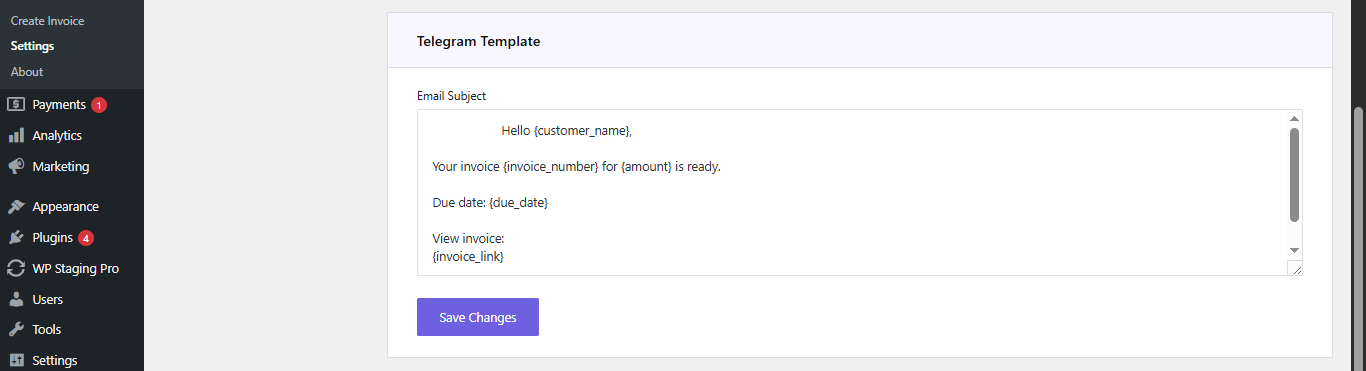
Telegram Template

Used when sending invoices via Telegram.

  • Message Body: Similar to WhatsApp, but you can include more details.
  • Save Changes: Applies template changes.

Direct Invoice Customize Template Telegram

Important: Shortcodes

Templates use dynamic shortcodes such as:

  • {customer_name}
  • {invoice_number}
  • {amount}
  • {due_date}
  • {invoice_link}
  • {business_name}

If incorrect shortcodes are used:

  • Messages may break
  • Data may not display correctly

Best Practice:
Short messages improve readability and engagement on mobile devices.

Final Thoughts

Customising templates ensures that your invoice communication is clear, consistent, and aligned with your brand.

Well-structured templates help:

  • Reduce customer confusion
  • Improve response and payment rates
  • Maintain a professional communication standard

Before relying on automated messaging, always test your templates to ensure accuracy and usability.

Plugin:
Was this article helpful?
No