How to Send an Invoice to Telegram on WordPress

Last modified: April 13, 2026

Introduction

Sending invoices through Telegram allows you to reach customers instantly on a platform they already use. Instead of relying only on email, you can deliver invoices directly to a customer’s chat, making it easier for them to view details and take action quickly.

With Direct Invoices, you can send invoice notifications via Telegram using customizable message templates. This helps you maintain consistent communication while ensuring customers receive all the necessary information, including the invoice link, amount, and due date.

In this guide, you’ll learn how to send an invoice to Telegram on your WordPress site.

Creating an Invoice

Add Invoice Details

To do this;

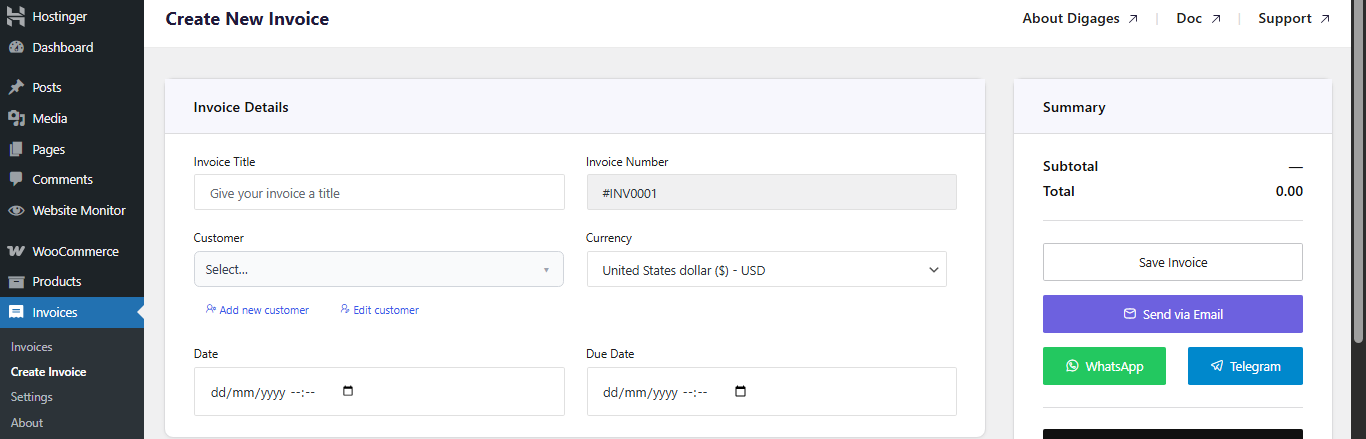
  • Go to Invoice → Create Invoice → Invoice Details
  • Then enter: Invoice Title, click Add Customer to input customer details, Select Currency, Set Invoice Date, and Set Due Date

Direct Invoice Details

Always set a due date to enable automated reminders.

Add Invoice Items

  • Go to the Invoice Items section
  • Then add item: Custom service or WooCommerce product, Quantity, and Rate (Price)

Direct Invoices Invoice Items

Invoice items defines what the customer is being billed for.
Configure Invoice Options

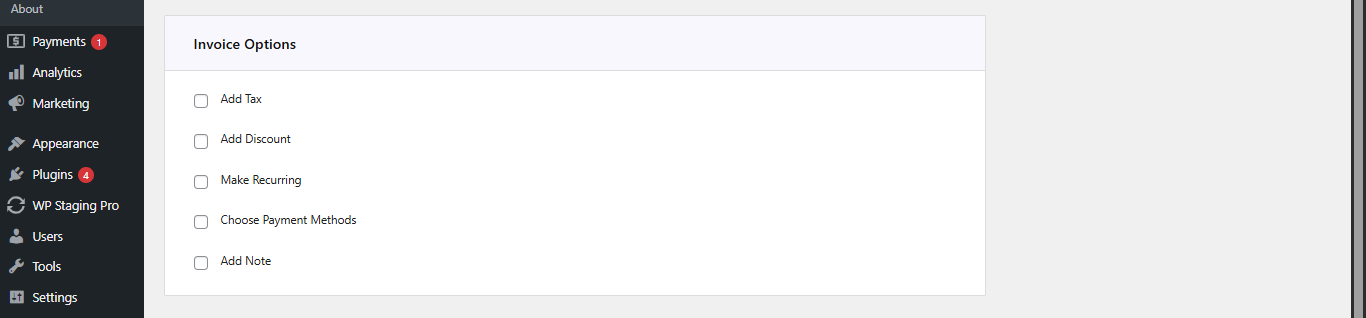
Go to Invoice Options, then configure (as needed):

  • Add Tax (percentage)
  • Add Discount (fixed or percentage)
  • Enable Recurring Invoice (if needed, set the end recurring date)
  • Select Payment Account (This is a very important step; if this step is omitted, the invoice will not carry a payment account)
  • Add a Note(s) for the customer

Direct Invoice Invoice Options

Sending the Invoice

Save and Send the Invoice

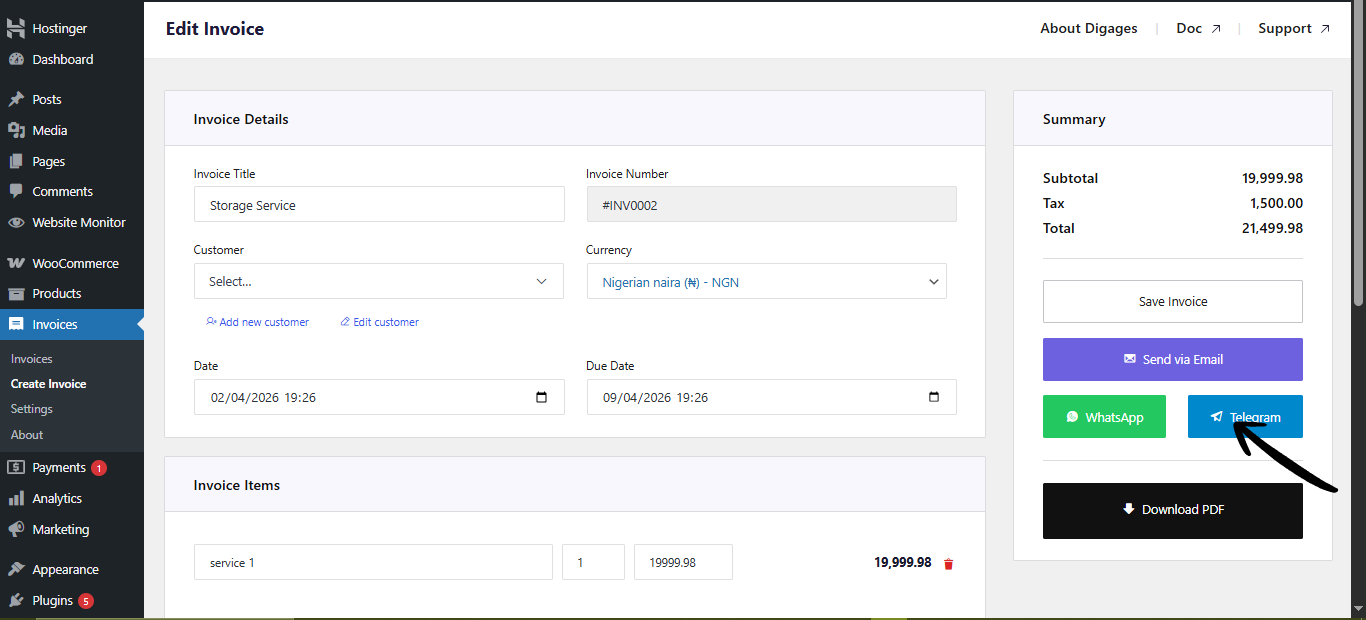
  • Go to Invoice Summary (top left area)
  • Click Save Invoice (this creates the invoice and allows you to send it)
  • After saving, click the Telegram button (you will be redirected to Telegram)
  • Select the recipient contact
  • Click enter to send

Conclusion

Sending invoices via Telegram gives you a faster and more direct way to communicate with customers. By combining real-time messaging with structured invoice details, you reduce delays and make it easier for customers to view and act on invoices immediately.

With Direct Invoices, the process is straightforward—once your templates are configured correctly, you can send invoices consistently while maintaining a clear and professional message format.

Before using Telegram for live invoices, make sure to test your templates, verify that all placeholders display correctly, and confirm that invoice links work as expected. This ensures a smooth experience for both you and your customers.

Using Telegram alongside other channels, such as email or WhatsApp, can also improve delivery reliability and increase the likelihood of faster payment.

Plugin:
Was this article helpful?
No