🎁 New: Build Customer Loyalty & Drive Repeat Purchases with WooCommerce. Learn more


In this article
How to Access the Dashboard
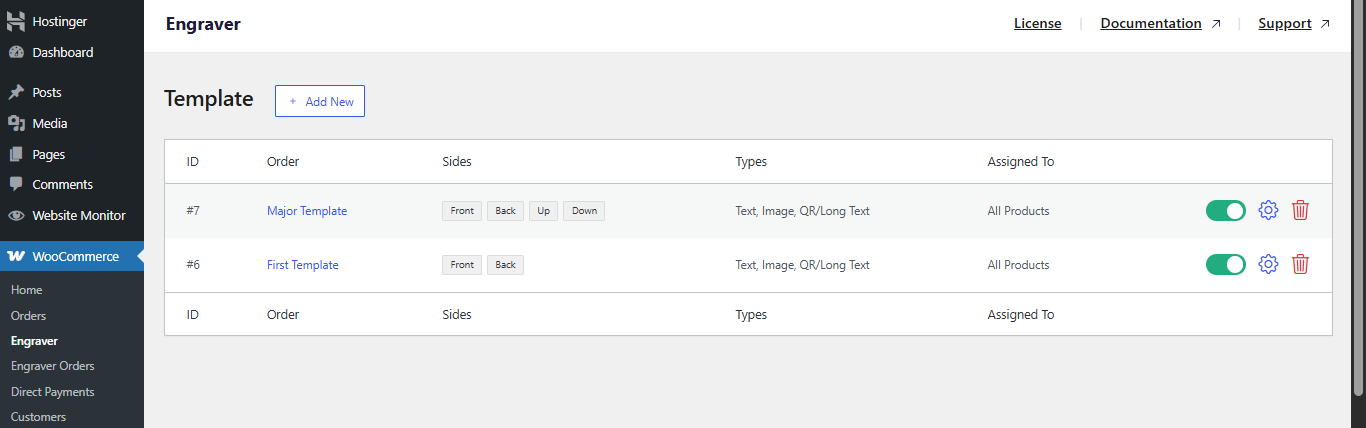
Engraver Dashboard
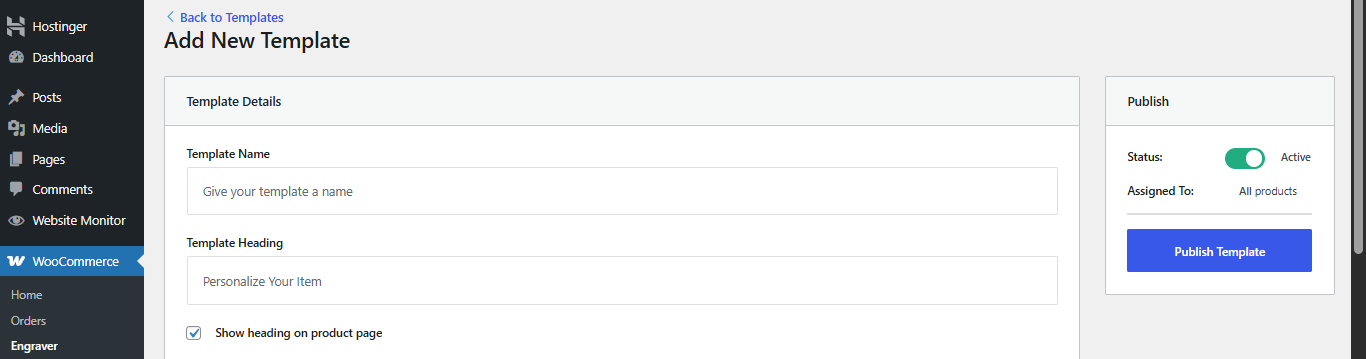
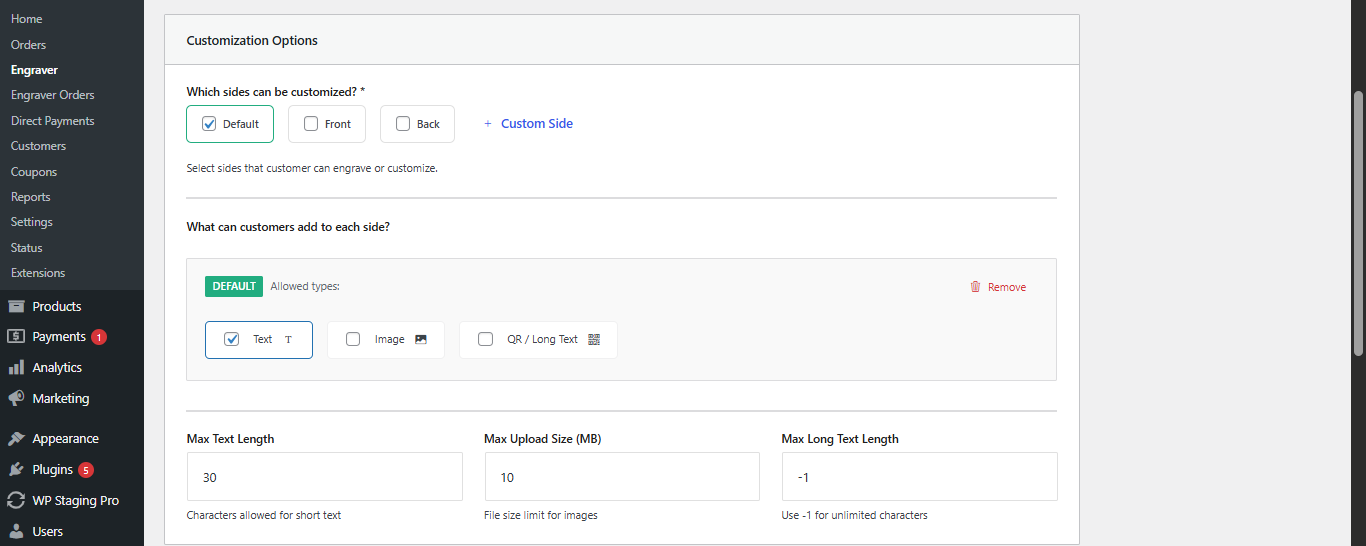
Tip: Only enable the sides that are physically possible for the product. Limiting unnecessary options prevents invalid orders and reduces back-and-forth with customers.
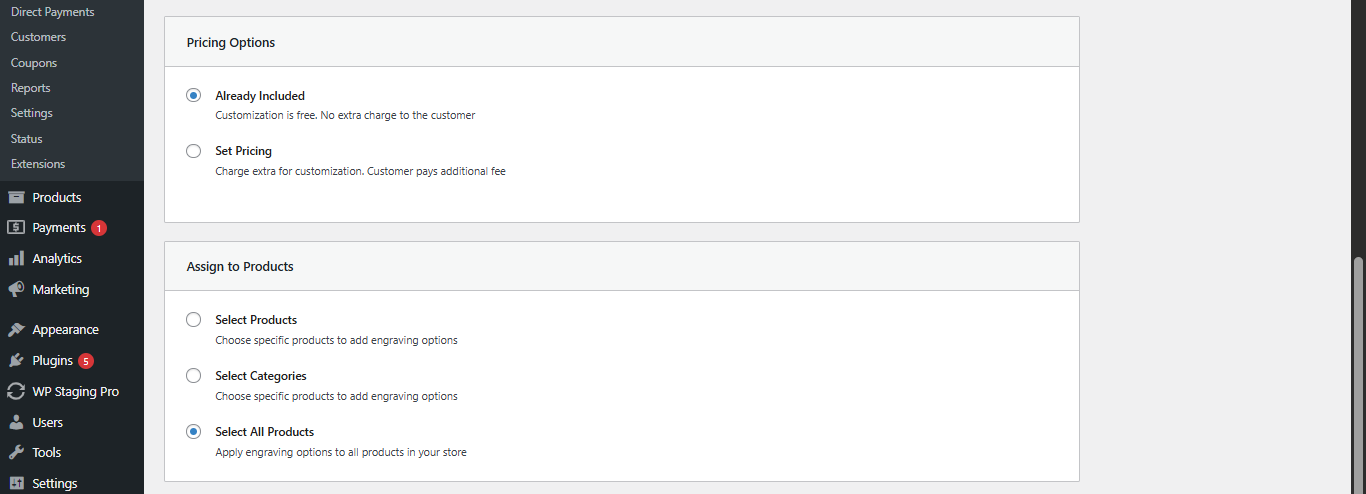
Tip: Use “Set Pricing” strategically for high-effort customisations (e.g., image uploads or long text). This helps maintain profitability while offering flexible options.
Engraver Orders Dashboard
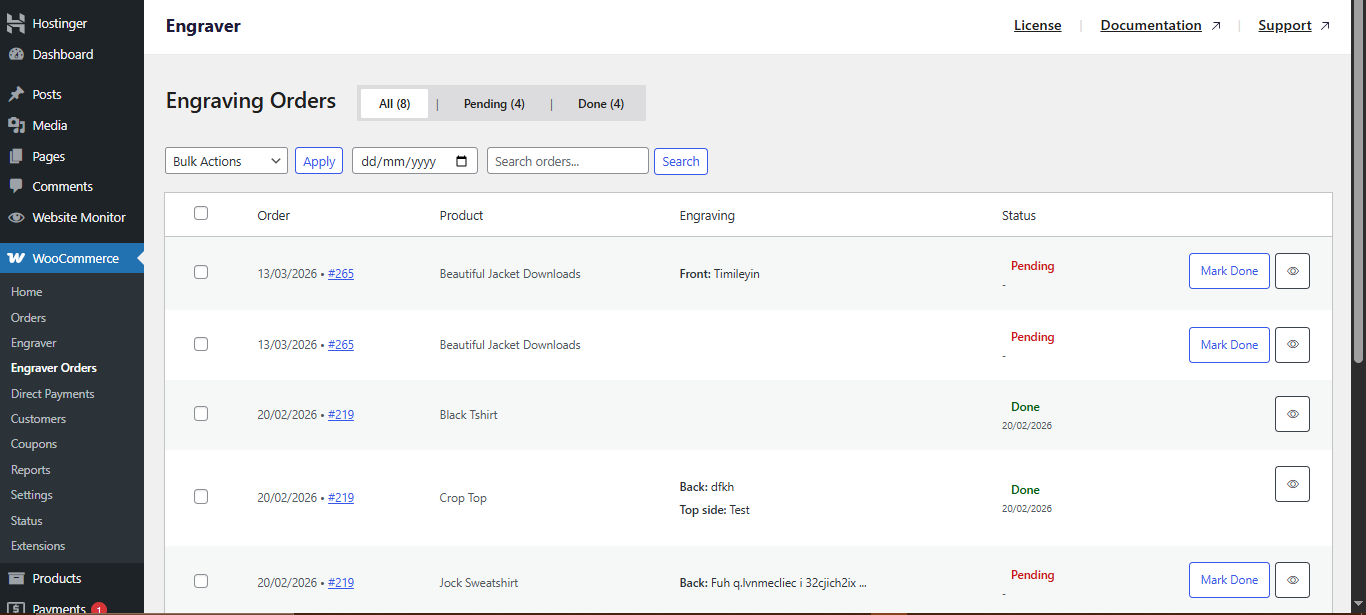
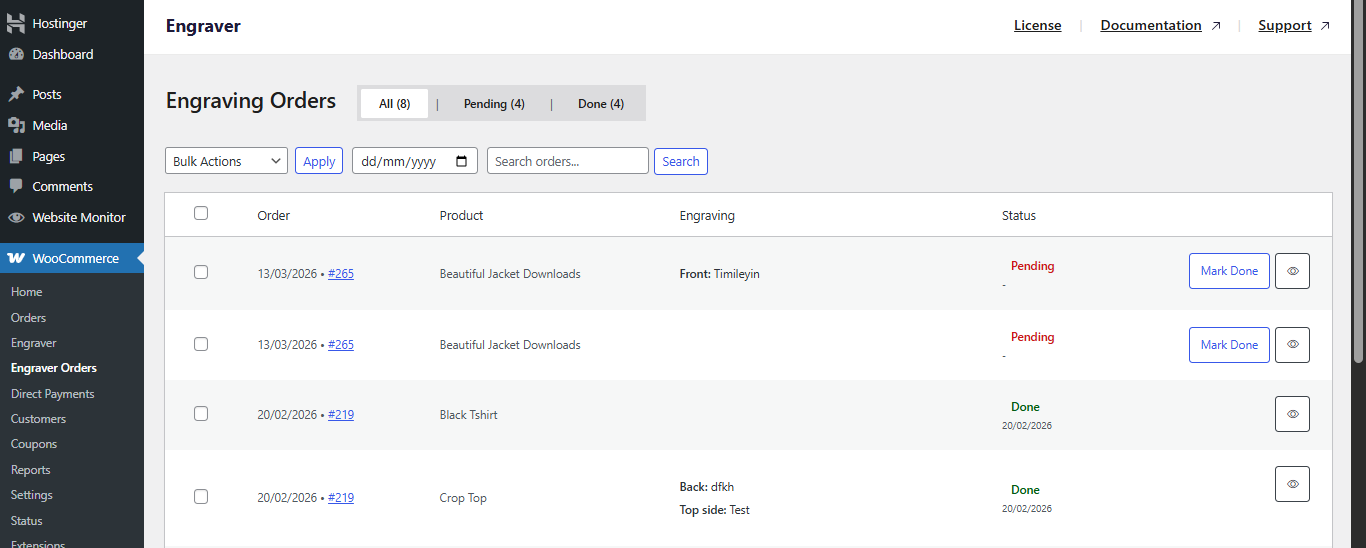
Tip: Combine date filters and status tabs to prioritise older pending orders first. This helps maintain a consistent turnaround time.








