🎁 New: Build Customer Loyalty & Drive Repeat Purchases with WooCommerce. Learn more


Dropshipfy gives dropshipping benefits to customers with the Dropshipper role, but it doesn’t include a sign-up form of its own. The easiest way to add dropshippers to your store is to build a registration form with Fluent Forms and have it automatically assign the Dropshipper role when someone submits it. This guide shows you how.
Step 1: Install Fluent Forms Pro
User registration through a form is a Pro feature, so you’ll need Fluent Forms Pro installed and activated before you start.
- Go to WordPress Admin > Plugins > Add New, search for or upload Fluent Forms, then click Install Now and Activate.
Step 2: Create a New Form
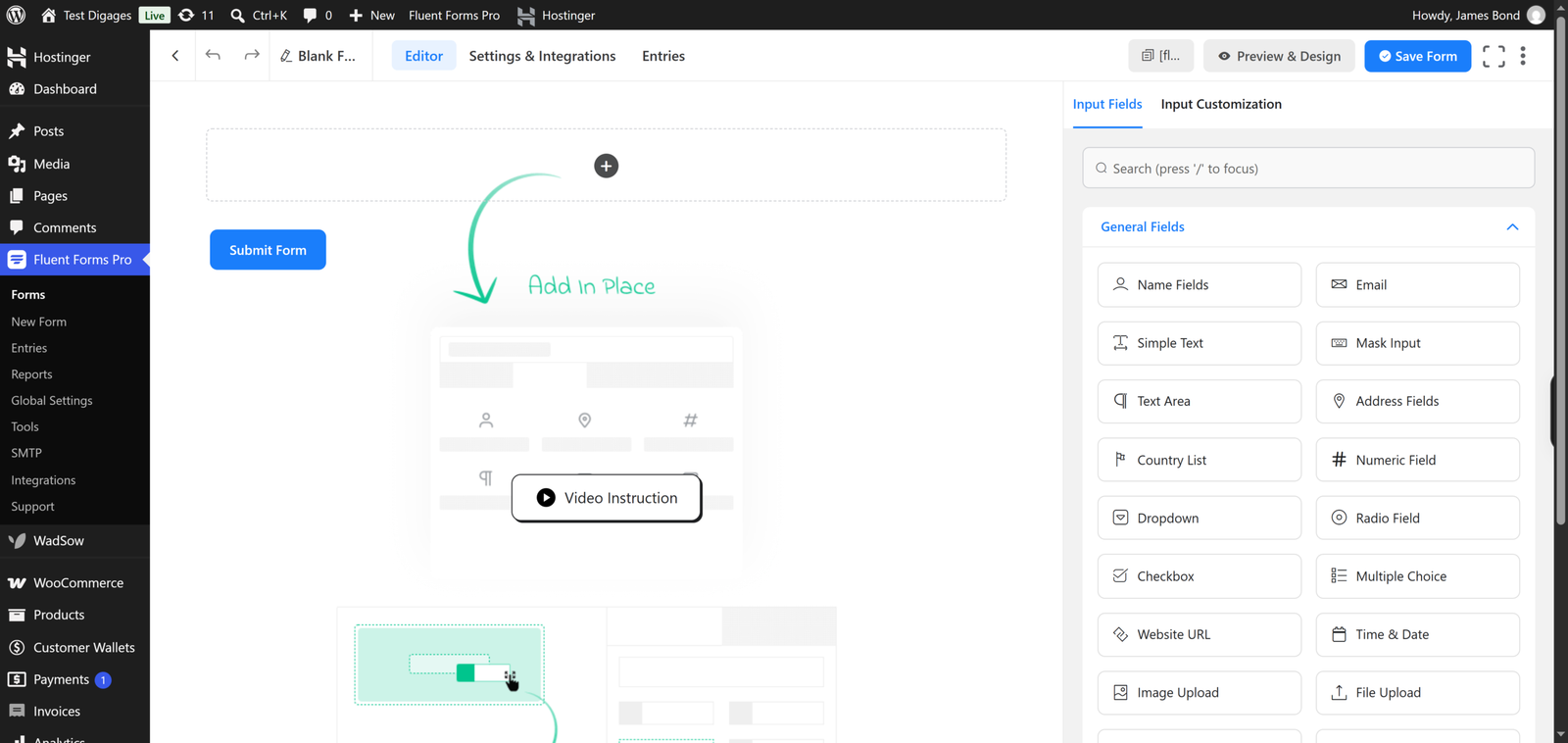
- On your WordPress sidebar, go to Fluent Forms Pro > New Form.
- Choose Blank Form to start from scratch.
- Add the fields you want dropshipper applicants to fill in. At minimum, include an Email field and a Password field, since both are required for account creation. A Name field is also recommended.
- Click Save in the top-left corner once your fields are in place.
Step 3: Connect the Form to User Registration
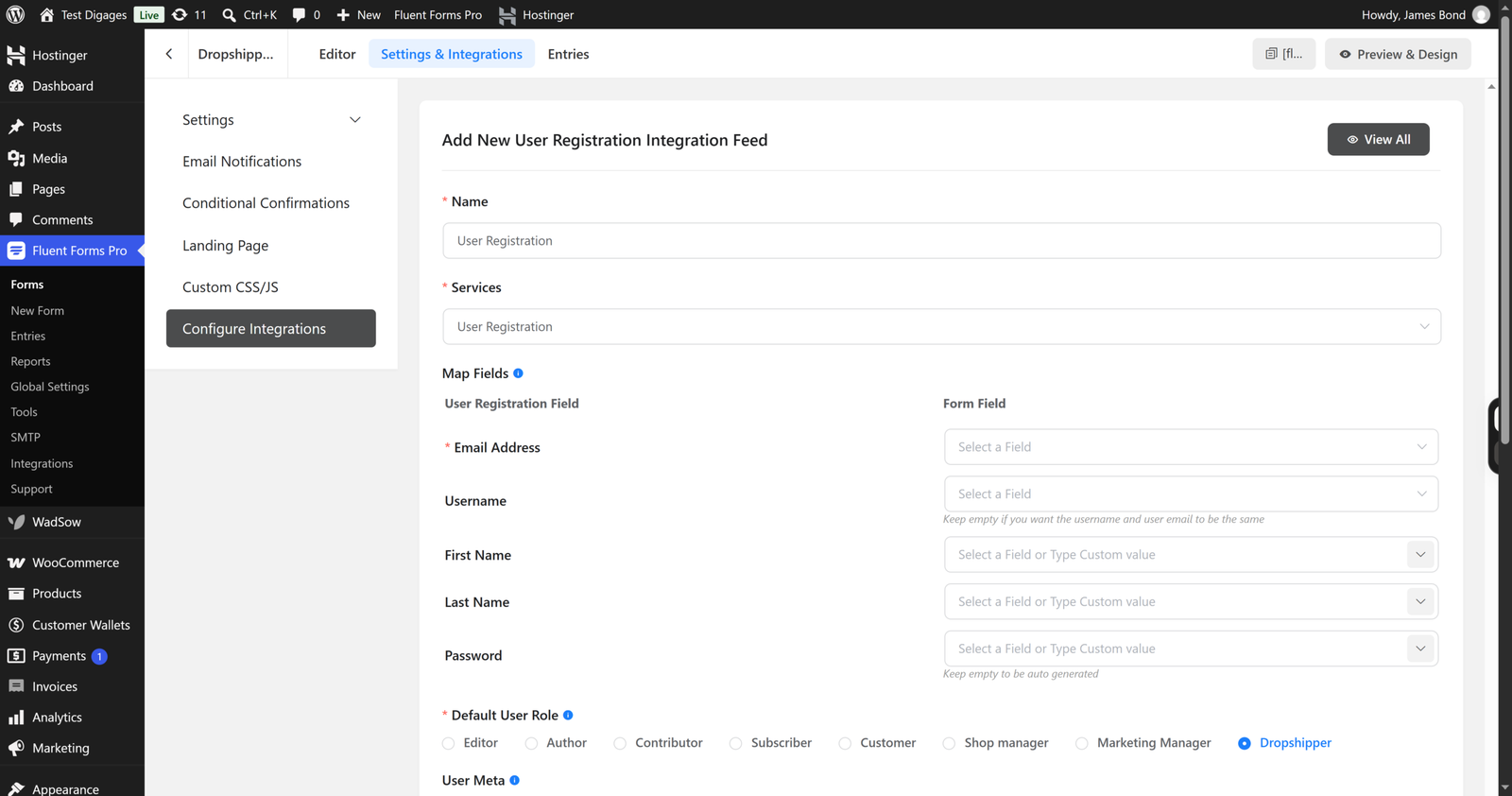
- With your form open, click Settings & Integrations in the top right corner.
- Scroll to Configure Integrations, then click Add New Integration.
- Select User Registration or Update Integration.
- Fill in the integration details, mapping each form field (Name, Email, Password) to the matching user field.
- In the Default User Role setting, select Dropshipper. This is what automatically registers every new submission as a dropshipper.
- Click Save Feed.
Once this is set up, anyone who submits the form gets a WordPress account with the Dropshipper role and can immediately access dropshipping prices on eligible products.
For more detail on setting up fields and mapping options, see Fluent Forms’ guide to creating a user registration form.
Step 4: Publish the Form
Add the form to a page on your site using the form’s shortcode (for example, a “Become a Dropshipper” page with the shortcode [form id=”3″]) so applicants can find and complete it.
Step 5: Test It
Submit the form yourself in a logged-out or incognito browser window, then check Users > All Users in your WordPress admin to confirm the new account was created with the Dropshipper role.
With the form live, you now have a simple, self-service way for customers to become dropshippers on your store.
Check out Dropshipfy for more info.


