🎁 New: Build Customer Loyalty & Drive Repeat Purchases with WooCommerce. Learn more


In this article
Introduction
Customer Wallet for WooCommerce lets customers top up their wallets using any enabled payment method and use their balance to pay for orders at checkout. Your store wallet lets you keep a balance on file that you can use to pay for orders, in full or in part, at checkout. This article walks you through adding funds (topping up) to your wallet.
In This Article
- Go to Your Wallet
- Choose an Amount to Add
- Complete Your Payment
- Frequently Asked Questions
1. Go to Your Wallet
- Log in to your account on the store.
- Go to My Account.
- From the menu on the right, click My Wallet.
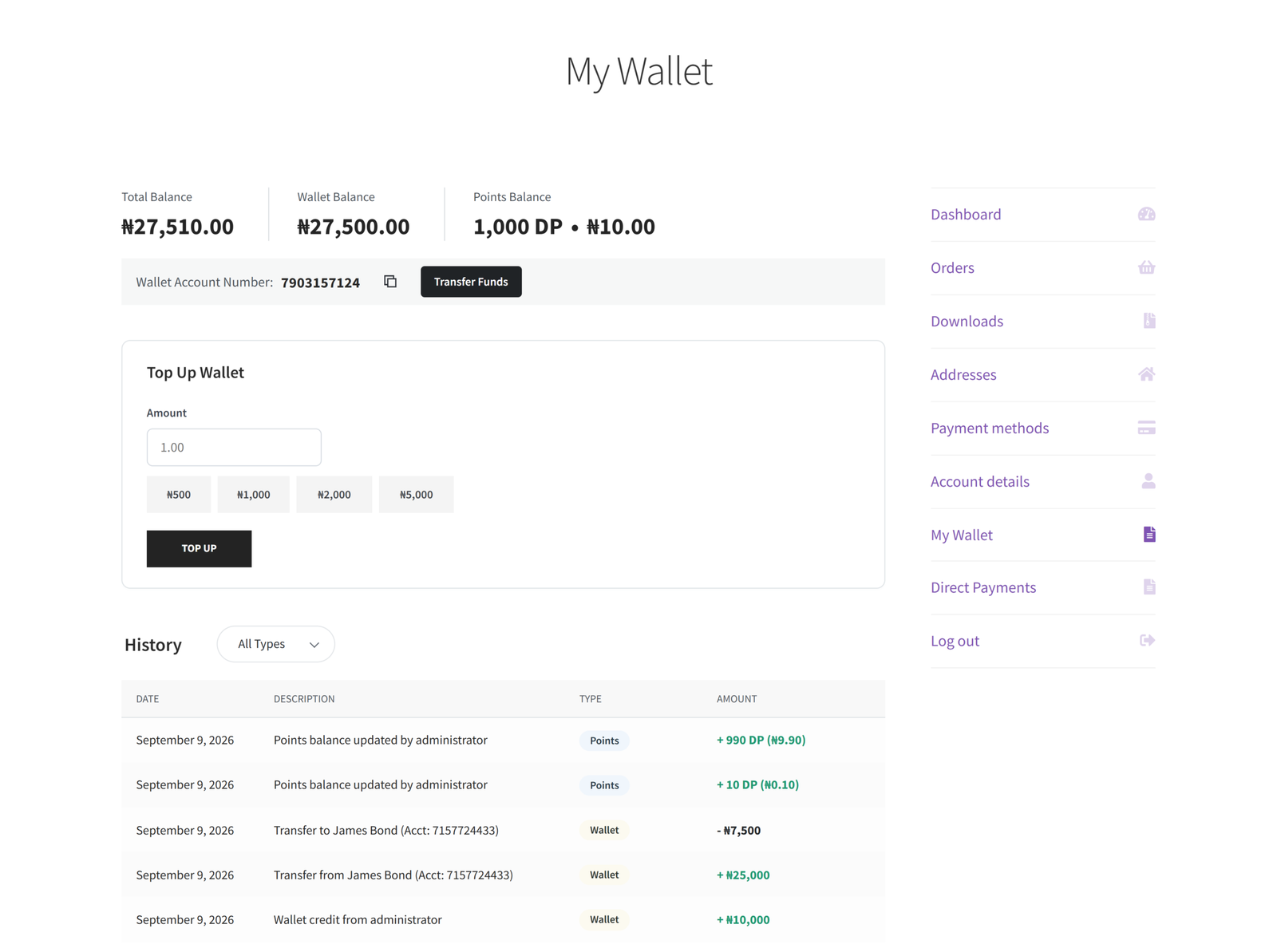
This page shows your current wallet balance and your unique wallet account number, which you’ll also use if someone wants to send funds to you.
2. Choose an Amount to Add
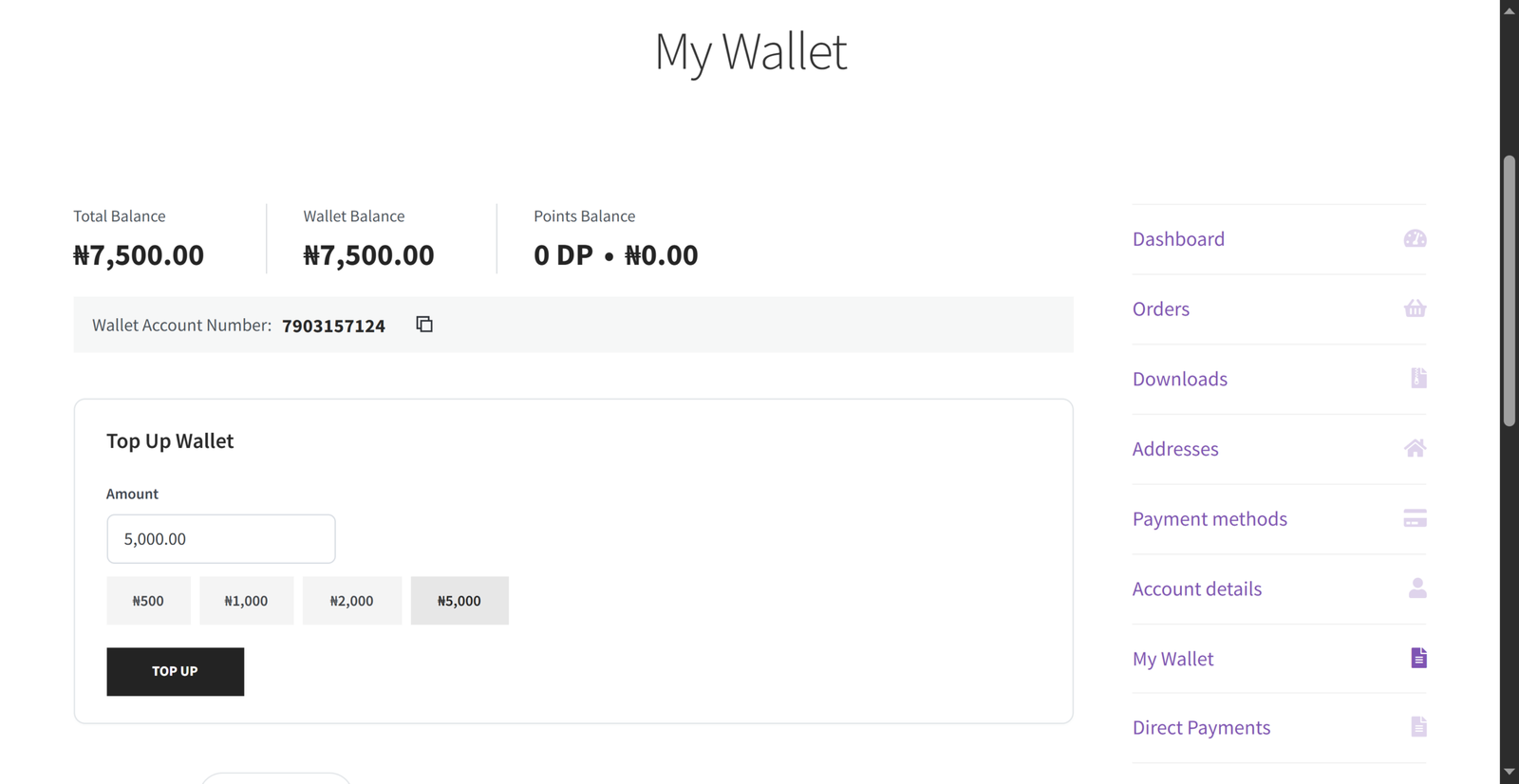
On the My Wallet page, find the Top Up Wallet section.
- Enter the amount you’d like to add in the Amount field, or click one of the quick-select buttons to fill it in automatically.
- Click Top Up to continue.
3. Complete Your Payment
After clicking Top Up, you’ll be taken to checkout to complete payment for the amount you selected.
- Choose your preferred payment method from the options available at checkout.
- Complete the payment as you normally would for an order.
- Once your payment is confirmed, the amount is added to your wallet balance automatically; you don’t need to do anything else.
You’ll receive a confirmation email once your wallet has been topped up, and the new balance will be reflected on your My Wallet page.
Frequently Asked Questions
Is there a minimum or maximum amount I can add? This depends on your store’s settings. If your entered amount is outside the allowed range, you’ll see a message telling you the minimum or maximum before you can continue.
What payment methods can I use to top up? You can use any payment method your store has enabled at checkout, such as a card, bank transfer, or other supported options.
Can I use my wallet balance right away? Yes. Once your top-up payment is confirmed, the funds are available in your wallet immediately and can be used on your next order.
Where can I see my wallet balance and history? Go to My Account > My Wallet at any time to see your current balance and a history of top-ups, purchases, and transfers.