Upgrading to Direct Invoices PRO
Introduction
Upgrading to Direct Invoices PROÂ unlocks advanced invoicing features, automatic plugin updates, and priority support, giving you everything you need to get more out of Direct Invoices.
This guide walks you through the entire upgrade process, from purchasing the PRO version to installing the plugin, activating your license key, and accessing your new features. You’ll also learn where to find your license key if needed and find answers to common questions about upgrading.
Whether you’re upgrading for the first time or reinstalling Direct Invoices PRO on a new site, this guide will help you complete the process quickly and get back to managing your invoices with minimal interruption.
Purchasing the PRO Version
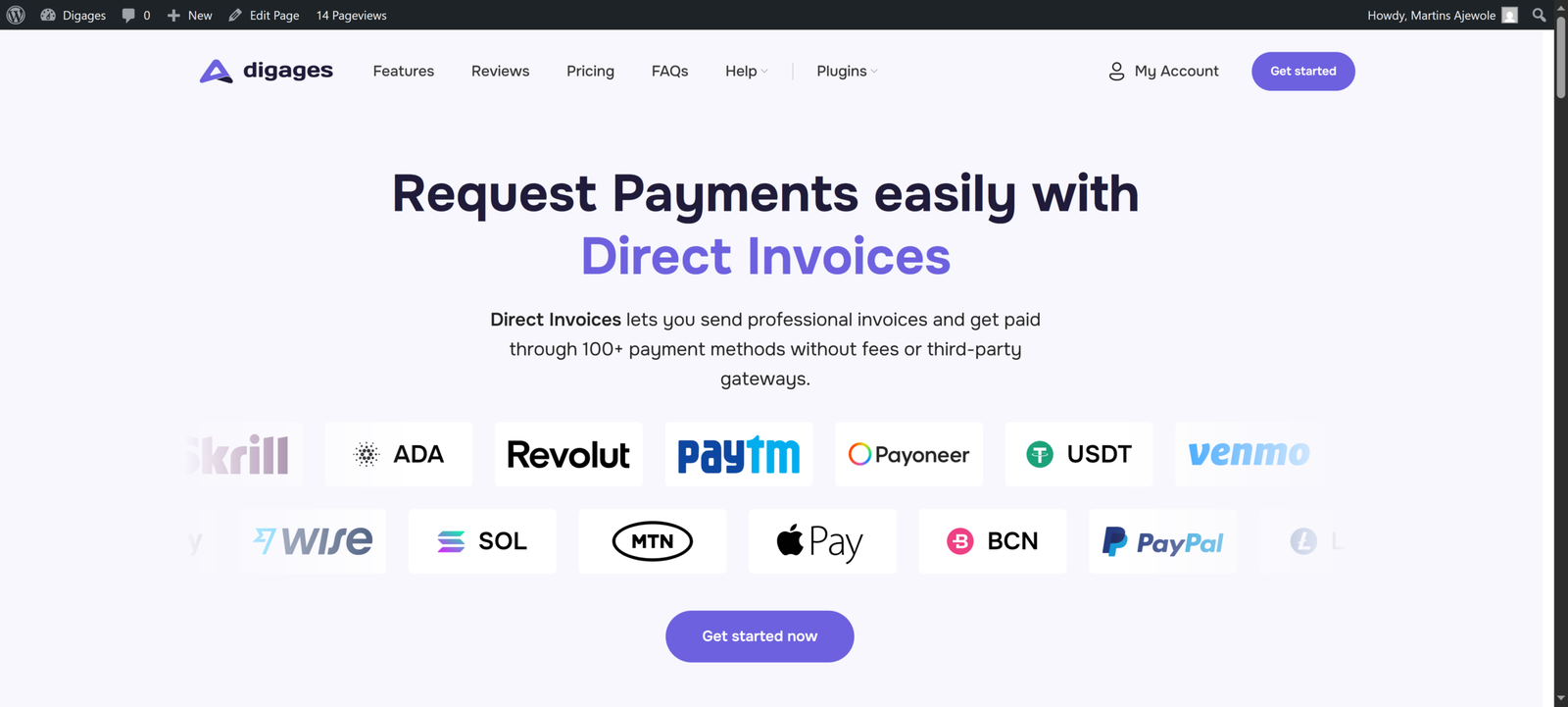
To get started, open your free version dashboard and click the Upgrade to Pro button. This will take you to the Direct Invoices Landing Page, where you can compare plans and choose the option that best fits your needs.
- In your free version dashboard, click Upgrade to Pro. This opens the Direct Invoices landing page.
- On the landing page, click Get Started Now to begin the upgrade process.
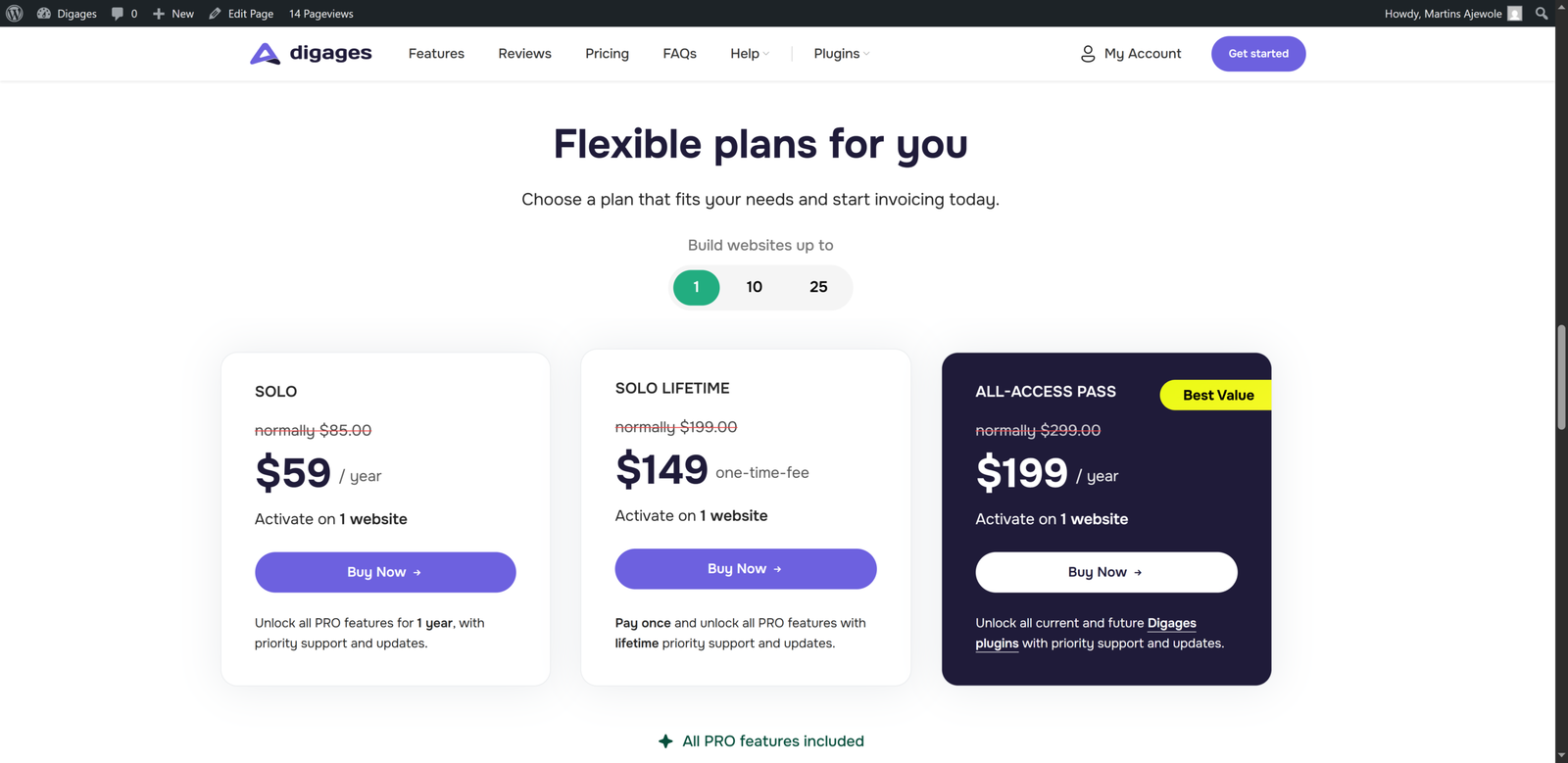
- Select the plan that best matches your needs.
- Complete the checkout process and pay for your selected plan.
Activating the PRO Version
After downloading and installing the Direct Invoices PRO plugin, you will need to activate it with a valid license key to unlock Pro features, updates, and support.
License Key Management
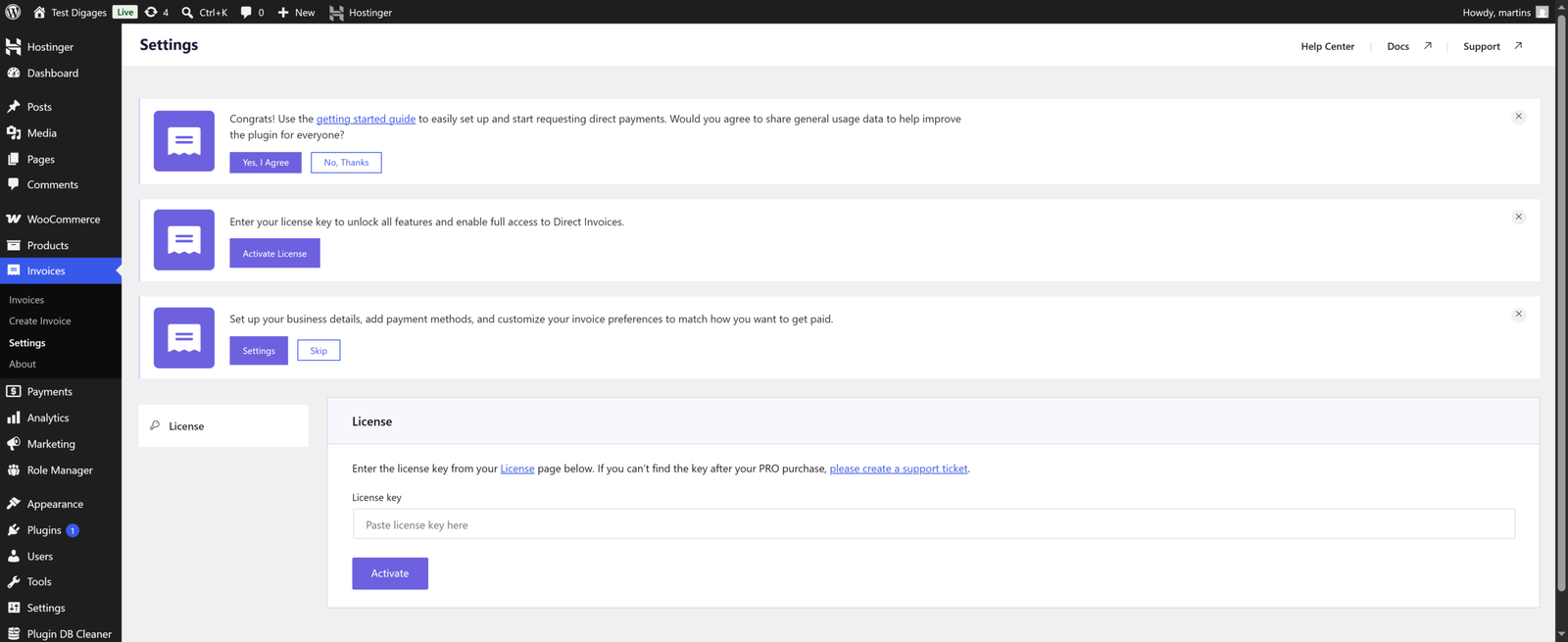
Once the PRO plugin is installed and active, head to the plugin’s settings page to enter your license key:
- Go to your WordPress Dashboard.
- Navigate to Direct Invoices > Settings.
- Select the License tab to check whether a license key has already been entered.
- Paste your license key into the field provided, then click Activate Pro.
How to Find Your License Key
If you need to retrieve your license key, you can find it in two places:
- From your email: the confirmation email sent after checkout includes your license key along with activation steps.
- From your account dashboard: log in to your account, navigate to the License section, and copy the key shown there.
Once you have your key, return to the License tab in the plugin settings, paste it in, and click Activate Pro. After activation, you’ll have immediate access to Pro features, automatic updates, and priority support.
Frequently asked questions
Do you have a question about Direct Invoices? See the list below for our FAQs. If your question is not listed here, please visit our docs or contact us.
No, your existing configurations carry over automatically to the PRO version.
Once the plugin is installed and your license key is activated, PRO features are available immediately.
Reach out to support, and our team will help you resolve any issues with your upgrade.